What should you look for before buying?
For scheduled cleaning between manual cleans, first check that the robot can reach the areas you want it to. Then choose the features that reduce the jobs you’d like to hand over.
| Feature |
What to check |
Who it suits |
| Room scheduling |
Check the mapping, room- or zone-based cleaning and app requirements. Measure the clearance under your furniture. |
If you want to clean several rooms while you’re out, you may want precise control over where the robot goes. Around 33% of consumers rank scheduled coverage as their top priority. |
| Thresholds, rugs and obstacles |
Measure the thresholds along the robot’s route and check the model’s limits for rugs and objects on the floor. |
A threshold or rug can stop the robot reaching a room, even if the cycle starts correctly. Around 27% of consumers prioritise an uninterrupted route. |
| Emptying and maintenance |
Check the type of station, compatible consumables and the maintenance tasks listed in the instructions. |
If you have to empty the bin too often, scheduled cleaning becomes less appealing. Reducing these chores is the main priority for around 20% of consumers. |
| Occasional mopping |
Check how the mopping system handles rugs and what’s involved in maintaining the pads, rollers or tanks. |
On hard floors, you may want to add a light mop without wetting your rugs or giving up manual mopping when it’s still needed. Around 20% of consumers prioritise this extra feature. |
Robot vacuums to explore on Joybuy
These models are designed for regular floor care, with navigation, mopping or station features depending on the model. To find a cleaning cycle that suits your home, compare their features with your thresholds and rugs, and think about which maintenance tasks you’re still happy to do yourself.
 Image unavailable
Q8-Max with mopping and auto-empty station
Worth exploring if you want scheduled cleaning with mapping and less frequent bin emptying. Check the app’s room-by-room settings.
The title lists LiDAR navigation, 8,000 Pa suction and a 200-minute runtime. Compare the obstacle-clearance limits and mopping instructions with your thresholds and rugs.
View on Joybuy
 Image unavailable
Eureka E20 Plus with station, black
Consider it for scheduled cleaning if you’d also like a station. Make sure the app settings suit the rooms or zones you want to clean.
The title lists 8,000 Pa suction, 3D obstacle avoidance, DuoDetect AI navigation and a 180-minute runtime. Check its threshold clearance and the guidance for your rugs.
View on Joybuy
 Image unavailable
roborock Q7 L5+ with mopping and auto-emptying, black
Worth exploring if you want to schedule floor cleaning while reducing manual emptying. Check the scheduling options and the station’s maintenance requirements.
The title lists LiDAR navigation, 8,000 Pa suction and an anti-tangle system. Compare the guidance on thresholds and rugs with your home.
View on Joybuy
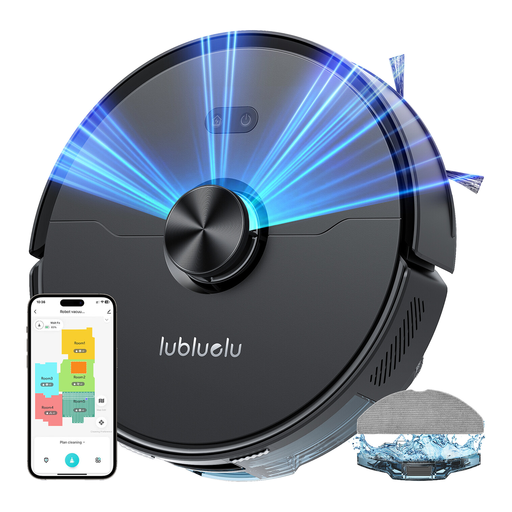 Image unavailable
Lubluelu L15 Ultra 3-in-1 vacuum and mop
Worth comparing if navigation and threshold handling matter for your regular cleaning. Check in the app whether you can schedule by time or room before choosing this model.
The title lists laser navigation and 4,000 Pa suction. Check the guidance on rugs while mopping and the applicable noise level.
View on Joybuy
 Image unavailable
ECOVACS Deebot X11 Pro Omni with station
Worth exploring if you’d like to hand over some emptying and mopping tasks without overlooking station maintenance. Check the zone settings and rug guidance before running an unattended cycle.
The title mentions an OZMO Roller 2.0 and advertised suction of 19,500 Pa. Don’t assume the advertised 4 cm means it can cross a threshold of that height: check the applicable limit against your doorways.
View on Joybuy
Frequently asked questions
Can a robot vacuum replace all manual cleaning?
No. Choose one for regular cleaning between manual cleans, not as a complete replacement. UFC-Que Choisir says vacuuming results vary by floor type and found poor mopping results from most of the robot mops in its test.
How can I check whether it will cross my thresholds and clean my rugs?
Measure each threshold and compare it with the stated limit for the model you’re considering. iRobot lists clearance of up to 1.6 cm for Roomba models, while Rowenta lists up to 18 mm for the X-PLORER Series 65+. Check how the robot handles thick rugs, fringes and raised edges separately.
Does a station mean the robot doesn’t need maintenance?
No. Depending on the model, it automates some tasks, but you’ll still need to check the bags or bins, brushes and sensors. A mop station also has water-related components that need maintenance, so read the instructions before buying.
What should I check about mapping and updates?
Check that the app offers the routines you need and that your Wi-Fi reaches the planned location for the dock. The support guidance from iRobot and Ecovacs includes update conditions linked to the robot being on its dock; check the instructions for your specific model.
What options do I have in France if the robot doesn’t match its description?
If you buy from a professional seller in France, the statutory legal guarantee of conformity applies to new, second-hand and refurbished goods, as the DGCCRF explains. This is separate from the manufacturer’s commercial commitments on parts availability, so check what applies to the exact model.


