Who is this type of use suited to?
The benefits of a robot vacuum depend just as much on the task you want to automate as on how much manual cleaning you’re prepared to keep doing.
Households that organise cleaning room by room
You want to schedule the robot between full cleans and target specific areas. Check that mapping and the app work with the model you’ve chosen. For example, iRobot says that some smart mapping features depend on your region.
Households that want to empty the robot less often
A self-emptying dock could be useful if the robot’s small dust bin is the main thing stopping you from using it regularly. However, it takes up space and needs maintenance of its own, including checking the container and ducts.
Households focused on rugs, edges and corners
If these surfaces and areas matter a lot in your home, look for tests of the exact model. Que Choisir assesses results separately by floor type, as well as around the edges of rooms and in corners. Mapping alone tells you nothing about how well the robot picks up dirt.
What should you look for before buying?
Start with the results you expect on your floors, then decide whether targeting specific rooms or emptying the bin less often would genuinely change how you use the robot. Finally, check the app’s requirements if those features depend on it.
| Feature |
What to check |
Consumers concerned |
| Floors, rugs and edges |
Look at tests of the exact model on your floor types, then check the results separately along walls and in corners. |
If my rugs or corners often need a manual clean afterwards, I want to know how well the robot really picks up dirt before scheduling it; around 36% of consumers make this their top priority. |
| Navigation and rooms |
Check map creation, room-by-room cleaning and no-go zones on the version of the model you’re interested in. |
To tailor cleaning to several rooms, I mainly need to be able to choose where the robot works; this comes first for around 29% of consumers. |
| Emptying and maintenance |
Measure the space for the dock and check its container, consumables and what you need to do if there’s a blockage. |
If having to empty the bin often puts me off using the robot, I’d rather take on the upkeep of a dock; around 21% of consumers prioritise reducing these tasks. |
| App and data |
Check phone compatibility, updates, the permissions requested and which features work without a connection. |
When my schedules depend on an app, I want to know what data it uses and whether I can turn off features I don’t need; around 14% of consumers prioritise having control over these things. |
Brands to consider
These brands are useful starting points for comparing product ranges, not a reason to assume that every model has the same features or performance.
iRobot
Some Roomba models offer mapping and, depending on the model, a self-emptying dock.
- For relevant models, iRobot support explains how to target areas using smart maps.
- Feature availability may depend on your region and the firmware, so check the model sold in France.
Ecovacs
The DEEBOT range includes models with docks and features designed to clean along edges.
- Ecovacs offers models with extended brush systems and a range of dock features.
- These advertised features are no substitute for tests on your floors or checking the maintenance needed for the dock you choose.
Dreame
Dreame offers models with mapping and, depending on the model, mopping features or a dock.
- Dreame lists mapping as a feature on some models, including those in its robot vacuum range.
- Check the results on your floor types, the app and the maintenance required for the model you’re considering.
Roborock
Roborock is one of the robot vacuum brands featured in Que Choisir’s guide.
- The brand is worth including when comparing models suited to scheduled cleaning.
- Compare models individually for rug performance, dock features and app requirements.
Rowenta
Que Choisir lists Rowenta among the brands in the robot vacuum cleaner market.
- Its models can be compared with other robot vacuums to find one that suits your home.
- The brand alone doesn’t indicate how well a model performs: check the tests and specifications for each one.
Robot vacuums with docks to consider on Joybuy
These five robot vacuums are for households considering a dock to reduce how often they need to empty the dust bin. Navigation and mopping features vary by model. For each one, compare the advertised features with your floor types and the maintenance you’re prepared to do. This selection is no substitute for comparing them with a manual vacuum cleaner for deep cleans.
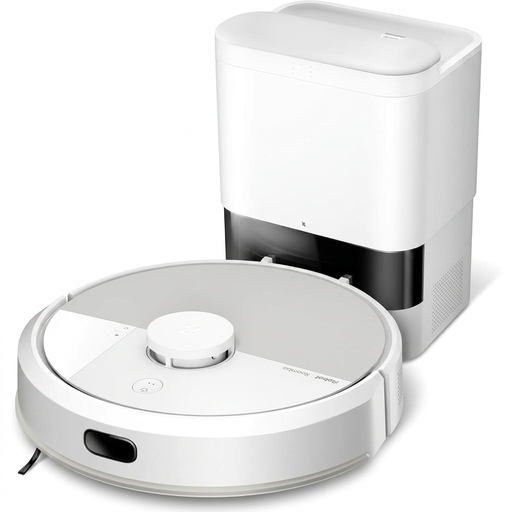 Image unavailable
White iRobot Roomba Combo 115 AE
Worth considering if you want to schedule room-by-room cleaning while emptying the dust bin less often. This version combines vacuuming with a mopping feature. Make sure you have enough clear space for the AutoEmpty dock and check how it performs on your floors.
View on Joybuy
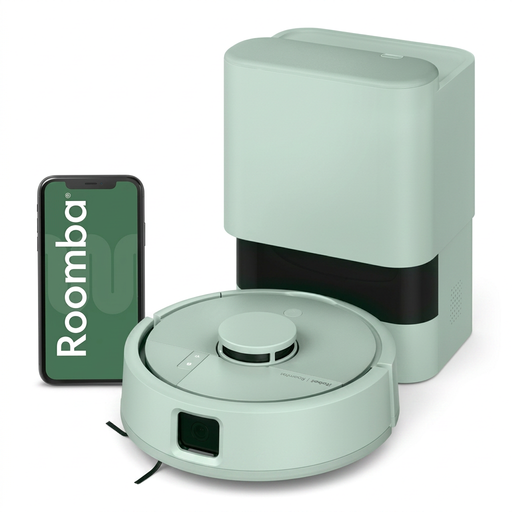 Image unavailable
iRobot Roomba Mini Mint F155440
Consider this model if the robot’s size matters for your room layout and you want to cut down on manual emptying. Its dust bin is listed as 200 ml. Also check how much room the AutoEmpty dock needs and look for tests on your floor types.
View on Joybuy
 Image unavailable
ECOVACS DEEBOT X9 PRO Omni
Worth considering if you want one dock to handle both dust emptying and mop maintenance. The product description lists 16 600 Pa suction, an OZMO roller, and ZeroTangle 3.0 and TruEdge 2.0 features. These specifications don’t measure how well it cleans your rugs or reaches corners. You’ll also need to fill and empty the dock’s tanks.
View on Joybuy
 Image unavailable
Black ECOVACS DEEBOT T30C OMNI Gen2
Consider this model if zone management and the dock’s mop pad maintenance matter to you. The product description lists 25 000 Pa, OZMO Turbo 2.0, ZeroTangle 3.0, TruEdge 2.0 and mop pad washing at 75 °C. These figures and features don’t prove how well it will clean your floors. The dock’s tanks also need maintenance.
View on Joybuy
 Image unavailable
Black roborock Q7 L5+
Worth considering if you want to schedule cleaning using LiDAR navigation and reduce how often you empty the bin with a dock. The product description lists 8 000 Pa, an anti-tangle system and a mopping feature. Check the instructions for this version and look for tests on your floors before deciding what results to expect.
View on Joybuy
Frequently asked questions
Can a robot vacuum cleaner completely replace a manual vacuum cleaner?
Not for every cleaning task. Robot vacuums are best suited to regular maintenance, and results vary depending on the floor type and area. Que Choisir tests rugs, tiles, wooden floors, edges and corners separately, and finds that cylinder vacuum cleaners are more effective at removing dust during a deep clean.
Does the mopping feature mean I won’t need to use a mop?
Not necessarily. Que Choisir rates mopping performance as poor for most of the models it tested on tiled floors. Check the instructions for your floor type and robot; the source specifically advises against using this feature on solid wood.
What does a self-emptying dock need to work properly?
It needs to be installed according to the instructions, connected to power and accessible to the robot. Ecovacs support says that, for its dock, correct assembly, fitting the bag and keeping the ducts clear are all essential for emptying. Check the requirements for the model you’re considering.
What should I check before using the robot’s app?
Check that it’s compatible with your phone, what updates are planned, which permissions it requests and which features remain available without a connection. The CNIL advises checking data use and connected features against your needs, as a Wi-Fi device connects to your home network.


