Who might benefit from a robot vacuum cleaner?
A robot is mainly useful for keeping floors clean on a regular schedule between manual cleans. Whether it’s right for you depends on your floors and how much work it leaves you to do.
Homes with varied floors and nobody in during the day
If you want to pick up dust and debris regularly, compare performance on your tiles, wooden floors and rugs, including along edges and in corners. Que Choisir assesses these surfaces separately in its test protocol.
Homes with pets and items on the floor
Pet hair, cables, shoes and food bowls make brush design and navigation important. Check the features and limitations of the exact model before scheduling it to clean while you’re out.
Homes where you want to empty the bin less often
A docking station can reduce how often you need to deal with the robot’s dust bin. You’ll still need to make space for it and maintain the bags, tanks or mopping components specific to the model.
What should you check before choosing one?
Start with your floor types and the areas you want to clean. Then decide which tasks you’d like to automate and which you’re happy to keep doing yourself.
Robot vacuum cleaner
Worth considering: if you want to pick up dust, crumbs or pet hair regularly without making mopping your priority.
Bear in mind: without an auto-empty dock, you’ll need to empty the bin regularly. The robot may not clean every rug or hard-to-reach corner effectively.
Robot vacuum and mop with a docking station
Worth considering: if your hard floors are suitable for wet mopping and you’d like to spend less time handling the mop pads.
Bear in mind: the docking station takes up space and still needs maintenance. In December 2024, Que Choisir found that mopping performance varied between robots.
Manual vacuum cleaner as a backup
Keep one for: stairs, hard-to-reach areas and occasional messes that the robot can’t handle properly.
The trade-off: you’ll need to do these cleaning jobs yourself, and they can’t be scheduled while you’re out.
| Feature |
What to check |
How it fits my needs |
| Vacuuming |
Look at test results for the model on tiles, wooden floors and rugs, as well as along edges and in corners. Its advertised Pa rating alone doesn’t tell you how well it performs in these areas. |
I have several floor types or lots of corners, so I want to know which areas will still need a manual clean. |
| Navigation |
Check the exact model’s room-by-room scheduling, no-go zones and obstacle detection limitations. Also check the terms of use for its app. |
With separate rooms, cables or food bowls on the floor, I’d rather be able to target areas and plan the route before I go out. |
| Maintenance |
Check whether the dock only empties the bin or also handles mopping tasks. Look at the space it needs, plus the tanks, bags and compatible accessories. |
I want to empty the dust bin less often, but I’m happy to clean the dock and replace its consumables. |
| Rugs and mopping |
For a robot mop, check how it handles rugs and whether wet mode is suitable for each floor type. In its December 2024 analysis, Que Choisir advises against robot mopping on wooden floors, particularly solid wood. |
I have rugs alongside hard floors, so I want to keep them dry and have another cleaning method available if needed. |
| Pet hair |
Check the brush design and maintenance requirements, as well as vacuuming results on your types of rugs. An advertised anti-tangle feature alone doesn’t prove how well it performs. |
Pet hair builds up quickly in my home, so I want regular cleaning without assuming the robot will replace manual rug cleaning. |
What do the brands have to offer?
The features mentioned below relate to specific models. Compare them with the model you’re considering rather than assuming they apply to an entire range.
Roborock
The range includes robot vacuum and mops with either an auto-empty dock or a multifunction dock, depending on the model.
- According to Roborock France, the Q10 S5+ combines LiDAR mapping, carpet detection and an auto-empty dock; the Qrevo Curv 2 Flow has a roller mop that lifts by 15 mm.
- These advertised features alone don’t tell you how well the robot will perform on your floors. Check which consumables are compatible, too.
Dreame
Some Dreame robot vacuum and mops combine carpet management with a multifunction dock.
- Dreame France lists a PowerDock station and a 10.5 mm mop lift for the L10s Ultra Gen 3 Kit.
- The advertised mop lift doesn’t indicate how well it mops. In December 2024, Que Choisir found that results varied between robot mops.
iRobot
Mapping, object detection and auto-emptying features vary between Roomba models.
- iRobot France describes room-by-room mapping on the Roomba i5 and says the Roomba j9+ can identify objects such as shoes, cables and food bowls.
- These features aren’t interchangeable between models. Check the exact model and consider the obstacles in your home.
Robot vacuum cleaners to explore on Joybuy
These options are robot vacuum and mops selected for floor care with a mopping function. Compare how they handle your floors and what you’ll still need to do yourself. This selection doesn’t replace the choice between a robot vacuum, a robot mop and manual cleaning.
 Image unavailable
Dreame X40 Ultra Complete, white
If you’re considering this model for hard floors and rugs, check the selected variant’s mopping modes, how it handles rugs and what maintenance is needed between cleans.
View on Joybuy
 Image unavailable
roborock Qrevo S5V, white, with dock
For a home with a mix of hard floors, rugs and pet hair, this variant advertises 12000 Pa suction, FlexiArm mop pads, a Double Anti-Tangle system and obstacle avoidance. Check how it performs on your rugs and what maintenance the dock needs rather than assuming the advertised suction power guarantees the results.
View on Joybuy
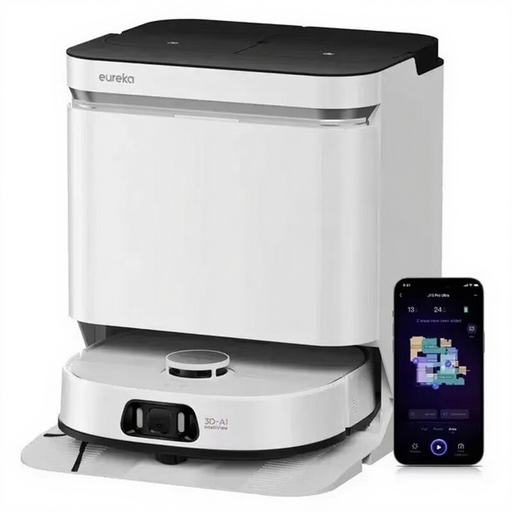 Image unavailable
EUREKA J15 Pro Ultra
Its name highlights a combination of vacuuming and mopping, with 16200 Pa suction, a liftable brush, liquid detection and hot-water cleaning of the components at 75°C. Check that wet mode is suitable for your floors and what maintenance the dock needs.
View on Joybuy
 Image unavailable
ECOVACS DEEBOT X9 PRO Omni
The product name lists 16,600Pa suction, an OZMO Roller, ZeroTangle 3.0 and an Omni station. If you plan to use its connected features, check their data settings and what maintenance the mopping components need, too.
View on Joybuy
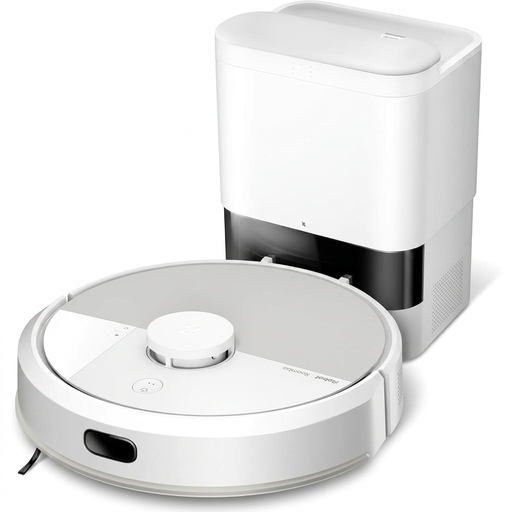 Image unavailable
iRobot Roomba Combo 115 AE, white
This Roomba Combo comes with a mopping function. To decide whether it’s right for your home, check how this variant handles rugs in wet mode and what you’ll need to do yourself to manage the water and mop pad.
View on Joybuy
Frequently asked questions
Can a robot vacuum cleaner replace a manual vacuum cleaner?
Not in every home. Que Choisir finds that results vary between floor types and tests edges and corners separately. Keep a manual vacuum cleaner for stairs, awkward corners or occasional cleans that the robot can’t handle properly.
How do you choose a robot’s mapping features?
Check the exact model’s features, including room creation, area scheduling and any no-go zones. iRobot’s guidance on its smart maps describes customisation after an initial run, although the available features and set-up steps depend on the robot you choose.
Does an automatic docking station eliminate emptying and cleaning?
No. Depending on its features, it may mean you need to empty the dust bin less often or handle some mop maintenance, but you’ll still need to keep an eye on the bags, tanks, brushes, filters and the station itself. Compare the tasks involved for the model you’re interested in.
Can you use a robot mop on wooden flooring?
Don’t assume that wet mode is suitable for every wooden floor. In its December 2024 analysis, Que Choisir advises against using robot mops on wooden floors, particularly solid wood. Check your floor’s finish and care instructions before using wet mode.
What should you check before connecting a robot to Wi-Fi?
Check whether the features you want require an app or an account, then look at the data collected and the settings available. The CNIL points out that a Wi-Fi-connected robot joins your home network, so choose only the connected features you’ll actually use.


