Households that are often out
If you want to schedule regular cleaning runs, check how easily the robot can move around as well as what you’ll still need to do with its dustbin or dock.


Choose a robot vacuum cleaner to keep your floors clean between manual cleans, provided it can move around your home without getting stuck on obstacles or rugs. Mopping requires a compatible floor covering and is no substitute for a thorough clean. A dock can reduce how often you need to empty the robot, but it also adds components to maintain. Que Choisir notes that robot vacuum cleaners deliver different results depending on the floor and model.
If you want to schedule regular cleaning runs, check how easily the robot can move around as well as what you’ll still need to do with its dustbin or dock.
Cables, pet bowls, hair and rugs can make autonomous cleaning cycles more difficult. Ecovacs notes, in particular, that some thin or rigid rugs may not be detected by the relevant robot models.
Mopping can help with light cleaning on a compatible floor covering. Que Choisir highlights its limitations and advises against using it on wooden floors, especially solid wood.
For cleaning cycles while you’re out, first consider how the robot can move between rooms, then check your rugs and floor covering. Next, decide how much maintenance you’re happy to do on the robot and its dock.
| Feature | What to check | Who it matters to |
|---|---|---|
| Navigation | Measure the clearance under furniture and look out for cables or objects on the floor; check the options for setting no-go zones. | If the robot needs to travel between several rooms while I’m out, I want to avoid it getting stuck before the cycle is complete. Around 33% of consumers would make autonomous navigation their top priority. |
| Maintenance | Tell the difference between a self-emptying dock and one that also handles the mop pads; check how easy it is to access the bins and which consumables are compatible. | When cleaning cycles are frequent, I’d rather empty the robot less often while knowing what else needs cleaning. Reducing the number of maintenance tasks would be a priority for around 27% of consumers. |
| Pet hair and rugs | Look for test results on the types of surface in your home, and check how to maintain the brush and how the robot handles rug edges. | With pet hair or fibres on rugs, I want regular cleaning without assuming that a brush advertised as tangle-free will be enough. Around 20% of consumers would put this need first. |
| Mopping | Check the guidance for your floor covering and the robot’s settings for moisture, then see how it handles rugs while mopping. | On a hard floor, I’d like to add a light damp clean, but only if my flooring allows it. Mopping on a compatible floor would be the top priority for around 20% of consumers. |
In its tests, Que Choisir found that mopping was inadequate on most of the models tested, with results varying according to the type of dirt.
Treat this feature as a way to keep floors lightly clean, and check tests of the specific model before relying on it for the stains you usually deal with.
Ecovacs says some thin or rigid rugs may not be detected properly, while turned-up corners can stop the robot.
Watch the first few cleaning runs on each important rug. If needed, secure the corners or set a no-go zone.
A dock can empty the robot and, depending on the model, handle some stages of mopping. However, brushes, bins, filters and the dock’s tray still need maintenance.
Check how easy it is to access these components and which consumables are compatible with the model you’re considering.
Bags, filters, brushes and mop pads may need replacing with parts specific to the model.
Two robots with similar features can differ in how easy it is to access spare parts and maintenance documentation.
Compare the repairability rating shown for each relevant model, along with the available parts and disassembly instructions.
The range includes robots with mapping and, depending on the model, either a self-emptying dock or a multifunction dock.
The DEEBOT range includes robot vacuum cleaners with mopping, with mapping, rug-handling and dock features that vary by model.
The Roomba range includes robot vacuum cleaners and Combo models with mopping, with features varying by model.
The range includes robot vacuum cleaners with mopping, with multifunction docks and rug-handling features that vary by model.
These robot vacuum cleaners with docks are suited to regular cleaning cycles and reducing how often you need to empty the robot’s bin. You’ll still need to check that each model can move around your home and what maintenance is required. Check that the mopping function is suitable for your floors.
 Image unavailable
For regular vacuuming and mopping, this model is listed with an Omni dock, an OZMO Roller system and suction power of 16 600 Pa.
Allow time to maintain the water tanks, and check how it handles your rugs and obstacles before relying on unattended cleaning cycles.
 Image unavailable
For vacuuming and mopping with an OMNI dock, the product title lists OZMO Turbo 2.0, ZeroTangle 3.0 and suction power of 25 000 Pa.
Before mopping, check the guidance for your floor covering and how the robot handles thin rugs or those with turned-up corners.
 Image unavailable
To empty the robot less often, this model is listed with an automatic-emptying dock, DuoDetect AI and suction power of 8 000 Pa.
Before buying, check the type of dust collection system in the dock and which consumables are compatible. Clear cables and small objects from its route.
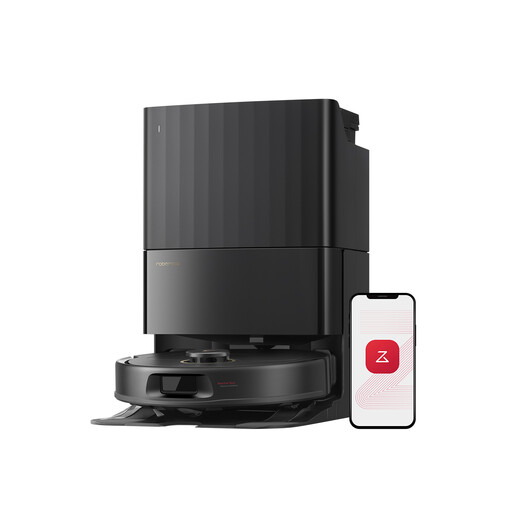 Image unavailable
For vacuuming and mopping cycles with a dock, this model is listed with FlexiArm mop pads and suction power of 12 000 Pa.
The product description advises against mopping long-pile rugs. Set no-go zones for these rugs and check that your floors are suitable for damp cleaning.
 Image unavailable
For vacuuming and mopping with a dock, the product title lists anti-tangle technology and suction power of 16 200 Pa.
If you want to run cleaning cycles while you’re out, check the scheduling and remote-control options, as well as whether mopping is suitable for your floors.
No. Check the guidance for your floor covering and the robot before using it for damp cleaning. Que Choisir tested mopping on tiled floors and advises against using it on wooden floors, especially solid wood.
No. It depends on whether the rug is detected correctly. Ecovacs says some thin or rigid rugs may not be detected, while turned-up corners can stop the robot. Watch the first few cleaning runs and exclude problem areas if needed.
No. It can automate dust transfer and, depending on the model, some mopping tasks. You’ll still need to replace consumables and clean the components specified in the instructions, including brushes, bins and parts of the dock.
Compare the repairability rating shown for the models you’re considering, then check whether spare parts and documentation are available. Information from the French ministry responsible for the ecological transition describes this rating as a way to help assess whether an appliance can be repaired.
Don’t assume so: Que Choisir reports that results vary depending on the floor and model. Keep a manual cleaning option for thorough cleans, localised dirt and places the robot can’t reach.