Households wanting to automate daily cleaning
You want to cut down on repetitive cleaning of dust, crumbs and debris, while understanding what a robot can realistically handle between manual cleans.


Choose a robot vacuum to automate frequent cleaning of dust and debris, and consider a vacuum-and-mop model if your hard floors are compatible and you are happy to maintain a docking station. Keep a manual vacuum for carpets, corners, ingrained dirt and occasional messes: UFC-Que Choisir reports that results vary depending on the floor and the area being cleaned.
You want to cut down on repetitive cleaning of dust, crumbs and debris, while understanding what a robot can realistically handle between manual cleans.
You need to prioritise performance on carpets, the way fibres and pet hair are handled, the risk of tangling, and navigation around furniture or objects. Claimed power alone is not enough to make an informed choice.
You want to schedule and map cleaning through an app, while reducing hands-on tasks with a docking station. Also check your Wi-Fi, compatible phone, available space and privacy requirements.
Consider it if: you want to schedule frequent cleaning of dust, crumbs and debris without making mopping a central requirement.
Be prepared for: results to vary between carpets, wooden floors, tiles, edges and corners; a docking station also takes up space and requires maintenance.
Consider it if: you need routine cleaning for tiles or other compatible hard floors, particularly when light marks appear frequently.
Be prepared for: mopping not always replacing manual mopping, while clean water, dirty water and mop components still need to be managed.
Keep one if: you regularly clean carpets, stairs, awkward corners, localised spills or ingrained dirt.
Be prepared for: this solution requires manual intervention, but it remains useful even when you have a robot.
| Priority | What to check | Your needs |
|---|---|---|
| Performance on different floors | Compare tests of the exact model on carpets, tiles, wooden floors, edges and corners. Do not rely solely on a Pa rating. | I want the robot to clean the floor coverings actually found in my home, including skirting boards and corners where dust builds up. |
| Carpets, hair and obstacles | Check carpet detection, mop-lifting height, anti-tangle systems and how objects on the floor are handled. | I have both carpets and hard floors; I want to avoid wetting carpets and limit stops caused by hair, pet hair or objects. |
| Real-world maintenance | Check bin emptying, water tanks, mop or roller cleaning, filters and consumables. Measure the space needed for the docking station. | I want to reduce repetitive tasks without underestimating the need to check the station and maintain the robot periodically. |
| App and connection | Check the minimum mobile operating-system version, required account, Wi-Fi near the station, requested permissions and app updates. | I want to use mapping and scheduling without discovering after purchase that my phone or network is incompatible. |
A claimed figure is no substitute for comparable results on carpets, hard floors, wooden floors, gaps, edges and corners. UFC-Que Choisir assesses these situations separately in its test protocol.
Compare tests of the exact model on the floor coverings in your home rather than focusing on a single marketing specification.
UFC-Que Choisir reports that, for the majority of models tested, both mopping and vacuuming can be poor, particularly when dealing with dried-on dirt. A docking station also means managing water and mop components.
Use a mopping robot for compatible hard floors and routine cleaning; check the station’s maintenance procedure before buying.
Allow time to clean the mops or roller and monitor consumables according to the model.
Mapping, scheduling and certain maintenance features may depend on Wi-Fi, an account and an up-to-date app.
Before ordering, check the minimum mobile operating-system version, unsupported devices, account requirements and Wi-Fi quality near the planned location for the station.
Spare-part availability varies between brands and models. In France, a robot vacuum cleaner falls under the electrical and electronic equipment recycling scheme.
Check how long spare parts will be available, as well as consumables and warranty terms. At the end of its life, take it to a collection point, recycling centre, retailer or social and solidarity economy organisation.
Brushes, filters, bags, mops, rollers and any repairs require monitoring suited to the model you choose.
The connected Roomba range offers mapping, scheduling and maintenance features through an app; some models combine mopping with an AutoWash station.
The DEEBOT range includes vacuum-and-mop robots with mapping, docking stations and compact designs for routine cleaning.
The range includes vacuum-and-mop robots with docking stations and claimed carpet-protection features, designed for households seeking extensive automation across hard and mixed floors.
These Joybuy options are vacuum-and-mop robots with docking stations, designed for regular cleaning of hard floors. Check compatibility with your carpets and app, as well as the space available for the station.
 Image unavailable
Designed for regular hard-floor care, with claimed vacuuming, roller mopping and an OMNI station.
The product details mention an OZMO roller, ZeroTangle 3.0, TruEdge 2.0, a Carpet First function, and hot-water mop washing with hot-air drying.
The station needs to be filled with clean water, emptied of dirty water, and have its brushes and filters cleaned periodically. The described connected features require the app, an account and 2.4 GHz Wi-Fi.
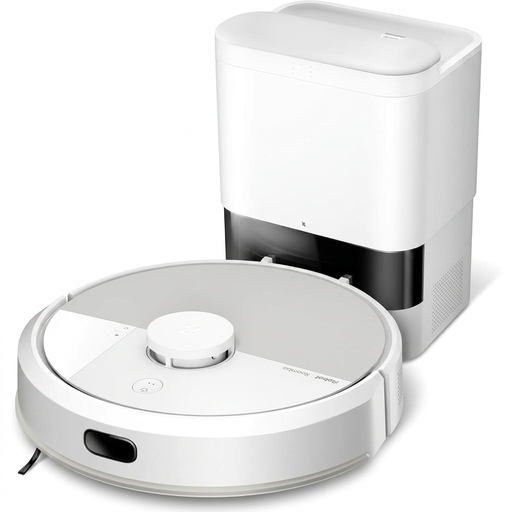 Image unavailable
An option for regular vacuuming and mopping of hard floors, with claimed automatic resumption after recharging.
The product details specify LiDAR, SmartScrub, an anti-tangle brush, multi-level mapping, carpet detection while mopping and an AutoEmpty base.
The base uses a 2.5 L bag. Before buying, check app compatibility, account requirements and data-related permissions.
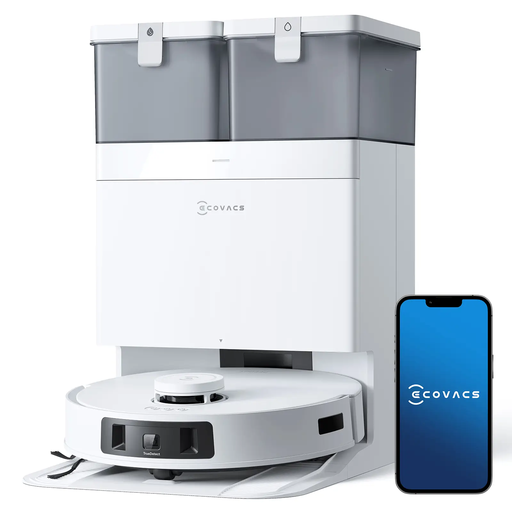 Image unavailable
This model is aimed at households with hard floors, carpets and pet hair that want a station to reduce repetitive hands-on tasks.
The product details claim 9 mm mop lift, ZeroTangle 2.0, TrueDetect 3D 3.0, TrueEdge and an OMNI station with hot-water washing and drying.
A 9 mm lift does not confirm compatibility with every carpet, threshold or long fibre. Also check the app and Wi-Fi requirements.
 Image unavailable
An option for routine hard-floor care with a station, particularly when hair or pet hair requires regular attention.
The product details mention ScrubExtend for edges, FlexiRazor anti-winding technology, laser and RGB camera obstacle detection, and mop cleaning at 75 °C.
The station measures 395 × 458 × 468 mm. The stated noise level is 73 dB(A) in silent mode; check the intended usage environment and connection requirements before buying.
 Image unavailable
An option for repeated vacuuming and mopping of hard floors, with a claimed OMNI station.
The product details specify OZMO Turbo 2.0, TrueMapping 2.0, TruEdge 2.0, ZeroTangle 3.0, carpet detection, multi-level management and a 4 L water tank.
Check how the mop behaves on your carpets. Automated mopping still requires you to empty dirty water, refill clean water and maintain the brushes and filters.
No: think of it as a tool for regular upkeep. UFC-Que Choisir assesses carpets, tiles, wooden floors, gaps, edges and corners separately because results vary according to the floor and area; keep a manual option for stairs, awkward corners and localised messes.
Only if the model explicitly handles carpets and you check the mop-lifting height, the type of carpets you have and the manufacturer’s instructions. A claimed lift, such as the DEEBOT T50 OMNI’s 9 mm according to Ecovacs, does not prove compatibility with every carpet or threshold.
Do not assume that it is. In its test protocol, UFC-Que Choisir tests mopping on tiles and states that use on wooden floors, particularly solid wood, should be avoided; also consult the recommendations of your flooring manufacturer before choosing a mopping robot.
Check your mobile operating-system version, account requirements, Wi-Fi coverage near the station, requested permissions and update procedures. For some recent Roomba series, iRobot specifies iOS 15 or later, Android 9.0 or later, a valid email address and setup that is not supported on iPad.
A Wi-Fi device joins your home network. Before activation, read the privacy policy, identify the data needed for mapping and your account, check optional consents and install app updates from the official source.