Homes with several rooms, rugs and obstacles
If you’d like to come home to clean floors, check whether you can target specific areas and exclude cluttered ones. The navigation should also suit the thresholds and rugs in your home.


To keep your floors clean while you’re away, start by choosing navigation that suits your rooms, obstacles and no-go areas. Mapping lets you target specific rooms, while random navigation is best suited to homes where this level of control isn’t needed. A dock can reduce how often you need to intervene, but it won’t eliminate maintenance. Use the mopping function only on compatible flooring, and don’t expect it to replace a thorough clean.
If you’d like to come home to clean floors, check whether you can target specific areas and exclude cluttered ones. The navigation should also suit the thresholds and rugs in your home.
An auto-empty dock can mean you need to handle the robot’s dustbin less often. Remember to allow space for it, and to maintain any bags, tanks or mop pads, depending on the model’s features.
A robot mop can add a damp clean to your regular routine, provided your flooring is suitable. However, UFC-Que Choisir highlights the limitations of mopping performance and advises against using it on wooden floors, particularly solid wood.
Start by considering how the robot will move around your home. Random navigation may be enough in a simple space if you don’t need to select individual rooms, while mapping helps you plan targeted cleans. Then consider the dock, mopping function and app in light of the tasks you actually want to hand over.
| Feature | What to check | Who it matters to |
|---|---|---|
| Navigation and coverage | Check whether the specific model lets you select rooms and set no-go areas. Compare its stated capabilities with your thresholds, rugs and obstacles. | With several rooms or areas to avoid, I want the robot to follow a suitable route while I’m away. Around 33% of consumers make coverage a priority. |
| Maintenance between cleans | Check what the dock does, how accessible its tanks are and which consumables are needed. | If I’m often away, I’d rather empty the dustbin less frequently, while accepting that the dock needs maintenance. Reducing the need for intervention comes first for around 27% of consumers. |
| Floors, rugs and mopping | Identify the flooring along the robot’s route. For a model with a mopping function, check your floor care instructions and how it handles rugs. | With a mix of hard floors and rugs, I want to avoid a damp clean on unsuitable flooring. Floor compatibility is a priority for around 20% of consumers. |
| Scheduling and connectivity | Check the scheduling options, required Wi-Fi band, app features and update arrangements. | To start or change a clean while I’m away, I need to be able to use the connected features with my network. Around 20% of consumers prioritise remote control. |
A Pa figure doesn’t tell you how well a robot cleans rugs, edges or corners. UFC-Que Choisir assesses these areas separately in its testing protocol.
Identify your flooring and obstacles, then, if possible, look for test results on the exact model you’re considering.
UFC-Que Choisir finds that mopping results can be limited and advises against using this function on wooden floors, particularly solid wood.
Only use the damp-clean function on flooring permitted by its care instructions, and check what the robot does when it encounters a rug.
Mop pads and tanks mean extra handling after damp-clean cycles.
Depending on the model, a dock may empty the dustbin or clean the mop pads, but brushes, filters and tanks still need regular attention.
Before choosing a spot for the dock, check how easy it is to access the parts that need cleaning and find out which compatible consumables you’ll need.
Scheduling and maps depend on the model’s features and connectivity. For example, Roborock specifies that the QV 35A supports 2.4 GHz Wi-Fi only; this doesn’t apply to all robot vacuum cleaners.
Check the required network, available features, updates, privacy settings and reset procedure for the model you choose.
The X-Plorer range may appeal to households that want to plan cleaning routes using a map and, depending on the model, add a dock or mopping function.
Some series combine navigation, zone management and a dock. They’re worth exploring if your home has rugs or thresholds along the robot’s route.
The brand’s robot mops with docks are worth considering if you’re looking to damp-clean compatible floors.
The Roomba Home ecosystem may suit people who want to plan cleaning by room or zone while they’re away.
These models are designed for scheduled floor care: four are listed with a dock, while the D1O focuses on mapping. Above all, compare their features with your home’s layout and the level of maintenance you’re happy to take on.
 Image unavailable
Worth considering if you want to schedule cleans and handle the dustbin less often. Check what dock maintenance will involve for your needs.
Stated suction power: 8 000 Pa. Stated runtime: 180 minutes. The product name mentions 3D obstacle avoidance and DuoDetect AI.
These specifications don’t indicate how well it will clean your rugs or handle the obstacles in your home.
 Image unavailable
For scheduled cleans with a multifunction dock, check that you have room for the base and consider the maintenance it requires.
Laser navigation, hot-air drying and stated suction power of 8 150 Pa are listed in the product name.
Check that the app works with your network, and consider the thresholds and obstacles in your home.
 Image unavailable
Its stated mapped navigation and automatic emptying may be worth considering if you want to plan cleaning by zone and empty the robot’s dustbin less often.
LiDAR navigation and stated suction power of 8 000 Pa. The model has a damp-clean function.
If there are rugs along the route, check how the mop pad is managed and whether mopping is suitable for your floors.
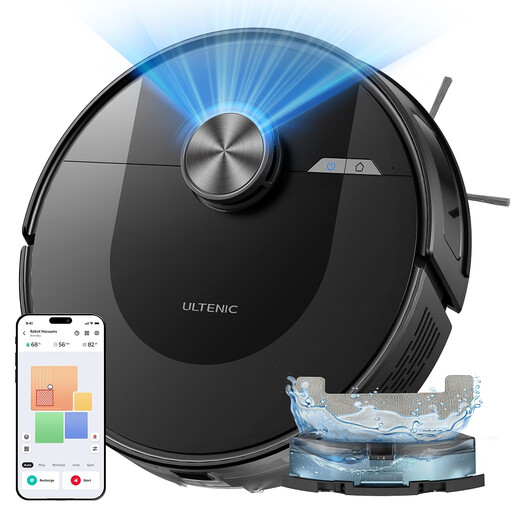 Image unavailable
Worth considering if setting cleaning zones matters more to you than having a dock. You’ll need to empty the dustbin as it fills.
The product name lists 5 maps, 10 no-go zones and suction power of 5 000 Pa.
Check that the app works with your network and follow your flooring care instructions for mopping.
 Image unavailable
The OMNI dock may appeal to households looking to reduce the need for intervention during scheduled cleans. Its tanks and accessories still need maintaining.
The product name lists suction power of 25 000 Pa and mop-pad washing at 75 °C by the dock.
Check that mopping is suitable for your floors and review the connectivity requirements before scheduling cleans while you’re away.
Not necessarily. A robot is primarily designed to keep your floors clean regularly. UFC-Que Choisir assesses performance on rugs, hard floors, edges and corners separately in its tests. Check the results for the model you’re considering before cutting back on manual cleaning.
No. It must be suitable for the flooring in question. UFC-Que Choisir advises against robot mopping on wooden floors, particularly solid wood. Also check your floor’s care instructions and those for the robot.
It depends on the controls available on the model. The app is often used to set schedules, rooms or zones. Check its features and the required Wi-Fi band: for example, Roborock states that its QV 35A works with 2.4 GHz Wi-Fi only.
It helps you assess how repairable the model is, but doesn’t measure its navigation or cleaning performance. If you’re buying in France, check the index displayed for the model you’re considering and look into the availability of parts and consumables too. ADEME includes robot vacuum cleaners among the products covered.
Review the app permissions, privacy policy, updates and reset options. The CNIL points out that connected devices can generate data stored online, so these settings matter if you use mapping and remote control.