Start by considering your floors, thresholds and obstacles, then think about how much maintenance you’re happy to do yourself. Mapping can help you target specific rooms, while an auto-empty station can mean fewer trips to empty the bin. Neither guarantees the same results on every floor type, though, so check the app, brushes and replacement parts for the model you’re considering.
Who is a robot vacuum cleaner for?
Homes with a mix of floors and obstacles
If you want to automate cleaning across several rooms, check your rugs, thresholds, furniture and hard-to-reach areas. Que Choisir Ensemble distinguishes between random navigation and mapping, and recommends looking at results for different floor types.
Homes where you want to empty the bin less often
If you plan to run the robot regularly and want fewer trips to empty the bin, you’ll still need to clean the brushes and maintain the station. Features vary between models, so check exactly what the station takes care of.
People who value scheduling
If you want to set routines or choose specific rooms, check the app’s features and the connectivity requirements for the exact model. For example, iRobot says the Roomba 105 Combo Y311040 needs a 2.4 GHz Wi-Fi network after setup.
What should you check before buying?
To work out whether a robot can save you time, compare its features with your home’s layout and the tasks you’re happy to keep doing yourself.
| What matters |
What to check |
Who is it most relevant to? |
| Getting around your home |
Compare the navigation system and configurable areas. Measure your thresholds and check them against the stated climbing height for the exact model. |
If I want to clean several rooms despite thresholds and furniture, I’ll check the possible routes first. Around 24% of consumers prioritise moving between rooms. |
| Results on different floors |
Look for tests on the floor types in your home. If you also want mopping, check how the mop performs near rugs. |
If my home has a mix of wood, tiles or rugs, I want results for those surfaces rather than relying on a single specification. Around 23% of consumers prioritise cleaning their floors. |
| Maintenance after cleaning |
Check which functions the station handles: charging, emptying and mop washing. Look into station maintenance and brush and filter replacements. |
If I run the robot often, I want to empty the bin less frequently without skipping brush and station cleaning. Around 23% of consumers prioritise reducing the need to empty and maintain their robot. |
| Scheduling and the app |
Check the app for the model, network requirements, features available without a connection and information about updates. |
If I want to schedule rooms and keep my settings, I’ll check that the app and network are compatible with my equipment. Around 18% of consumers prioritise usable scheduling features. |
| Running costs and replacement parts |
Find out which consumables you’ll need, which parts are compatible and what the seller says about availability. Also check the applicable warranty terms. |
If I’m comparing features and consumables over time, I want to know which parts I’ll need and what maintenance to expect. Around 12% of consumers prioritise running costs. |
Mistakes to avoid
-
Assuming the stated suction power guarantees results on every floor
Results can vary between tiles, wood and rugs, as well as around edges and different types of debris. A suction power figure alone can’t tell you how well it will clean your home.
Look for tests on the floor types in your home, rather than judging performance by a single advertised specification.
-
Confusing a charging station with emptying and mop maintenance
A station may handle some tasks but not others. You may still need to clean the brushes, filters or the station itself.
Before choosing a model with a station, check the features and accessories included with the exact version.
Remember to factor in station maintenance and the consumables required for the equipment supplied.
-
Choosing scheduling features without checking what they require
Routines and room-by-room settings may depend on an app and a compatible network.
Check the connection requirements, which features work offline and what the seller says about updates for the model you’re considering.
-
Assuming similar variants are the same model
Similar product names don’t guarantee the same equipment. For example, Roborock’s product pages distinguish the Q10 S5 Set from the Q10 S5+ by noting that the latter includes an auto-empty station.
Compare the full name, model number and package contents before buying.
You may need to buy a station or accessories separately if they aren’t included in the package you choose.
Brands to know
Rowenta
The X-Plorer range lets you compare mapping robots with versions that include an auto-empty station.
- For the RR8595WH, Rowenta lists mapping, multi-room management and the ability to cross obstacles up to 18 mm high.
- This figure applies to this model only. Compare it with the thresholds in your home and check the app for the version you’re considering.
iRobot
The Roomba 105 Combo Y311040 is a mapping option that combines vacuuming and mopping. The product page consulted doesn’t mention an auto-empty station.
- iRobot says this model lets you select rooms and detects rugs.
- According to iRobot, the robot needs to stay connected to a 2.4 GHz Wi-Fi network after setup.
ECOVACS
The DEEBOT N20 family is worth exploring for mapping, bin maintenance and replacement parts.
- ECOVACS says a brush and filter kit is compatible with the N20 Plus.
- Check the exact model number: features listed for a standard N20 don’t automatically apply to the N20 Plus.
Roborock
The Q10 S5 Set and Q10 S5+ are examples of configurations to compare by package contents and whether a station is included.
- Roborock describes the Q10 S5 Set as having LiDAR navigation and multi-level mapping; the Q10 S5+ product page lists an auto-empty station.
- Roborock lists these features for the relevant models. Check the suffix and package contents, as Set and S5+ don’t automatically refer to the same equipment.
Dreame
The D10 Plus Gen 2 and L10s Ultra Gen 3 Kit are among the models in Dreame’s French range.
- The names of these two ranges give you a starting point for comparing different configurations.
- A model’s place in a range alone doesn’t tell you how well it cleans or how long its app will be supported.
Robot vacuum cleaners available on Joybuy
The options below are robot vacuum cleaners with mapping and/or an auto-empty station. They’re designed to automate cleaning and, depending on the model, reduce the need to handle the bin.
 Image unavailable
EUREKA E20 Plus
Its auto-empty station makes it a good option if you want to empty the bin less often. Remember to check what maintenance the station needs, too.
The product page lists 8000 Pa suction power and app control.
View on Joybuy
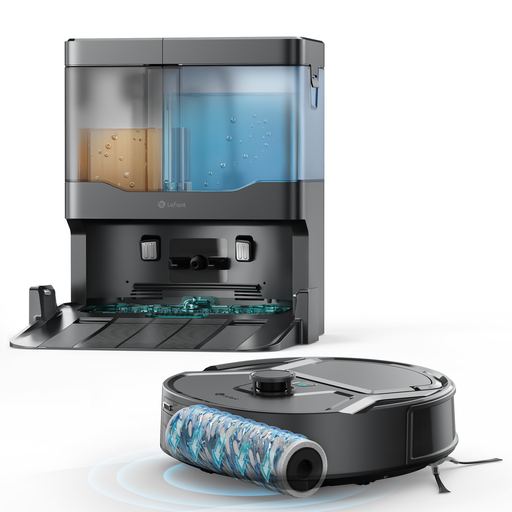 Image unavailable
Lefant M265
Its multi-level mapping is worth considering if you want to plan cleaning across several rooms or floors. Check which features are suitable for your home.
The product page lists 20000 Pa suction power, a 20 cm cleaning width and a mopping function.
View on Joybuy
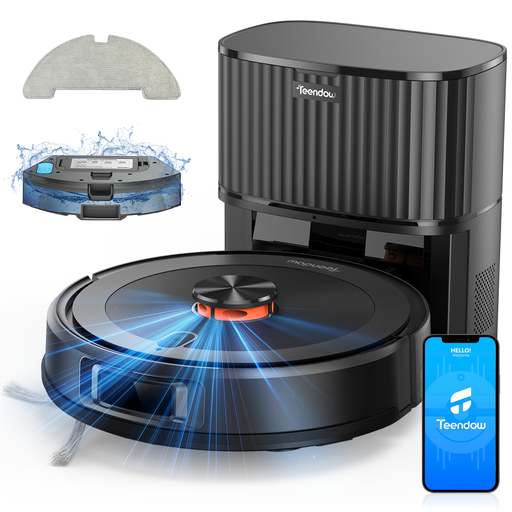 Image unavailable
Teendow D10S-Max
Mapping and an auto-empty bin suit households looking to plan cleaning routes and handle the bin less often. Check what maintenance you’ll still need to do.
The product page lists 360° LiDAR navigation, 5000 Pa suction power and a 3200 mAh battery.
View on Joybuy
 Image unavailable
Eureka J15 Pro Ultra
This model includes a mopping function, so it’s worth considering if you want to combine vacuuming and mopping. Check which tasks the station handles for the package on offer.
The product page lists 16200 Pa suction power.
View on Joybuy
 Image unavailable
Roborock Qrevo S5V White
Its station and mops make it a good option if you want to automate some of the maintenance. Check the washing and drying features included with the exact package.
The product page lists 12000 Pa suction power and FlexiArm mops.
View on Joybuy
Frequently asked questions
Is mapping enough if my home has thresholds and rugs?
No. Mapping doesn’t guarantee that a robot can cross thresholds or clean rugs. Look for tests on your floor types and check how the mop behaves near rugs. Rowenta lists a climbing height of up to 18 mm for the RR8595WH; this figure applies to that model only.
What should I check before scheduling a connected robot?
Check the app and network requirements for the model you’ve chosen. For the Roomba 105 Combo Y311040, iRobot says a 2.4 GHz Wi-Fi connection needs to remain active after setup.
Does a station mean there’s no maintenance to do?
No. Check whether it empties the dust, also maintains the mops or handles other tasks. You’ll still need to check the brushes, filters and consumables. ECOVACS’ published instructions, for example, include cleaning the bin and brushes.
Are replacement parts guaranteed to be available for a set period for every robot vacuum cleaner?
No, a set availability period isn’t automatically guaranteed for every model. The DGCCRF states that if the manufacturer has told the seller how long parts will be available, the seller must pass this information on to the consumer at the time of purchase.
What rights do you have in France if a robot bought from a business isn’t as described?
The statutory guarantee of conformity applies to new, second-hand and refurbished goods sold by a business to an individual. The Ministry of the Economy says you have two years from delivery to take action. Any commercial warranty offered doesn’t replace this statutory guarantee.


