What to check before buying
Start with your floor coverings and the areas that are difficult to clean, then assess the level of automation and maintenance you are genuinely prepared to manage.
| Priority |
What to check |
Your needs |
| Performance on floors and carpets |
Look for tests of the exact model on tiles, parquet and carpets. Also check gaps, edges, walls and corners. |
I want to know whether dust and debris will genuinely be collected from the floor coverings in my home, including around skirting boards and in corners. |
| Usefulness of mopping |
Check the mopping system, whether your floors are compatible and how carpets are managed. Use this function only for light cleaning on compatible hard floors. |
I am looking for regular cleaning of hard floors, without expecting deep cleaning or the removal of dried-on stains. |
| Battery life and dock |
Examine the type of dock and access to the dustbin, brushes, filters, sensors and wheels. Measure the available space and check the consumables. |
I want to reduce repetitive tasks without installing an appliance that is difficult to maintain or takes up too much space. |
| App and connectivity |
Check app compatibility, Wi-Fi requirements and the functions offered for the model. Read the release notes when available. |
I want to schedule and manage the robot under my home’s network conditions, without assuming an unpublished software support period. |
| Repairability and parts |
In France, compare the repairability index shown for the exact reference, on a scale from 0 to 10. Also check the parts, documentation and service associated with the model. |
I want to avoid a fault or the unavailability of a brush or filter unnecessarily shortening the appliance’s useful life. |
Options available on Joybuy
These Joybuy options are robot vacuum cleaners with a mopping function and, for several models, a dock designed to reduce some of the hands-on tasks involved in routine floor cleaning.
 Image unavailable
ECOVACS DEEBOT X9 PRO Omni
Worth considering for scheduled cleaning on hard floors and carpets, with an OMNI dock and advertised mapping function.
- Vacuuming and mopping function; advertised power of 16 600 Pa.
- OZMO Roller, ZeroTangle 3.0, TruEdge 2.0 and all-in-one OMNI dock.
- The dock requires management of clean and dirty water, as well as maintenance of the brushes, filters and sensors.
- Check performance on your carpets, edges and corners, as well as Wi-Fi and app compatibility.
Joybuy
 Image unavailable
ECOVACS Deebot T30C OMNI Gen2
This model may suit frequent cleaning needs while reducing the need for manual emptying, thanks to its advertised OMNI dock.
- Vacuuming and rotating mopping function; advertised power of 25 000 Pa.
- Advertised OZMO Turbo 2.0, ZeroTangle 3.0, TruEdge 2.0 and mop washing at 75 °C.
- Carpet detection is specified; check how mopping mode performs on your carpets.
- The dock requires a power supply, a stable position and management of the tanks.
Joybuy
 Image unavailable
Eureka J15 Pro Ultra
Worth considering for a household that wants a dock to reduce some of the hands-on tasks involved in frequent cleaning.
- Vacuuming and mopping function; advertised power of 16 200 Pa.
- Advertised Anti-Wrap technology, liquid detection, brush lift and hot-water cleaning at 75 °C.
- The brushes, filters, sensors, dustbin and dock components still need to be checked regularly.
- Check how carpets are managed during mopping and performance on parquet, tiles and carpets.
Joybuy
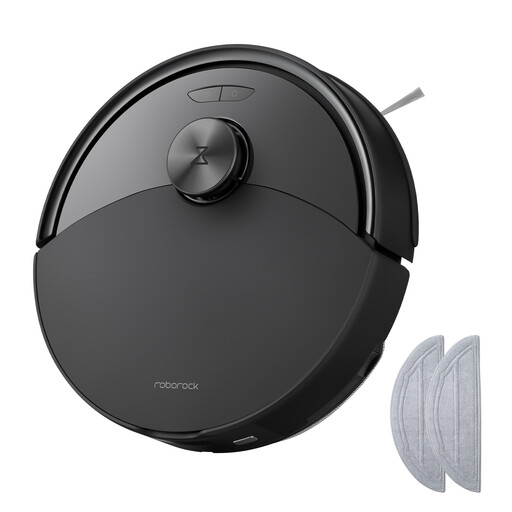 Image unavailable
Roborock Q10 S5 with mopping function
This robot is aimed at homes with carpets and hard floors, where the advertised automatic mop lift is suitable for your carpets.
- Advertised HyperForce power of 10 000 Pa.
- Dual Anti-Tangle system and automatic mop lift.
- Check the lift height against the thickness of your carpets.
- Mopping does not replace deep cleaning; check that your floors are compatible, especially wooden floors.
Joybuy
 Image unavailable
White Roborock Qrevo S5V with dock
This option suits a household looking to reduce manual emptying while accepting the regular maintenance required by a dock.
- Advertised suction power of 12 000 Pa.
- Advertised FlexiArm mops, dual anti-tangle system, hot-air drying and obstacle avoidance.
- The all-in-one dock advertises emptying, refilling, washing and drying.
- Check mopping performance on carpets and compatibility with the floor coverings in your home.
Joybuy
Frequently asked questions
Can a robot vacuum cleaner completely replace a manual vacuum cleaner?
No, not for every task. Comparisons by Les Numériques point out that robots do not cover stairs, furniture or skirting boards; choose one for regular cleaning of accessible surfaces and keep a manual option for these areas or for more intensive cleaning.
Is the mopping function suitable for all floors?
No. UFC-Que Choisir assesses robotic mopping on tiled floors and advises against using it on wooden floors, particularly solid wood flooring. Check that your floor covering is compatible and how the exact model manages carpets before switching on mopping.
Does a robot with an automatic dock need maintenance?
Yes. The robot requires checks of the dustbin, brushes, filter, sensors and wheels. Depending on the dock, you will also need to manage bags, tanks, charging contacts and ducts: automation reduces some tasks but does not eliminate them.
What should I check to ensure the app and updates work?
Check app compatibility, network requirements and the model’s release notes before buying. For the iRobot Wi-Fi robots documented by the brand, an internet connection and a dock positioned in an area with sufficient Wi-Fi coverage are required for wireless updates.
Is the repairability index useful for a robot vacuum cleaner in France?
Yes. France’s Ministry for Ecological Transition includes vacuum cleaners among the categories covered by the repairability index. Compare the score out of 10 and its breakdown for the exact reference, then separately check access to parts and documentation.


