Key buying criteria
For regular upkeep between manual cleans, first check whether the robot can move around your home and clean your floors. Then consider how much work its mopping features, dock and app will leave you with.
| Criteria |
What to check |
Who it’s for |
| Navigation and obstacles |
Look for a test of the model’s ability to handle small obstacles, and measure gaps and the space under your furniture. |
If you leave objects on the floor and want to schedule cleans, you’ll want to minimise the risk of the robot getting stuck. Around 26% of consumers prioritise navigation. |
| Vacuuming on your floors |
Look for test results on your surfaces and the types of dirt you need to deal with; check the exact model numbers of compatible brushes and filters. |
If your home has both rugs and hard floors, or you need to pick up pet hair, you’ll want to compare results on these surfaces. This is a priority for around 21% of consumers. |
| Occasional mopping |
Check test results for stains, how the robot handles rugs and the manufacturer’s guidance for your flooring. |
If you want to keep your floors fresh between manual washes, look for a model suited to your hard floors. Around 21% of consumers prioritise occasional mopping. |
| Maintenance and consumables |
Find out what maintenance the dock requires and check the exact model numbers of compatible bags, filters, brushes and mop pads. |
If you want to reduce regular maintenance, compare the time required and the consumables needed for each model. This is a priority for around 16% of consumers. |
| App and scheduling |
Check which app is required, whether it’s compatible with your phone and network, the update requirements and which spare parts are listed as available. |
If you plan to schedule cleans, check the connected features and their compatibility before choosing a model. Around 16% of consumers prioritise these features. |
Robot vacuum cleaners available on Joybuy
The products featured are robot vacuum cleaners with a wiping or mopping function, designed for everyday floor care.
 No image available
Roborock Q7 L5+ robot vacuum cleaner with wiping function
For scheduled cleans, its description mentions app control and the option to set no-go zones.
The product listing states a suction power of 8 000 Pa, LiDAR navigation, a dual anti-tangle system and automatic dust emptying.
Joybuy
 No image available
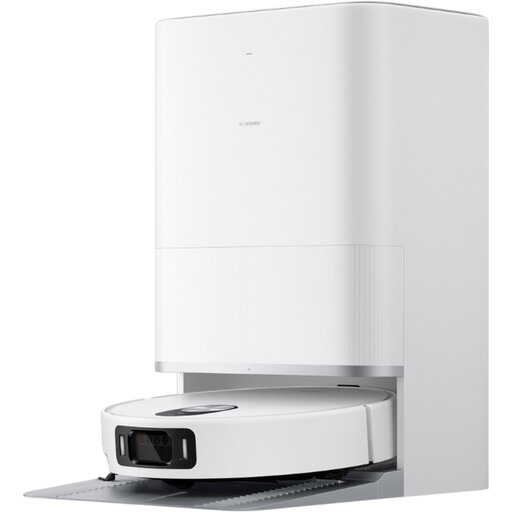
Xiaomi Robot Vacuum 5 EU, BHR0834EU
For scheduled cleans, the description says you can set a schedule using the Xiaomi Home app.
The description mentions obstacle detection, lifting the mop pad on rugs, automatic emptying and adjustable schedules in the app.
Joybuy
 No image available
Eureka E20 Plus robot vacuum cleaner
For mixed flooring, its description mentions rug detection and a lifting mop pad.
The product listing states 8 000 Pa, a bagless dock, 3D obstacle avoidance and a stated battery life of 180 minutes.
Joybuy
 No image available
Eureka J15 Pro Ultra
If you want to automate some mop maintenance, the description says the dock washes and dries the mop pads.
The product listing mentions 16 200 Pa, anti-tangle technology, liquid detection and hot-water washing at 75 °C.
Joybuy
 No image available
ECOVACS DEEBOT X9 PRO Omni
For scheduled cleaning cycles, the description mentions an app and a dock designed to maintain the roller.
The product listing states 16 600 Pa, a mopping roller and a multifunction dock with hot-water washing and hot-air drying. It states that the robot connects to ECOVACS Home via 2.4 GHz Wi-Fi.
Joybuy
Frequently asked questions
How should I prepare for a scheduled clean?
Start by moving small objects the model may struggle with, and check for areas that are hard to reach. In its test of the Deebot N20 Plus, Les Numériques found that it could knock over or suck up obstacles and navigate less effectively after furniture had been moved. This result doesn’t apply to all robot vacuum cleaners.
Does a dock mean I don’t need to clean the robot?
No. The features and remaining tasks depend on the model. The Deebot N20 Plus dock empties dust without a bag, while the X40 Ultra Complete dock also washes the mop pads; however, Les Numériques’ test noted that the dock gets dirty. For the Roomba 205 Combo, iRobot says you should empty any remaining water and clean and dry the mop pad after mopping.
How can I check which replacement parts I need?
Look for parts that are compatible with the robot’s exact model number and check what each kit includes. Ecovacs says its N20 family kit includes brushes and filters for several variants; iRobot also lists a filter and brush kit for the 205 Combo and Vac versions.
Is mopping suitable for all floors?
No. Check the manufacturer’s guidance for your flooring and look for test results on how the model deals with stains. UFC-Que Choisir reports that mopping results vary and advises against mopping wooden floors, particularly solid wood. Continue to clean manually where the robot can’t do the job.
Do I need to use all the connected features?
No. Start by checking which features are useful to you and whether the model’s app is compatible with your phone and network. The CNIL advises finding out what connected devices can do and checking whether unused features can be switched off; this doesn’t mean that a particular vacuum cleaner has a camera or microphone.


