Homes with several rooms
You want to automate regular cleaning across several rooms, while taking furniture, objects on the floor and access between rooms into account.


Start by choosing a model based on which rooms it can access, how well you need it to clean your floors and how much manual cleaning you’re prepared to keep doing. Mapping can help target specific areas, while a docking station can mean less frequent emptying. But neither guarantees that the robot will get over thresholds, clean every type of rug well or be maintenance-free. A stick or cylinder vacuum is still useful for stairs and places the robot can’t reach.
You want to automate regular cleaning across several rooms, while taking furniture, objects on the floor and access between rooms into account.
You need to distinguish between performance on hard floors and rugs, and allow for removing pet hair or human hair caught in the brushes.
You’re looking to empty the robot less often, without assuming that the dock, consumables and app will work without any attention.
Worth considering : for cleaning an accessible area without having to programme each room, if you’re happy to check for any spots it may have missed.
Limitation : the way it moves does not guarantee complete coverage or good vacuuming performance.
Worth considering : if you have several rooms or no-go areas where targeted cleaning would be useful, provided the model and your home are suitable.
Limitation : a map won’t move objects or enable the robot to get past physical barriers in your home.
Worth considering : if the robot’s bin fills up often and you have enough room for the dock.
Limitation : you’ll still need to empty the dock’s container and maintain the brushes and filters.
Worth considering : if stairs, furniture, awkward corners or certain surfaces still need to be cleaned by hand.
Limitation : you’ll need to do the cleaning yourself, but this type of vacuum can complement a robot rather than replace it.
Que Choisir Ensemble recommends considering your floor types, as well as navigation, mapping and docking features. For your home, check separately whether the robot can access the rooms, how well it cleans your flooring and what maintenance you’ll still need to do.
| What matters | What to check | Who is most concerned about it ? |
|---|---|---|
| Room access and obstacles | Check thresholds, thick rugs, low furniture, cables and areas to exclude; compare them with the model’s instructions. | I want to programme several rooms without obstacles or access points interrupting the route. Around 29 % of consumers prioritise access to the areas they want cleaned. |
| Performance on floors and rugs | Look for vacuuming tests on your type of flooring and check how the mopping function performs near rugs. | If I have rugs or pets, I want to know how much floor cleaning and hair removal the robot can really take care of. Around 23 % of consumers prioritise floors, rugs or pet hair. |
| Emptying and maintenance | Find out what the dock automates, how much space it takes up and how easy it is to access the brushes, filters and containers. | I want to empty the robot’s bin less often, but I also want to know what tasks remain. Around 18 % of consumers prioritise reducing the number of times they have to handle the bin. |
| App and repairability | Check app compatibility and update requirements, as well as which parts are suitable for the exact model number. | I rely on connected features or want to be able to repair the appliance: around 18 % of consumers prioritise software support and repairability. |
| Manual cleaning still required | Make a list of stairs and surfaces the robot can’t reach before deciding whether it meets your needs. | I also want to clean areas the robot can’t reach, such as stairs or furniture. Around 12 % of consumers prioritise this kind of targeted manual cleaning. |
A robot won’t clean stairs or furniture, and it can’t take care of every area in your home.
Work out which rooms it can actually access, and keep a stick or cylinder vacuum for everything else.
Also allow time to clear the floor before some cleaning runs and to clean areas the robot can’t reach.
An auto-empty dock transfers dust out of the robot’s bin, but the brushes, filters and dock container still need attention.
Compare the maintenance tasks involved and check that parts are available for the appliance’s exact model number.
Depending on the type of dock, you may also need to manage consumables or maintain components and tanks used for mopping.
Results can vary depending on the flooring. In December 2024, Que Choisir Ensemble reported mixed results for the mopping function on the models it tested, particularly on dried-on dirt.
Check separately whether the model you’re interested in can access your rooms, vacuum your floors effectively and deliver the mopping results you need.
The models below illustrate features found on specific products. They should not be taken as a general recommendation for an entire range or as an indication of availability.
The X-PLORER Series 75S+ RR8585WH is an example of a mapped robot vacuum with a dock.
The Roomba 105 Combo Y311040 is an example of a mapped model without an auto-empty dock.
The DEEBOT N20 Plus is an example of a model that combines mapping and an auto-empty dock, with maintenance parts listed for the N20 family.
The Qrevo Edge 5V1 is a specific model to consider if you’re looking at a robot with a dock.
This selection features robot vacuum cleaners with auto-empty docks, designed to schedule regular cleaning and reduce how often you need to handle the robot’s bin. You’ll still need to consider the requirements of each model, particularly when it comes to rugs, the app and where to install the dock.
 Image unavailable
Worth considering if you’re looking for mapping, an auto-empty dock and obstacle detection.
The title lists a stated suction power of 8 000 Pa, an anti-tangle brush and a stated runtime of 180 minutes.
The app is listed as compatible with 2.4 GHz Wi-Fi only; the dock needs clear space around it.
 Image unavailable
Worth considering if you want to combine automated cleaning and mopping with a dock.
The title lists 12 000 Pa suction, intelligent navigation, FlexiArm mop pads and a dual anti-tangle system.
For rug cleaning, the instructions say to remove the mopping module or set no-mop zones in the app.
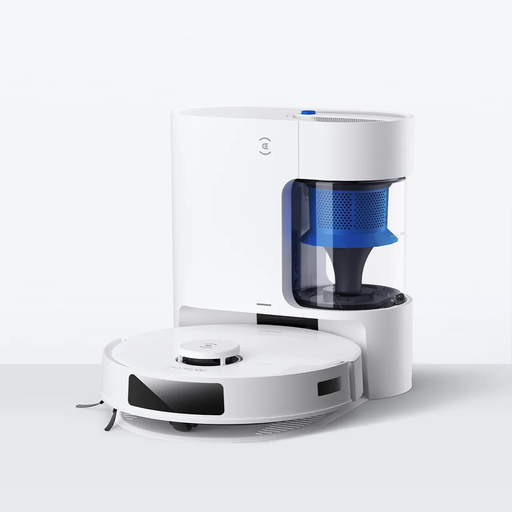 Image unavailable
Worth considering if you want mapped navigation, an auto-empty dock and a brush described as anti-tangle.
The title lists 8 000 Pa suction and a 300-minute battery life; these figures alone don’t establish how well it will clean your floors.
Check test results for your type of flooring and find out what maintenance is still required.
 Image unavailable
Worth considering if you want mapping, scheduled cleaning by room and an auto-empty dock.
The title lists 8 000 Pa suction and LiDAR navigation. The description also mentions a HEPA filter.
Pairing requires a 2.4 GHz Wi-Fi network; the description advises against using it on steep slopes or delicate, uneven surfaces.
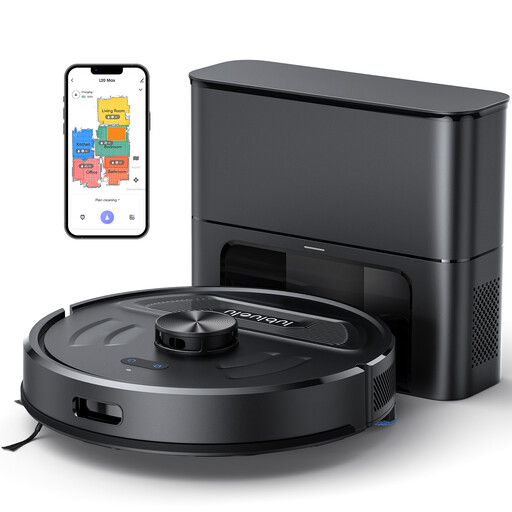 Image unavailable
Worth considering if you want to save maps and schedule cleaning across several rooms or floors.
The title lists laser navigation with storage for five maps, an auto-empty dock and 4 000 Pa suction.
For rug cleaning, the instructions say to remove the mopping module or set no-mop zones in the app.
Yes. Mapping helps plan routes, but doesn’t prove that the model can get over the thresholds in your home. Compare your thresholds and obstacles with the guidance in the manual for the model you’re considering. There’s no universal threshold height that applies to every robot.
You’ll still need to empty the dock’s container and maintain the brushes and filters. A dock that also handles mopping may need its tanks cleaned; follow the instructions for your model and filter type.
Not necessarily. In December 2024, Que Choisir Ensemble reported mixed results on tiled floors for the models it tested, particularly on dried-on dirt. Look for tests of the current model on the type of flooring you have.
According to the French Ministry of the Economy, the statutory guarantee of conformity covers new, second-hand and refurbished goods sold by a business to a private individual, and can be invoked for two years. A commercial warranty does not replace this statutory guarantee.
Not necessarily. Before relying on connected features, check the model’s compatibility and app update requirements. The manufacturer’s privacy policy describes the data processing it declares, but does not promise how long updates will be available.