
Livraison le jour même ou le lendemain

Qualité garantie

Débloquez vos offres de bienvenue: Livraison GRATUITE | Jusqu'à -80 % | 30 jours d'essai gratuits à JoyPlus
Téléchargez l'application
Remote work has become a permanent fixture in our professional lives. While this flexibility is a major plus, long hours spent at a poorly adapted workstation often come at a high price: back pain, neck strain, and dwindling productivity. The market for remote work equipment is saturated, but how can you distinguish truly effective products from mere marketing gimmicks?
This guide is here to help you navigate the options, sidestep common traps, and create a home office setup that protects your health and boosts your efficiency.
Before you start shopping, be aware of these common mistakes that can be costly, both in terms of comfort and your wallet.
For a successful setup, here are the few technical details that truly make a difference.
A comfortable office chair is the centerpiece of your setup. Here are the points to check?:
The positioning of your monitor is just as crucial as your seating.
To help you get started, here is our selection of products suited for different profiles and budgets for your remote work setup.
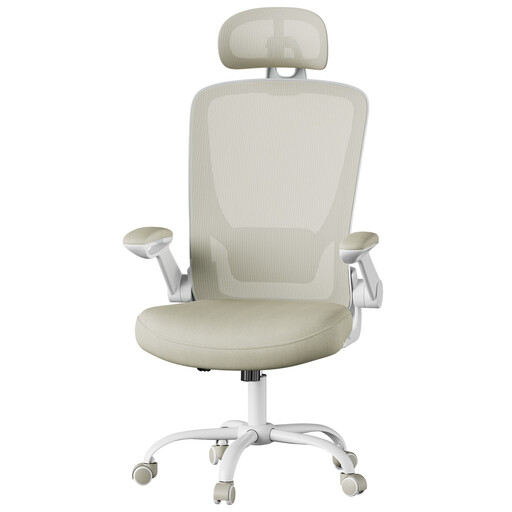
WHY THIS MODEL? Ideal for a first-time setup or a tight budget. This chair focuses on the essentials, offering basic ergonomic adjustments without unnecessary frills. A smart initial investment.
Unlike many entry-level chairs that just carry the "ergonomic" label, this model includes a genuine adjustable lumbar support and a recline mechanism. The adaptability is real.
Flip-up armrests to easily slide it under the desk. Breathable mesh back for long-lasting comfort.
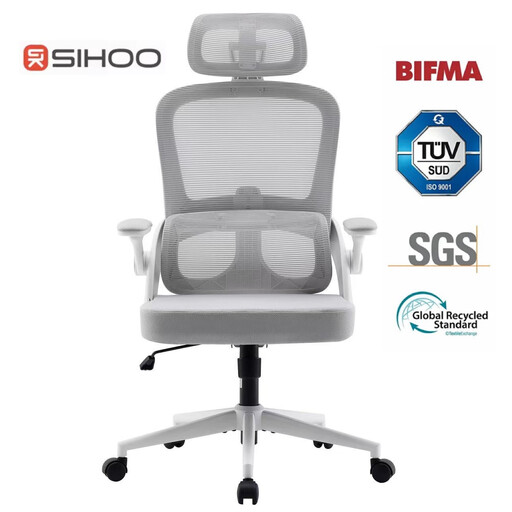
WHY THIS MODEL? For those who regularly work 8+ hour days, customization is not an option. This chair offers fine-tuned adjustments for tailored support, which is essential during long work sessions.
It avoids the "one-size-fits-all" trap with its 3D armrests (adjustable in height, back-and-forth, and pivot) and its lumbar support that adjusts 6 cm in height for truly targeted support.
136 kg maximum load capacity. Build quality validated by certifications (T?V, BIFMA) and a 3-year warranty, a testament to its durability.
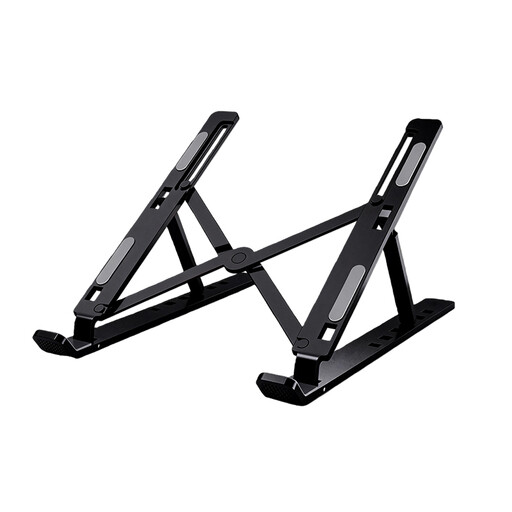
WHY THIS MODEL? Perfect for dedicated laptop users, whether in a small space or alternating between the office and home. It's the essential ergonomic accessory—lightweight and easy to store.
It directly tackles the #1 cause of neck pain: a laptop screen that is too low. Its adjustable height allows you to align the screen at eye level—a detail many forget, but which changes everything.
Sturdy aluminum construction, ensuring both stability and light weight. Easy to transport and compatible with most laptops.
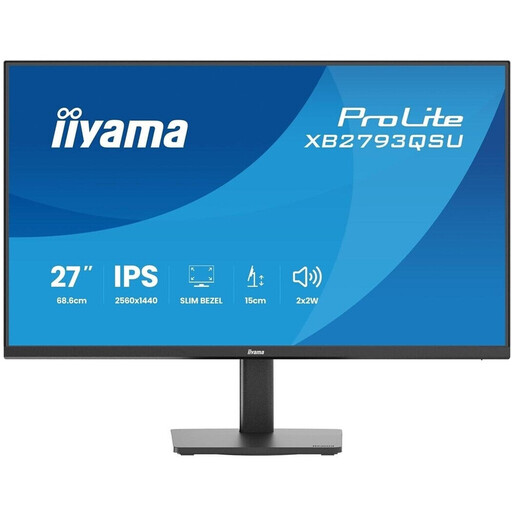
WHY THIS MODEL? For developers, graphic designers, or multitasking enthusiasts, a large, high-resolution screen is a productivity booster. This model combines excellent image quality with uncompromising ergonomics.
Its HAS (Height-Adjustable Stand) is fully modular: height, tilt, swivel, and even rotation to portrait mode. No need to invest in an arm or a riser to find the perfect position.
WQHD (2560x1440) resolution for an ultra-sharp image. IPS panel for accurate colors and wide viewing angles. Integrated USB hub for a more organized desk.
Explore our full selection of products that meet our quality criteria and safety standards.
What is the lifespan of an ergonomic office chair? The lifespan depends on the quality of the materials and your usage. A good model with a steel base, durable casters, and a certified gas lift can easily last 5 to 10 years. A long warranty, like the 3 years offered on some SIHOO models, is often an excellent indicator of reliability.
Is a laptop stand really necessary? Absolutely, if you spend more than an hour a day on your laptop. It's one of the most crucial ergonomic accessories: it raises the screen to eye level to prevent neck pain. For a perfect posture, it must be used with an external keyboard and mouse.
How do you properly set up your remote workstation? A good remote work setup is based on a few golden rules?: