
Livraison le jour même ou le lendemain

Qualité garantie

Débloquez vos offres de bienvenue: Livraison GRATUITE | Jusqu'à -80 % | 30 jours d'essai gratuits à JoyPlus
Téléchargez l'application
A Razer gaming headset can boost your immersion, improve communication with teammates, and help you pinpoint the direction of sounds more accurately. But the differences between wired, wireless, Bluetooth and multi-platform models are far from trivial.
Before you head to the checkout, three common pitfalls keep cropping up:
A wired Razer headset with a 3.5 mm jack is easy to set up and doesn't rely on any battery. It generally plugs into a console controller, a computer or certain mobile devices. On the downside, the cable can restrict movement, and you may need a splitter on PC to separate the audio from the microphone.
A wireless Razer gaming headset often uses a 2.4 GHz USB receiver. This connection is designed to keep audio lag to a minimum during competitive play. Bluetooth is better suited to on-the-go listening, calls and versatility, though latency can vary depending on the device you're using.
Make sure to check:
For team play, a headset with a microphone needs to capture your voice clearly without overly picking up keyboard clicks, your PC fan or nearby conversations. A cardioid microphone focuses on sounds coming from the front, while a detachable model makes the headset more practical for travel.
Here are the features to look at:
The spec sheet doesn't replace careful adjustment. On PC, software like Razer Synapse lets you fine-tune the microphone level, equaliser and certain audio profiles.
For long gaming sessions, a comfortable gaming headset should apply reasonable pressure and leave enough room around your ears. Weight gives you a rough idea, but the shape of the headband, the density of the padding and ventilation all have a big impact on comfort.
Passive isolation can help cut out distractions in a busy room. However, it may also reduce your awareness of surrounding sounds. Active noise cancellation adds electronic processing, as seen on certain BlackShark V3 Pro models, but this feature often comes with a higher price and greater complexity.
Finally, think about maintenance and safety: keep it away from moisture, clean the ear cushions with a soft cloth, and keep the volume at a moderate level to reduce the risks associated with prolonged listening.
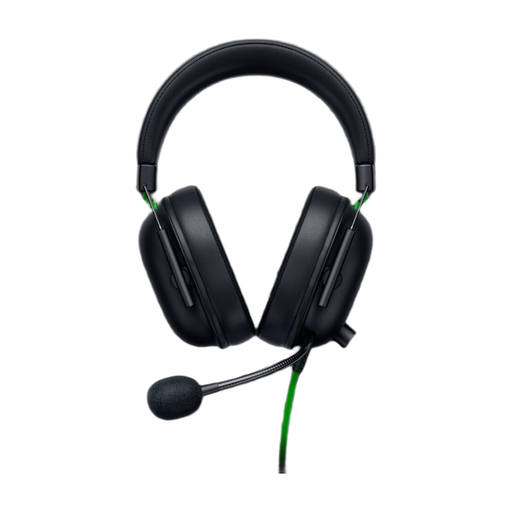
Why this suits this profile: Its 3.5 mm jack lets you play straight away on Xbox, PC, PlayStation, Switch or mobile, without having to worry about a battery or a wireless receiver.
The analogue connection minimises compatibility and latency issues linked to wireless. The isolation is passive, not electronic ANC.
Weight of 240 g, 50 mm drivers, HyperClear cardioid microphone and 7.1 surround sound available on Windows 10/11 with the required software.
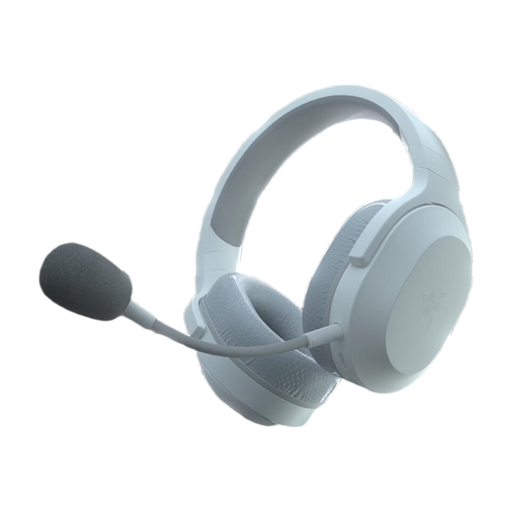
Why this suits this profile: It switches between 2.4 GHz and Bluetooth 5.2, and works with a PC, PS5, Switch or mobile device.
The 2.4 GHz receiver is separate from Bluetooth, so you can use each mode in its intended context. The microphone is detachable.
Stated battery life of up to 50 hours, USB-C charging, weight of 250 g and memory foam ear cushions.
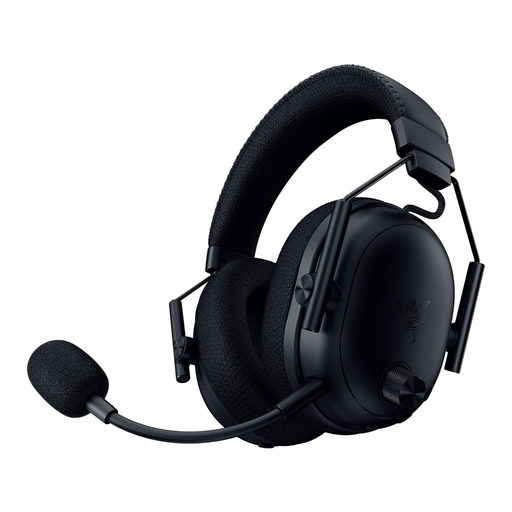
Why this suits this profile: This model is aimed at gamers who want multiple connection options, active noise cancellation and advanced audio settings.
The spec sheet clearly distinguishes the hybrid active ANC from the isolation provided by the ear cushions. It also states support for 2.4 GHz, Bluetooth, USB and 3.5 mm jack modes.
Stated latency of 10 ms in HyperSpeed, battery life of up to 70 hours and equaliser settings accessible via Razer Synapse.
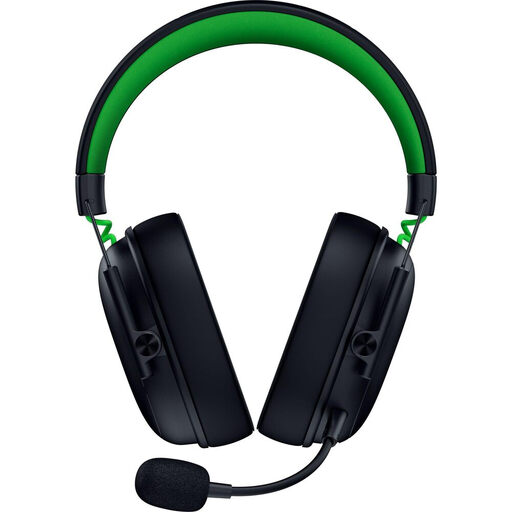
Why this suits this profile: Xbox and PC gamers who play back-to-back sessions get three connection modes and a detachable microphone.
Xbox and PC compatibility is clearly stated, with Windows Sonic on Xbox and 7.1 surround sound on PC. The isolation remains passive.
Stated weight of 270 g, Bluetooth 5.3, HyperSpeed 2.4 GHz, USB-C and battery life of up to 48 hours on Xbox or 70 hours on PC.
We've put together a comprehensive, real-time updated selection of products that meet these demanding criteria, while complying with European safety regulations.
On PS5, check for a 3.5 mm jack that works with the controller, or a USB receiver that's explicitly supported. The wired BlackShark V2 X is a straightforward solution. The Barracuda X adds a wireless dongle connection, plus Bluetooth for mobile devices.
Bluetooth can be fine for listening and everyday communication, but a dedicated 2.4 GHz connection is generally preferable when you need to keep latency to an absolute minimum. Always check the receiver's compatibility with your console and computer.
The lifespan depends on the battery, how intensively you use it, storage conditions and maintenance. A built-in battery gradually loses capacity over charge cycles. To make your headset last, avoid heat and moisture, use a suitable cable and don't force the connectors. If you prefer simpler upkeep, a wired model removes the battery concern altogether.