
Livraison le jour même ou le lendemain

Qualité garantie

Débloquez vos offres de bienvenue: Livraison GRATUITE | Jusqu'à -80 % | 30 jours d'essai gratuits à JoyPlus
Téléchargez l'application
In esports, crystal-clear audio isn't a luxury—it's a matter of survival. Anticipating an opponent's footsteps or coordinating a team attack is often what separates victory from defeat. A staple on the competitive scene, the Razer BlackShark gaming headset lineup is praised for its performance. But with several models available, how do you navigate the options?
This guide breaks down the key differences between the flagship models in the BlackShark series to help you find the perfect headset for your playstyle, platform, and budget.
Before diving into our top picks, here are the essential criteria to consider.
Wired or wireless? That's the first decision you need to make.
Immersion and communication are at the heart of the experience.
Consider your gaming environment and your devices.
Here are three options from the BlackShark lineup, each catering to specific needs.
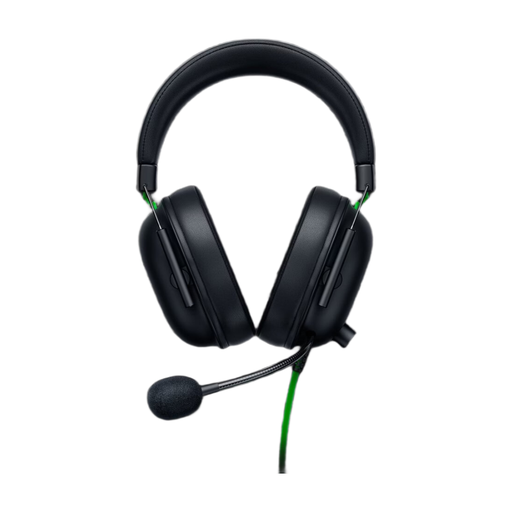
Why it stands out: The BlackShark V2 X is the ideal entry point into Razer's esports universe. It focuses on the essentials: quality sound, clear communication, and long-lasting comfort, all in a simple and effective wired format.
Advantages:
Who is it for? For competitive gamers who get straight to the point: reliable audio performance without the frills of wireless. It's the practical choice for those who prioritize light weight and maximum compatibility.
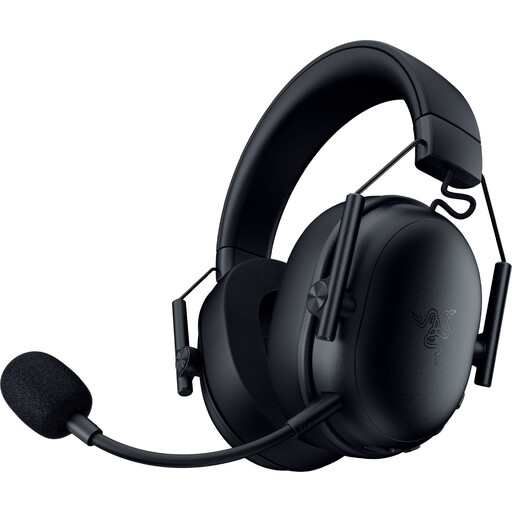
Why it stands out: This model cuts the cord, offering total freedom with its triple connectivity (2.4GHz, Bluetooth, USB) and record-breaking battery life, all in a featherlight chassis.
Advantages:
Who is it for? For PC and PlayStation gamers who want to break free from cables without compromising on responsiveness. Its Bluetooth versatility also makes it an excellent companion for mobile gaming or listening on the go.
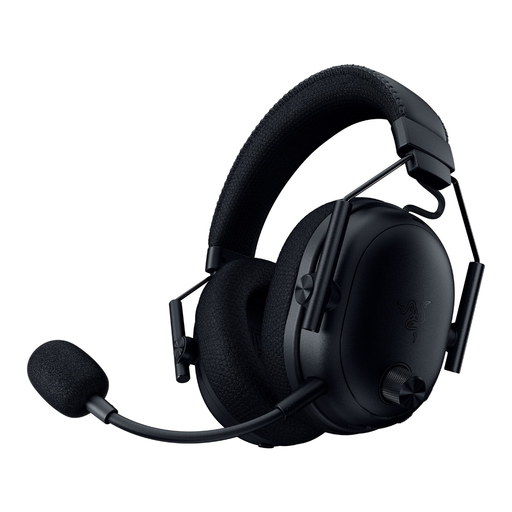
Why it stands out: The BlackShark V3 Pro is the flagship of the lineup. It packs the best of Razer's technology: cutting-edge wireless, active noise cancellation, and drivers optimized for absolute immersion.
Advantages:
Who is it for? For demanding gamers and esports competitors who refuse to compromise. If you play in a noisy environment or seek the most total immersion and maximum versatility, this is the model for you.
If the Razer BlackShark series doesn't quite meet your needs or if you need accessories to complete your setup, other solutions are available. A quality cable can sometimes make all the difference in a wired configuration.
Explore our collection of black audio cables to find the right addition for your gear.
1. What is the main difference between the Razer BlackShark V2 X and the V3 Pro? The difference is night and day. The V2 X is a wired headset (3.5mm jack) that focuses on the essentials with excellent performance. The V3 Pro is a high-end wireless model (2.4GHz, Bluetooth) that adds cutting-edge technologies like Active Noise Cancellation (ANC) and much broader connectivity.
2. Does the 7.1 surround sound on Razer headsets work on PS5 or Xbox? No, 7.1 surround sound is a software feature exclusive to PC (via Razer Synapse on Windows 10/11). On consoles (PS5, Xbox Series X|S), the headset delivers excellent stereo sound. However, you can enable your machine's native 3D audio technologies (Tempest 3D AudioTech on PS5, Windows Sonic/Dolby Atmos on Xbox), which provide equally immersive sound spatialization.
3. How do I connect a Razer BlackShark headset to my console? It's very simple. For a wired model (V2 X), plug the 3.5mm jack into your controller's port (PS4, PS5, Xbox). For a wireless model (V3 X, V3 Pro), connect the 2.4GHz USB dongle to a USB port on your console or PC (compatible with PlayStation and Switch in docked mode).