
Livraison le jour même ou le lendemain

Qualité garantie

Débloquez vos offres de bienvenue: Livraison GRATUITE | Jusqu'à -80 % | 30 jours d'essai gratuits à JoyPlus
Téléchargez l'application
Upgrading your gaming monitor can transform your gameplay experience. The magic trio—a 27-inch diagonal, QHD (1440p) resolution, and a 144?Hz (or higher) refresh rate—has become the new standard for demanding gamers. It's the perfect balance between image sharpness and fluidity. The problem? The market is flooded with cryptic spec sheets and misleading marketing claims. Before pulling out your credit card, it's crucial to avoid the most common pitfalls to make the right choice.
This guide breaks down the essential technical points and helps you find THE monitor that truly fits your needs, whether you're an esports pro, an open-world explorer, or a content creator.
Technical jargon can be confusing. Two marketing claims pop up constantly but hide very different realities, often leading to major disappointment once you unbox the monitor.
Many manufacturers tout a 1ms response time, but they often fail to specify the measurement method. There are two main measurement protocols:
In practice, a monitor advertised with "1ms MPRT" may hide a much slower GtG response time, resulting in very noticeable motion blur (ghosting) in fast-paced scenes. For competitive gaming, aim for models that clearly state a low GtG response time.
HDR (High Dynamic Range) promises stunning contrast and richer colours. The catch? Many monitors simply carry an "HDR10 compatible" label. This only means they can decode an HDR signal, with no guarantee of the final rendered quality.
For a worthwhile HDR experience, you must rely on official VESA DisplayHDR certifications.
Buying a monitor for its "HDR" without a serious VESA certification is almost a guarantee of disappointment.
To get the most out of your 27-inch QHD 144?Hz gaming monitor, three parameters are non-negotiable.
The panel type is the heart of the monitor: it determines image quality and responsiveness. For 1440p gaming, Fast IPS technology stands out as the best all-around choice today. It combines the strengths of traditional IPS panels (accurate colours, wide viewing angles) with very low response times that now rival older TN panels. It's the sensible choice for anyone who switches between fast-paced titles (FPS, racing) and enjoys the visual richness of RPGs or adventure games. VA panels, on the other hand, offer better contrast but are often slower. As for OLED, it nears perfection in image quality and responsiveness, but still comes at a premium price point.
A high refresh rate (in Hertz) is the key to flawless fluidity. While 144?Hz is an excellent baseline, many models today push to 180?Hz or more. This higher frequency translates to an even sharper image in motion, a significant advantage in competitive games. Be aware, to take advantage of it, you must ensure your graphics card can generate a frame rate (FPS) that matches the monitor's refresh rate.
To eliminate screen tearing and micro-stuttering, adaptive sync is simply essential. Its job is to synchronise the monitor's refresh rate in real-time with the number of frames sent by the graphics card.
Verifying the presence of one of these technologies is a guarantee of comfort and performance, essential for any esports monitor.
Rather than an endless list, here are three models that check all the right boxes, designed for different player profiles and budgets.
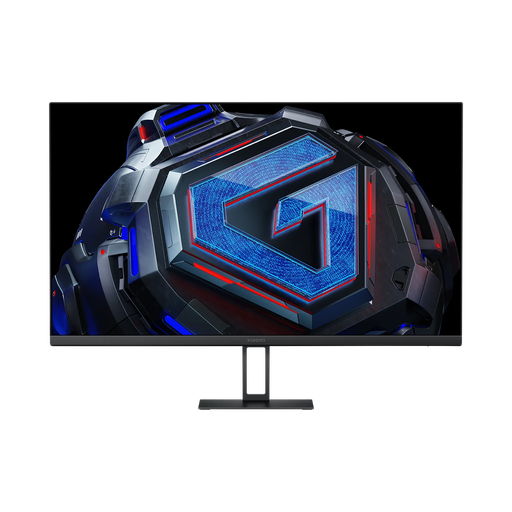
Why this one? This monitor checks all the boxes for competitive gaming without sacrificing image quality. It combines a responsive Fast IPS panel, QHD resolution, and a 180 Hz refresh rate, all at an unbeatable performance-to-price ratio. Perfect for gamers who want the best without breaking the bank.
It advertises a 1ms (GtG) response time, guaranteeing responsiveness without *ghosting*, while its G-Sync/FreeSync compatibility ensures tear-free fluidity.
180 Hz Fast IPS Panel: Fluidity and responsiveness for fast-paced games.
Accurate Colours: 95% DCI-P3 and 100% sRGB coverage, making it equally at home in gaming and creative work.
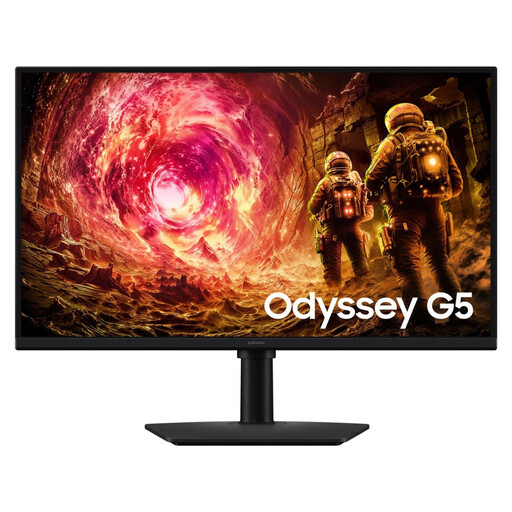
Why this one? From a renowned lineup, this Samsung monitor offers the perfect balance for those who juggle fast-paced games, narrative-driven adventures, and media consumption. Its 180 Hz QHD Fast IPS panel guarantees a visual experience that is both fluid and detailed, on PC and next-gen consoles alike.
It features AMD FreeSync Premium technology, a label that guarantees reliable adaptive sync and Low Framerate Compensation (LFC). No unpleasant surprises here.
Performance/Quality Balance: The 180 Hz Fast IPS panel is perfect for mixed use.
Trusted Brand: It benefits from all of Samsung's expertise in the display field.
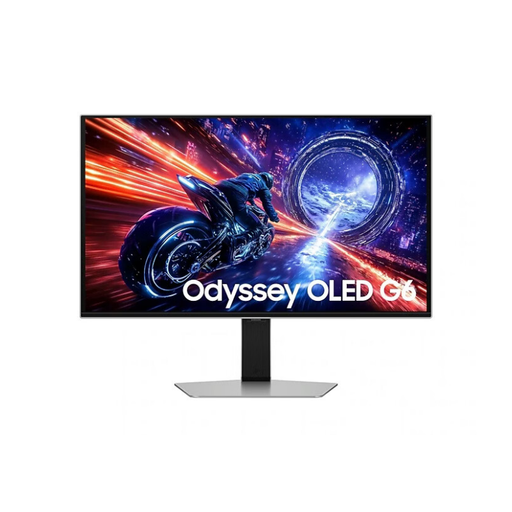
Why this one? For those who want to make absolutely no compromises. This QD-OLED monitor pushes every slider to the max: a stratospheric 500 Hz refresh rate for absolute fluidity, a near-instantaneous 0.03ms response time, and infinite contrast. A performance beast built for pure esports dominance and total visual immersion.
It boasts VESA DisplayHDR True Black 500 certification, which guarantees perfect blacks and high peak brightness for an authentic HDR experience, light-years beyond a simple "HDR compatible" label.
QD-OLED Technology: Infinite contrast and explosive colours.
Extreme Performance: 500 Hz refresh rate and 0.03ms (GtG) response time for ultimate responsiveness.
We have compiled a complete, up-to-date selection of monitors that meet our demanding selection criteria and current safety standards.
Yes, absolutely. To enjoy the fluidity of a 144?Hz (or higher) monitor in QHD (2560x1440 pixels), your graphics card must be able to generate a high and consistent frame rate (FPS). For recent games, a card like the NVIDIA GeForce RTX 4060 or AMD Radeon RX 7700 XT (or higher-end models) is a good starting point to play comfortably at high graphics settings.
Both technologies have the same goal: to eliminate screen tearing by synchronising the monitor and the graphics card. G-Sync is NVIDIA's proprietary technology for its GeForce cards. FreeSync is its open-standard equivalent, developed by AMD. Today, most FreeSync monitors are also "G-Sync Compatible," a label that certifies they have been tested by NVIDIA and work perfectly with its cards.
On a 27-inch diagonal, the benefit of a curved screen is primarily a matter of taste. The curve can slightly enhance immersion by wrapping your peripheral vision, but the effect is much more subtle than on larger ultra-wide screens (34 inches and up). For many, a flat screen remains more versatile, especially for content creation where preserving straight lines is critical.