
Livraison le jour même ou le lendemain

Qualité garantie

Débloquez vos offres de bienvenue: Livraison GRATUITE | Jusqu'à -80 % | 30 jours d'essai gratuits à JoyPlus
Téléchargez l'application
A PS5 gaming headset can make all the difference when it comes to pinpointing sounds, communicating with your teammates and staying comfortable during long gaming sessions. Yet some models become disappointing after just a few weeks. Product listings often highlight the number of speakers, lighting effects or wireless connectivity, without explaining the limitations associated with each use case.
Before comparing PS5 headsets with microphones, focus on three key points: genuine compatibility with your console, voice pick-up quality and long-term comfort.
A Bluetooth gaming headset does not necessarily connect directly to the PlayStation 5 for gaming. Many models instead rely on a 2.4 GHz USB adapter or proprietary technology. Bluetooth may then be reserved for your phone, tablet or computer.
So check the connection options included carefully: USB-C adapter, 3.5 mm jack, Bluetooth or a combination of several solutions. With a PS5, having a compatible dongle is something to confirm before placing your order.
Passive noise reduction comes from the ear cushions and their ability to isolate your ears. Active noise cancellation, or ANC, uses microphones and electronic processing to reduce certain ambient sounds. It does not eliminate all noise and may affect battery life or sound quality.
A closed-back headset with well-fitting ear cushions can therefore be perfectly suitable in a quiet flat. A model with ANC is better suited to a noisy room. Also remember to check the processing applied to the microphone: noise reduction for listening and voice enhancement are two different functions.
A headset that feels comfortable for ten minutes can become uncomfortable after two hours. Weight, headband pressure, heat from the ear cushions and the space available for glasses all matter just as much as the audio specifications.
For a wired PS5 gaming headset, check the cable length and where it connects. For a wireless model, check the stated battery life, charging time and whether you can continue playing while it charges.
In competitive games, low-latency transmission helps synchronise sounds more closely with the action on screen. Dedicated wireless technologies used with a USB adapter are generally designed for gaming. Bluetooth is more versatile, but is not always supported directly by the PS5.
The 3.5 mm jack connected to the controller remains a simple and effective solution: it requires no charging and works with many devices. It is particularly suitable for players who prioritise immediate set-up and cross-platform compatibility.
A PS5 headset with microphone should allow your teammates to understand you clearly without forcing you to speak loudly. A directional, flip-to-mute or detachable microphone makes voice chat easier to manage. Volume and mute controls built into the headset or cable save you from having to navigate the console menus.
However, do not judge voice-chat quality solely by the term “noise reduction”. The distance between the microphone and your mouth, the shape of the microphone windscreen and the room’s noise level also play an important role.
Over-ear headsets surround the ear and can reduce external noise. PlayStation gaming earbuds are more compact and easy to carry, but how securely they stay in place depends on the shape of your ears and the tips supplied.
Set the volume to a reasonable level and take breaks during long sessions. Clean the ear cushions and earbuds with a soft, dry cloth, without exposing the components to moisture.
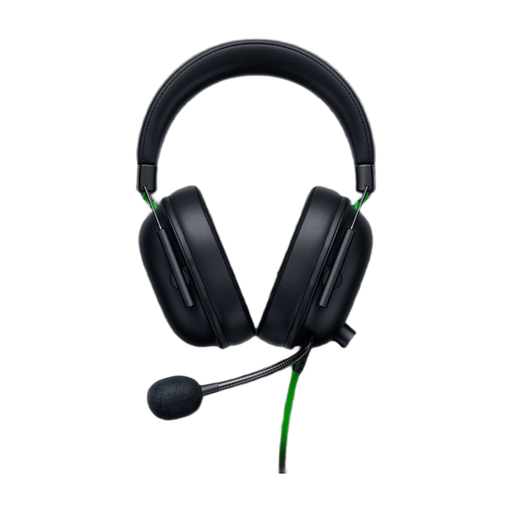
Why this choice suits this profile : Its 3.5 mm jack plugs directly into the PS5 controller, with no pairing or charging required.
The wired connection eliminates pairing issues and reliance on battery life. The cardioid microphone is designed to put your voice front and centre.
50 mm speakers, flip-to-mute microphone and a stated weight of 240 g.
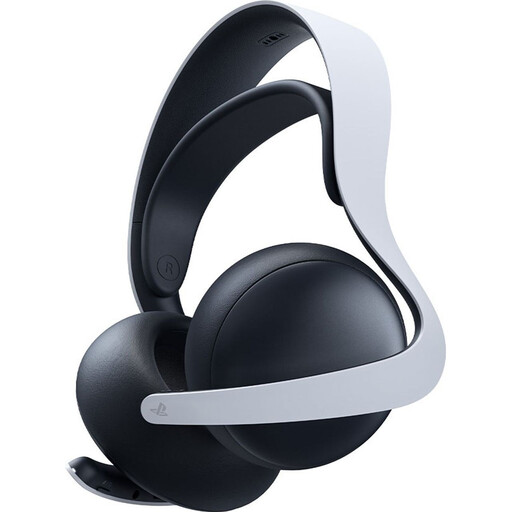
Why this choice suits this profile : It is designed for players who want to stay within the PlayStation ecosystem while retaining Bluetooth connectivity for their other devices.
PlayStation Link technology provides a low-latency connection, while Bluetooth broadens its use beyond the console.
Planar magnetic drivers, retractable microphone and stated battery life of up to 30 hours.
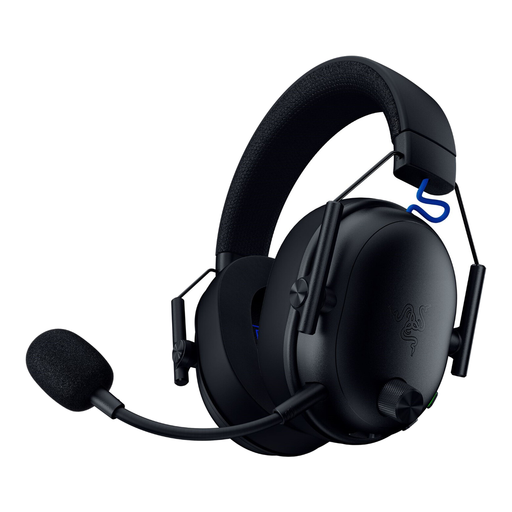
Why this choice suits this profile : Its wireless design and three connection modes suit players who switch between PS5, computer and mobile devices.
The 2.4 GHz dongle is complemented by Bluetooth and wired USB-C, so you are not dependent on a single connection mode.
Detachable microphone, stated weight of 270 g and stated battery life of up to 48 hours on PlayStation.
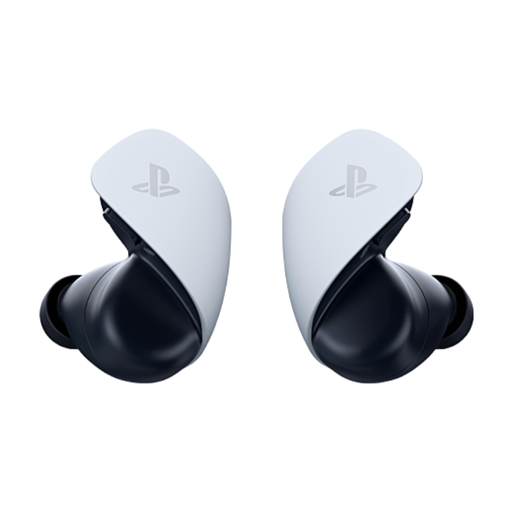
Why this choice suits this profile : These PlayStation gaming earbuds are easy to carry and suit users who switch between console and mobile.
The PlayStation Link connection is designed for PS5, while Bluetooth takes over with mobile devices. Several ear tips are supplied to help you achieve a secure fit.
Planar magnetic drivers, two microphones with ambient-noise reduction and stated battery life of up to 10 hours with the case.
We have put together a complete, real-time updated selection of products that meet these demanding criteria and European safety standards.
Plug the 3.5 mm jack into the DualSense controller, then open the console’s audio settings to select the headset output and adjust the volume. With a USB or wireless model, connect the supplied adapter and check that the microphone is selected correctly in the settings.
It depends on the battery, how often it is recharged, storage conditions and the condition of the ear cushions. To minimise wear, avoid heat and moisture, use a suitable cable and do not routinely allow the battery to run completely flat. A wired model avoids battery ageing, but its cable and connector still need to be handled carefully.
Compatibility varies between models. A 3.5 mm jack generally enables broad compatibility with controllers and devices equipped with an audio output. For wireless models, check compatibility separately with PS5, Xbox, PC, Switch and mobile devices: an adapter designed for PlayStation will not necessarily be recognised by every console.