
Livraison le jour même ou le lendemain

Qualité garantie

Débloquez vos offres de bienvenue: Livraison GRATUITE | Jusqu'à -80 % | 30 jours d'essai gratuits à JoyPlus
Téléchargez l'application
By the Joybuy Editorial Team, August 28, 2026
Owning a PlayStation 5 is a fantastic experience. But managing controller charging? That can quickly become a headache. Between a dead battery cutting your game short mid-action and your living room turning into a nest of cables, finding an effective charging solution is a top priority. The problem is that the accessory market is a real jungle where it's easy to get a bad deal and regret your purchase.
In this guide, we'll break down the key factors for choosing the ideal PS5 DualSense charging station and introduce you to some reliable models. The goal: to ensure your controllers are always ready for action.
Before you pull the trigger, watch out for these common traps that can quickly turn a bargain into a hassle.
To make sure you get it right, here are the few technical details that make all the difference.
The way the controller connects to the dock is crucial for user convenience.
The power source for your DualSense charging stand plays a key role in charging speed and the organization of your gaming setup.
Choosing an official PS5 controller charger or a licensed product (like those from Hori) is the best way to ensure peace of mind. These products are validated by Sony to guarantee perfect compatibility and adherence to strict safety standards, protecting your hardware for the long term.
To help you make a clear choice, we've selected the ideal charging solution for every type of gamer.
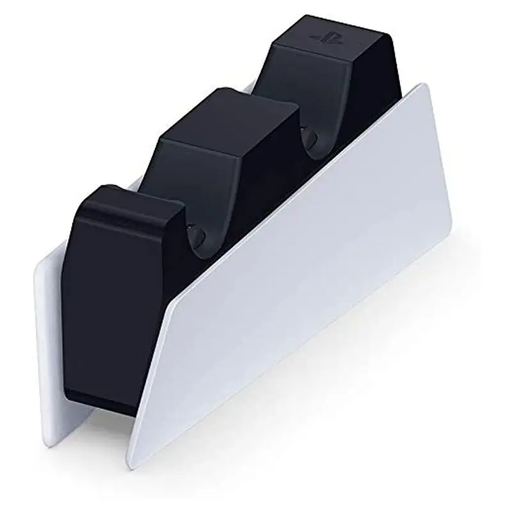
Why we chose it: Perfect for the gamer who loves a pristine gaming setup and perfect visual harmony. This official station matches the PS5's design and ensures two controllers are always fully charged for an impromptu multiplayer session.
Its "click-in" design ends the hassle of aligning the USB-C port. The dedicated AC adapter guarantees a fast charge without hogging the console's ports.
Charges two controllers simultaneously; frees up the console's USB ports; official Sony design for a perfect match.
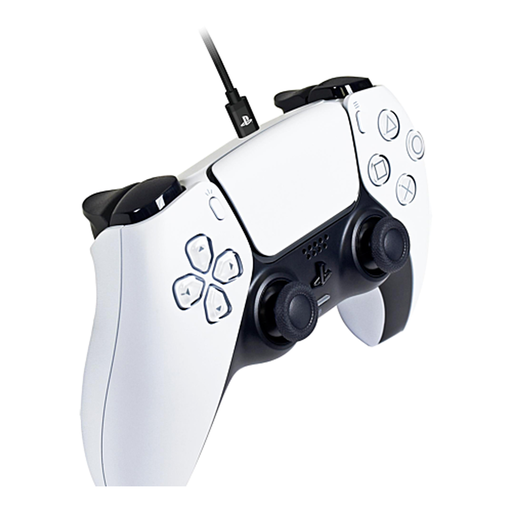
Why we chose it: The essential accessory for never having to pause the action. This cable lets you play wired while recharging the controller, ideal for marathon sessions or for competitors who demand a connection with zero latency.
Its tangle-resistant braided sheath and robust metal connectors make it far more durable than a standard cable. The official Sony license is a guarantee of safe charging.
Play and charge simultaneously; 3-meter (10 ft) cable for total freedom; rugged and durable design.
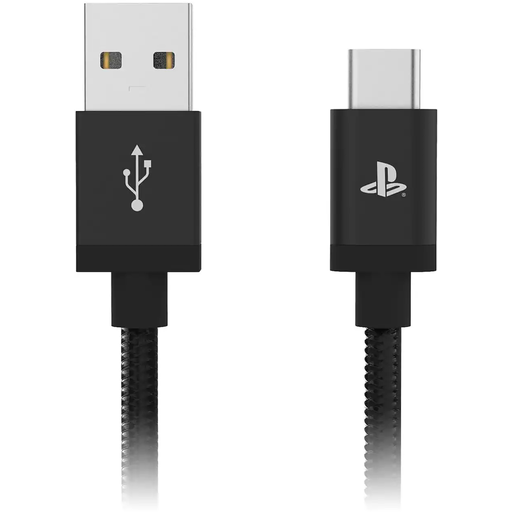
Why we chose it: For those who get straight to the point: a simple, reliable, and budget-friendly solution. This cable gets the job done without any frills: it recharges the controller with the peace of mind that comes from a licensed product.
As a licensed product, it eliminates any risk associated with uncertified generic cables, all at a very accessible price.
Affordable and safe solution; comfortable 3-meter (10 ft) length; includes a cable tie for neat storage.
Whether you prefer a wired solution or are curious to explore other technologies, browse our full selection of accessories. Each product is chosen for its reliability and compliance with safety standards.
How long does it take to charge a PS5 controller with the official station? Expect about 3 hours for a full charge, which is equivalent to charging via a cable plugged directly into the console.
Can you leave the controllers on the DualSense charging dock permanently? Yes, absolutely. Modern chargers, and especially the official Sony PS5 accessory, include overcharge protection. The power supply automatically cuts off once the battery is full, which prevents any risk to its lifespan.
Can an unofficial charger really damage my DualSense controller? Absolutely. It's a very real risk. Uncertified products do not always meet the electrical standards required by Sony. An unstable power supply can, over time, degrade the battery and, in the worst-case scenario, fry the controller's internal components. Opting for an official or licensed product is the best precaution.