
Livraison le jour même ou le lendemain

Qualité garantie

Débloquez vos offres de bienvenue: Livraison GRATUITE | Jusqu'à -80 % | 30 jours d'essai gratuits à JoyPlus
Téléchargez l'application
More than just a console, the PlayStation 5 is the heart of your gaming experience. To unlock its full potential, the market is flooded with PS5 accessories. However, navigating this jungle of options can quickly become a headache. Between manufacturer promises and real-world performance, a bad purchase is always just around the corner.
As a product expert at Joybuy, my mission is to guide you past the most common pitfalls and help you choose gear that truly enriches your gaming experience—without throwing your money away. Here are the essential points to check before you head to the checkout.
A few objective criteria are all you need to avoid these disappointments. Consider them your compass for judging a product's true quality, beyond the marketing hype.
Before pulling out your credit card, check the compatibility with your version of the PS5. The dimensions and port locations are not the same across the Standard (with or without a disc drive), Slim, and Pro models.
The quality of the materials is the best indicator of an accessory's durability.
Bonus features should add real value, not just look good on the box.
Rather than a laundry list, we've selected a few products that meet specific needs, applying the criteria we've just detailed.
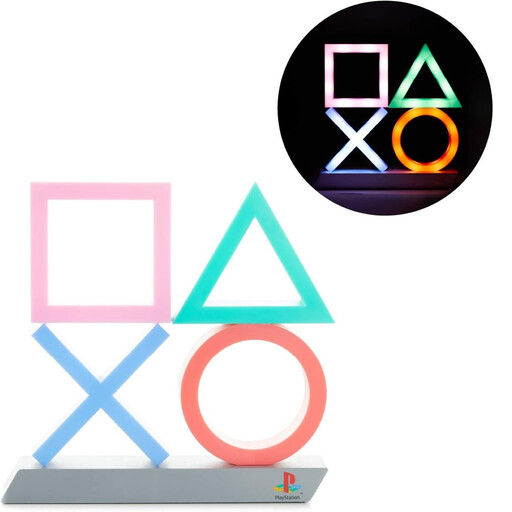
Why we chose it: The perfect accessory to curate the ambiance of your gaming corner. Its XL size and dynamic lighting modes, including one that reacts to music, make it a true centerpiece for any setup.
As an officially licensed PlayStation product, it guarantees a build quality and design fidelity far superior to the many counterfeits. This helps you avoid the trap of an accessory that yellows or breaks down after a few months.
Its 3 lighting modes (standard, phasing, music-reactive) and dual power options (USB or batteries) offer great installation flexibility.
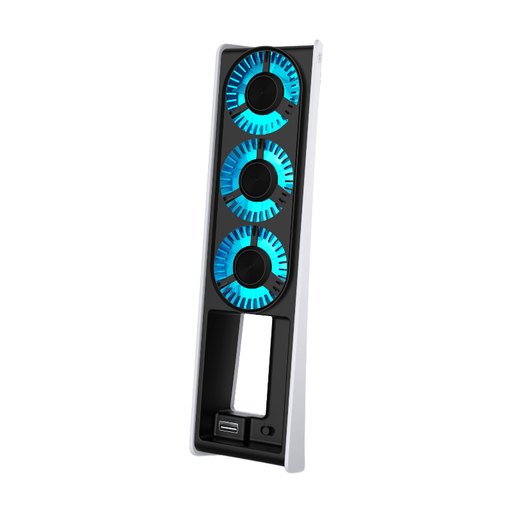
Why we chose it: A well-designed solution for PS5 Slim owners who want to optimize their console's cooling. It gets straight to the point: one function, and one function only, for those who prioritize their machine's efficiency and longevity.
Its design, specifically tailored for the PS5 Slim's chassis, improves airflow without ever obstructing the original vents. It thus sidesteps the paradoxical overheating trap.
It offers 2 fan speeds and, most importantly, includes a pass-through USB 3.0 port. This smart feature prevents it from monopolizing one of the console's precious ports.
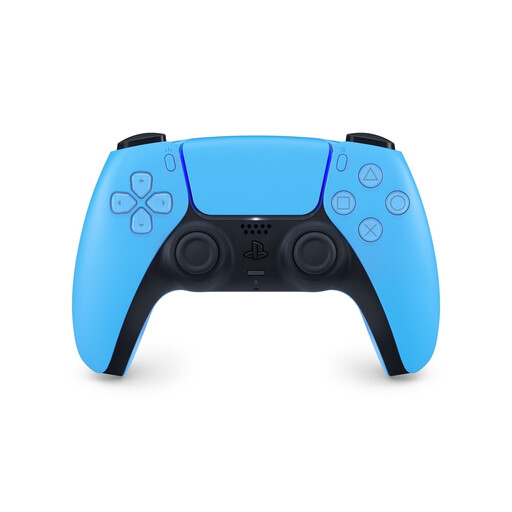
Why we chose it: It's simply the essential tool for the complete PS5 experience. Whether for solo immersion or competitive play, its exclusive technologies give it an edge that third-party controllers still haven't matched.
By choosing the official DualSense controller, you ensure perfect compatibility, with no latency or sacrificed features. This is the classic pitfall of unlicensed alternatives, which are often disappointing in practice.
The combination of haptic feedback and adaptive triggers offers a level of sensation and immersion that is simply unmatched.
Discover our complete selection of products that meet our quality criteria and safety standards.
The PS5 already comes with a very effective cooling system. For the majority of players, an external fan is therefore superfluous. It only becomes relevant under specific conditions: if your console is in a poorly ventilated TV stand or if you're a gaming marathoner. In that case, a quality PS5 cooling fan can help stabilize the temperature and extend the life of the components. It's insurance, not a requirement.
Compatibility is limited. Your DualShock 4 controller will work on the PS5, but only for PS4 games via backward compatibility. You cannot use it for native PS5 games. However, most official PS4 accessories (headsets, racing wheels, arcade sticks) are compatible. The rule of thumb: always check the information on the manufacturer's official website before buying.
Three criteria are paramount. First, audio quality: make sure it handles the console's 3D Audio well for optimal immersion. Next, comfort, which is crucial for long sessions: a well-adjusted headband and breathable fabric ear cushions are a real plus. Finally, mic quality: good background noise cancellation is essential for communicating clearly with your teammates. As for the rest (wired or wireless), it's primarily a matter of taste and budget.