
Livraison le jour même ou le lendemain

Qualité garantie

Débloquez vos offres de bienvenue: Livraison GRATUITE | Jusqu'à -80 % | 30 jours d'essai gratuits à JoyPlus
Téléchargez l'application
Do you own a PlayStation VR2 headset and a gaming PC with some serious horsepower?? The idea of marrying these two worlds to dive into SteamVR's massive library is a dream come true. But be warned: the adventure can quickly turn into a headache. Too many gamers end up with useless adapters and flaky setups, turning a great investment into a complete hassle.
Before you pull out your credit card, let's review the most common pitfalls so you don't throw your money down the drain.
To make the magic happen between your PS VR2 and your PC, buying a simple adapter isn't enough. You need to scrutinise three technical points to ensure flawless compatibility and optimal performance.
Transmitting the PS VR2's 4K HDR video stream and tracking data requires colossal bandwidth. That's why PC compatibility for Sony's headset relies on two very specific connections?:
The adapter only acts as a bridge between the headset and your machine; your computer provides all the processing power. To enjoy SteamVR games with the PS VR2 under good conditions, Sony and developers agree on a minimum configuration. Here are the requirements to keep in mind?:
The hardware connection is just the first step. On the software side, you'll need to install two free applications on your PC to get everything working in harmony?:
Instead of a laundry list of items, we've matched products to specific user profiles to help you build a solid setup that works.
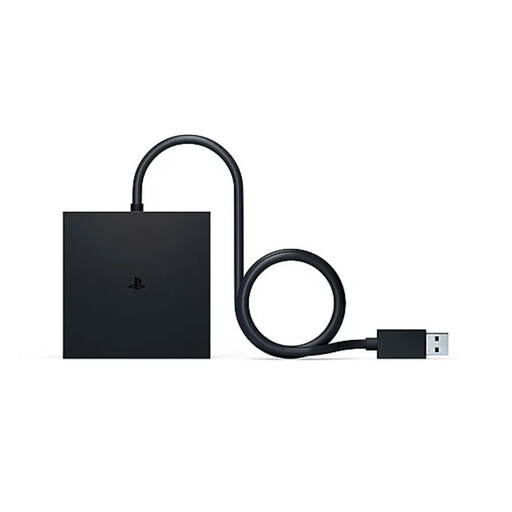
Why we chose it : It's the official solution, designed by Sony. This is for PS VR2 owners who want to access the huge SteamVR library simply, effectively, and without any hassle. It's the peace-of-mind choice for getting the most out of your headset.
As an official product, it eliminates the risks of incompatibility, latency, or loss of features (haptics, eye tracking) that plague third-party adapters. The software integration is perfectly seamless.
Full support for PS VR2 Sense technologies on PC, including headset feedback and eye tracking in compatible games. Dead-simple installation via the dedicated app on Steam.
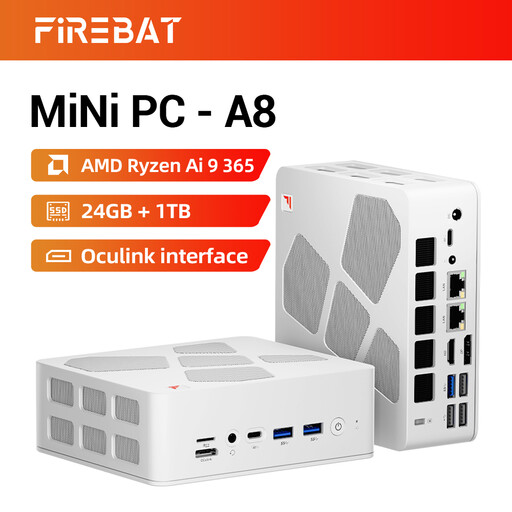
Why we chose it : Is your current PC struggling to keep up ? This mini PC packs some serious firepower (Ryzen AI 9, 24GB of DDR5) into an ultra-compact form factor. It's perfect for a living room or office where space is at a premium, while far exceeding the required specs for VR.
It saves you from the nightmare of an underpowered PC setup, which leads to stuttering and a degraded experience. This is an investment that ensures your PS VR2 adapter can finally reach its full potential.
VR-ready power in a pocket-sized format. State-of-the-art connectivity with USB4, dual 2.5G Ethernet ports, and Wi-Fi 6E for a high-performance, future-proof setup.
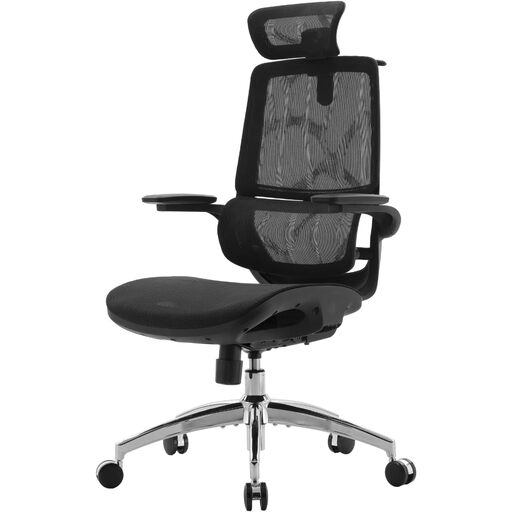
Why we chose it : VR gaming sessions, especially while seated, can quickly become an ordeal. This chair is built for gaming marathons, with lumbar support that adapts to your movements and flip-up armrests for maximum freedom.
It protects you from an often-underestimated pitfall : physical discomfort. Investing in a good chair ensures a comfortable VR experience over the long haul and prevents fatigue from ruining your session.
Dynamic lumbar support that follows your back's movements. 3D armrests that flip up 80°, perfect for freeing up space during VR games that require large arm movements.
We've curated a complete, up-to-date list of products that tick all the boxes of our selection criteria.
You absolutely need a DisplayPort 1.4 cable. This is the prerequisite for transmitting the 4K HDR video signal. Note that the official Sony adapter (model CFI-ZVP1) does not include this cable, so you'll need to purchase it separately. Be sure to choose a DP 1.4 certified model to avoid any nasty surprises with performance or compatibility.
With the official Sony adapter, most of the flagship features are present in compatible games. This includes the 4K display, 110° field of view, eye tracking, headset feedback, and 3D Audio. However, certain features like HDR, adaptive triggers, and the most subtle haptic feedback (beyond simple vibrations) are not currently part of the package on PC. Their support is entirely up to developers on SteamVR.
No, the installation is quite simple, provided your hardware is compatible. The process boils down to a few steps?: