
Livraison le jour même ou le lendemain

Qualité garantie

Débloquez vos offres de bienvenue: Livraison GRATUITE | Jusqu'à -80 % | 30 jours d'essai gratuits à JoyPlus
Téléchargez l'application
A professional OBD2 diagnostic tool can read fault codes, display live data, and assist with certain maintenance procedures. But not all models give you access to the same control units. Whether you run an independent garage, work as a mobile technician, or maintain your own car at home, choosing in haste can lead to unexpected costs and features you simply can't use.
A basic OBD2 reader often only covers the engine control unit and emissions-related faults. It may not communicate with the ABS, airbags, gearbox, electronic parking brake (EPB), air conditioning, or various body control modules.
If you're looking for a versatile automotive diagnostic scanner, check that it explicitly mentions full system diagnostics. The product description should list which control units are accessible, along with the functions available – reading, clearing, live data display, and component testing.
A listing might boast 15, 30, or 34 special OBD2 functions. However, their availability depends on the make, model, year of manufacture, engine type, and control unit version.
Service reset, oil change reset, EPB reset, injector coding, or DPF regeneration are not universal functions. Before ordering, have your VIN number ready and request a compatibility check if a particular function is essential to you.
The purchase price doesn't always reflect the true cost of ownership. Some tools include lifetime free updates, while others operate on a subscription basis. Once that subscription expires, advanced features may be restricted, even if basic OBD2 functions remain accessible.
The CAN FD protocol allows communication with certain newer electronic architectures, particularly on vehicles with faster networks. DoIP, or Diagnostics over Internet Protocol, uses an Ethernet connection for some data exchanges.
These standards alone don't guarantee compatibility with every model. Also check the list of supported makes and control units. On some FCA vehicles, accessing protected modules may require FCA AutoAuth – a separate account that, depending on the manufacturer, may incur additional fees.
Bidirectional testing lets you send a command to an actuator – such as a fan, pump, lock, relay, or window motor – to observe its response. This feature can save you from unnecessary dismantling, but the available tests vary from vehicle to vehicle.
ECU coding is used to adapt or configure certain modules after replacement. It is not a substitute for a manufacturer procedure and must be performed with a stable power supply. An interruption during writing can disrupt the control unit.
For heavy-duty use, compare the following:
A compact device may suit a mobile technician. However, for viewing multiple parameters simultaneously, a tablet with an 18 or 20 cm diagonal screen will be more comfortable.
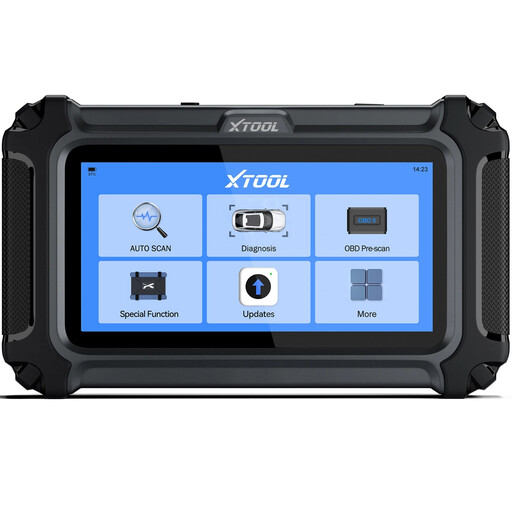
Why this choice suits this profile: This wired tool covers common operations on compatible vehicles: engine, transmission, ABS and airbags. It also features a touchscreen and can generate PDF reports.
The product description states that functions vary by vehicle and recommends checking compatibility using the VIN before purchase.
Diagnostics for four systems, EPB and ABS bleed functions where compatible, with software updates advertised at no recurring cost.
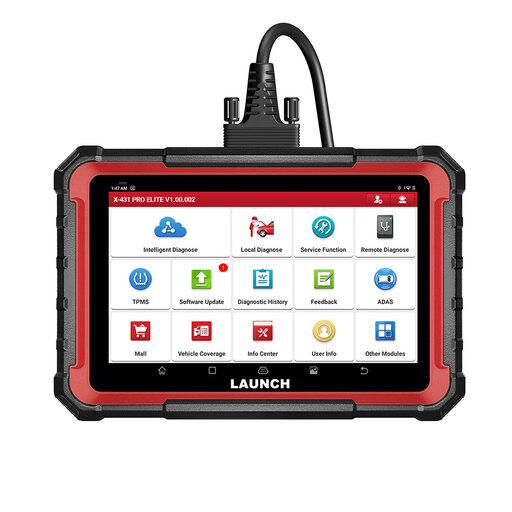
Why this choice suits this profile: Its 8-inch tablet, full system diagnostics, active tests and ECU coding meet the needs of workshops looking for a comprehensive interface.
The product description distinguishes available functions by make, model and system, and clearly states the update duration.
CAN FD and DoIP protocols, over 31 advertised services, report generation and expansion possibilities with dedicated accessories.
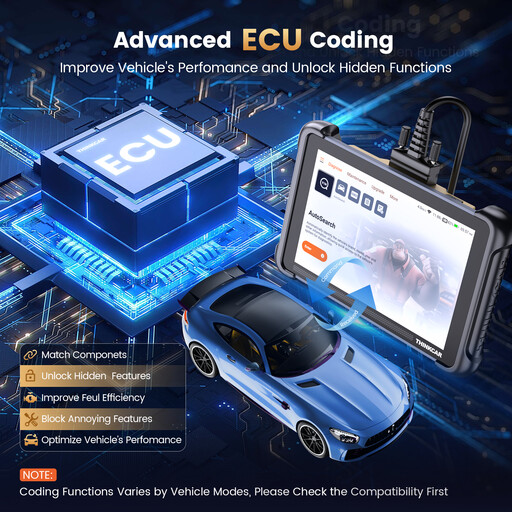
Why this choice suits this profile: It is aimed at garages, fleet managers and mobile technicians who need bidirectional testing, ECU coding and numerous maintenance functions.
The product description distinguishes full diagnostics, active tests and 34 maintenance functions, while stating that compatibility must be checked.
8-inch screen, 4 GB RAM and 64 GB storage, advertised support for CAN FD and DoIP, with lifetime free updates according to the product description.
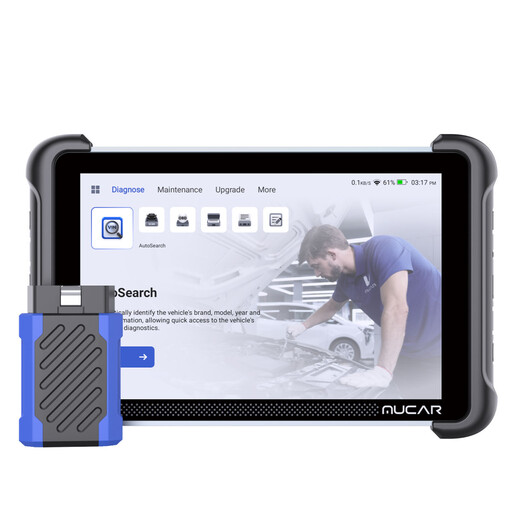
Why this choice suits this profile: Its 8-inch interface, magnetic VCI and advanced diagnostic functions make it suitable for regular use in the workshop or on site.
The product description mentions compatibility limitations by vehicle as well as a limited one-year warranty, which should be checked in the terms and conditions.
ECU coding, bidirectional control, CAN FD and DoIP protocols, plus over 34 advertised maintenance functions depending on the model.
We have put together a comprehensive, real-time updated selection of products that meet these demanding criteria and European safety standards.
No. The OBD2 port is widely used, but the protocols, control units and available functions vary by vehicle. Check the make, model, engine type and VIN before purchasing.
Not necessarily. This term usually refers to updates to the manufacturer's software. Advanced functions may still be limited by the vehicle's configuration. Separately, FCA AutoAuth may require a separate account or access.
Yes, for compatible operations and provided you follow the manufacturer's instructions. Work with a sufficiently charged battery, avoid interrupting ECU coding, and do not clear a fault without identifying its cause. For braking systems, airbags or safety equipment, professional intervention remains essential.