
Livraison le jour même ou le lendemain

Qualité garantie

Débloquez vos offres de bienvenue: Livraison GRATUITE | Jusqu'à -80 % | 30 jours d'essai gratuits à JoyPlus
Téléchargez l'application
For an independent garage, repair workshop, or passionate DIY mechanic, a professional OBD2 automotive diagnostic tool must go far beyond simply reading a check engine light. Diagnosis of all systems, active tests, ECU coding, service reset, and compatibility with modern vehicles are now essential criteria to examine.
Technical specifications do not always make comparison easy. Some functions are presented as universal when they actually depend on the model, year, ECU concerned, and sometimes online access. Here are the points to check before placing an order.
A simple code reader typically allows you to view engine faults and erase certain emissions-related codes. It does not necessarily provide access to ABS, airbags, transmission, climate control, TPMS, or the various body control modules.
For workshop use, clearly look for the mention full system diagnosis. Also verify that the device can display live data, ECU information, and freeze frame data.
A bidirectional diagnostic tool may offer control of a fan, injector, ABS pump, window regulator, or relay. However, the available menu depends on the make, model year, engine type, and electronic equipment of the vehicle.
The same caution applies to ECU coding, transmission adaptation, injector coding, DPF regeneration, or electronic parking brake reset. If you require a specific function, provide the VIN to the seller before ordering.
An offer with lifetime free updates can reduce recurring costs. However, you must verify exactly what this promise covers: all software, only basic OBD2 functions, or also special functions.
On certain Fiat, Jeep, Dodge, Chrysler, or Alfa Romeo vehicles, an FCA AutoAuth account may be essential. Access to the portal does not necessarily mean that manufacturer registration or subscription is included. The same vigilance applies to certain Renault SGW access and online programming operations.
A wired OBD2 car scanner offers a direct, generally stable connection. It is well-suited for lengthy operations or workshops where the tablet remains near the vehicle.
Bluetooth diagnosis provides more freedom to observe an actuator or command a component remotely. However, examine the stated range, application stability, and compatibility with Android or iOS. An integrated tablet also simplifies report creation and history consultation.
Modern vehicles rely on faster communication networks. CAN FD allows more data to be transmitted per frame and equips certain recent GM models. DoIP, which relies on Ethernet communication, concerns several BMW, Volvo, Jaguar, and Land Rover vehicles, depending on the year.
The presence of these protocols broadens compatibility but does not guarantee access to all vehicle functions. Always verify the stated coverage for the make, model, and year concerned.
An active automotive test sends a command to the ECU to trigger a component. It can help distinguish a control problem from a faulty part without having to disassemble multiple elements immediately.
For ECU coding, the use of a stabilized power supply is strongly recommended. A power cut or voltage drop during a programming operation can cause a communication error. These procedures should only be performed on a vehicle you are authorized to access, following the device and manufacturer instructions.
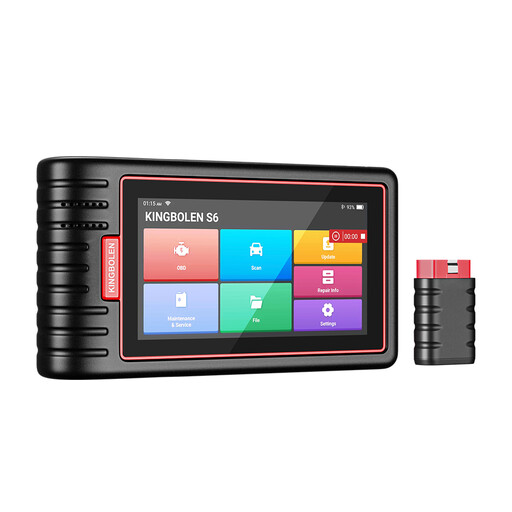
Why this model fits this profile: Its tablet format and Bluetooth VCI are suitable for DIY enthusiasts and small workshops who want access to the main systems without immediately investing in a more expensive platform.
The specification distinguishes full system diagnosis from 28 service functions, while specifying that their availability varies by vehicle.
CAN FD, automatic VIN identification, 28 service functions, and updates advertised as lifetime free.
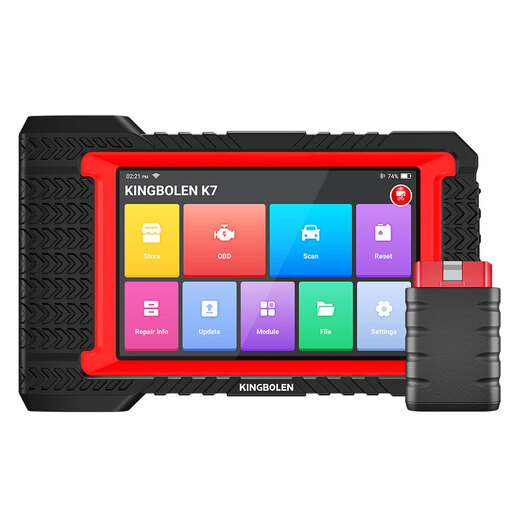
Why this model fits this profile: It combines Bluetooth diagnosis, bidirectional tests, online and offline ECU coding, as well as 28 reset functions.
The specification indicates compatibility limits and states that FCA AutoAuth requires a separate registration.
Advertised support for over 100 makes, shareable reports, and PMI for certain Ford, Lincoln, and Mazda models.
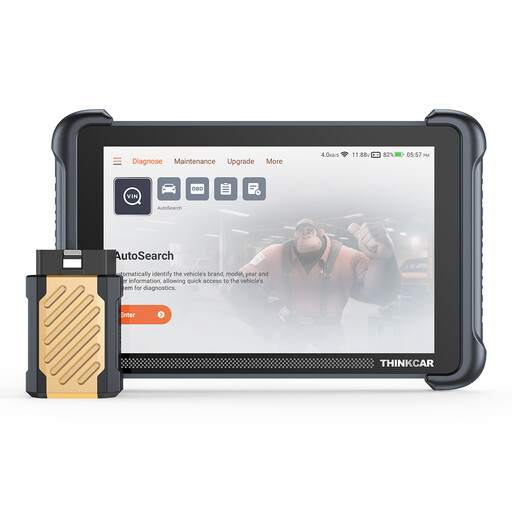
Why this model fits this profile: CAN FD and DoIP protocols are supported, while the 8-inch tablet and its 4 GB of RAM are suited for long diagnostic sessions.
The description reminds that complex operations may require an internet connection or appropriate support.
34 advertised reset functions, Bluetooth connection, 8-inch screen, and lifetime free updates according to the specification.
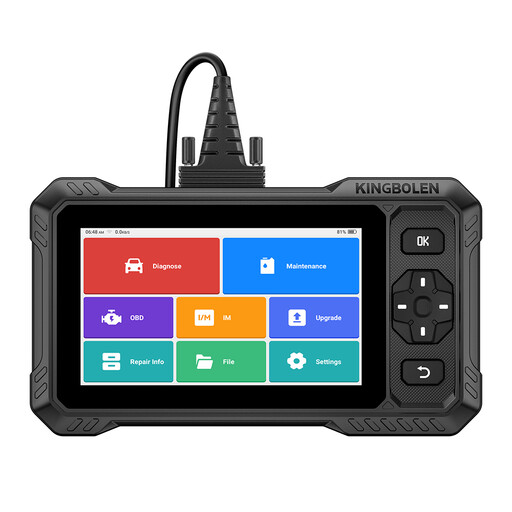
Why this model fits this profile: It is aimed at users seeking a device without advertised software renewal, with bidirectional control and extended coverage.
The specification states that active functions and FCA or Renault access remain subject to the vehicle concerned and may require a separate account.
CAN FD, advertised access to FCA SGW and Renault SGW, as well as over 3,000 active test functions according to the product presentation.
We have compiled an updated selection of automotive diagnostic tools meeting technical criteria for compatibility, functionality, and cost of use.
No. Available functions vary by make, model, year, engine, and installed ECUs. Two OBD2-compatible petrol or diesel vehicles will not necessarily offer the same special functions. A VIN check is recommended.
A standard scanner primarily reads fault codes and accessible data. A bidirectional diagnostic tool can also send commands to certain ECUs to perform an active automotive test. This capability depends on the vehicle and the system being controlled.
Not necessarily. They may cover the device's diagnostic software, while manufacturer accounts, FCA AutoAuth authentication, certain secure accesses, or online services may still be chargeable. Check the conditions specific to the model before purchase.