
Livraison le jour même ou le lendemain

Qualité garantie

Débloquez vos offres de bienvenue: Livraison GRATUITE | Jusqu'à -80 % | 30 jours d'essai gratuits à JoyPlus
Téléchargez l'application
A professional OBD2 car diagnostic tool does more than just switch off an engine warning light. Whether you run an independent garage, work as a mechanic, sell used cars, or are a knowledgeable private owner, it needs to read fault codes, monitor live data, control certain actuators, and support routine maintenance tasks.
Yet choosing the right one isn’t straightforward. Product listings often blur the lines between basic OBD2 code reading, full-system diagnostics, active tests, and ECU coding. Here are the key points to check before you buy, along with a selection suited to different needs.
A basic fault code reader can usually interrogate the engine control unit. That doesn’t mean it will access the ABS, SRS, gearbox, air conditioning, TPMS, or the various body control modules.
To go further, look clearly for the terms “all systems” or “full-system diagnostics”. Also check that the device can read and clear codes, display ECU information, view freeze-frame data, and record live data.
The presence of a feature like EPB reset, ABS bleed, injector coding, or ECU programming does not guarantee it will work on your vehicle. Its availability can depend on the make, model, year, engine type, control unit, and in some cases, an online subscription.
Before ordering, have your 17-character VIN ready and state the exact function you need. Checking compatibility with the seller reduces the risk of ending up with a tool whose menu doesn’t offer the operation you expect.
Some diagnostic tools include a period of free updates. Others boast lifetime free updates. However, you need to distinguish between diagnostic software updates, additional features, and the manufacturer’s online services.
Access to FCA AutoAuth, for example, may require creating an account or taking out a separate subscription with the relevant service. This potential cost is on top of the tool’s price and should not be confused with it.
For workshop use, choose a tool that can interrogate the systems actually fitted to the vehicles you work on. CAN FD compatibility is useful on some newer models, while DoIP covers diagnostic communication via Ethernet on compatible vehicles.
FCA AutoAuth functions can simplify access to certain protected modules, but they remain subject to the manufacturer’s conditions. A product listing that claims wide coverage does not replace a VIN-based check.
A bidirectional scanner can send commands to certain control units to observe how a component reacts. Depending on the vehicle, it might test the fuel pump, fan, injector, window regulator, valve, wipers, or air conditioning compressor.
The most sought-after service functions include:
These operations can alter important settings. Always follow the vehicle’s documentation and never simply clear a fault without addressing its root cause.
A tablet with a touchscreen is generally better suited to a workshop than a simple dongle. Conversely, a Bluetooth OBD2 scanner that connects to an Android or iOS device will suit those who value portability and easy storage.
Also compare:
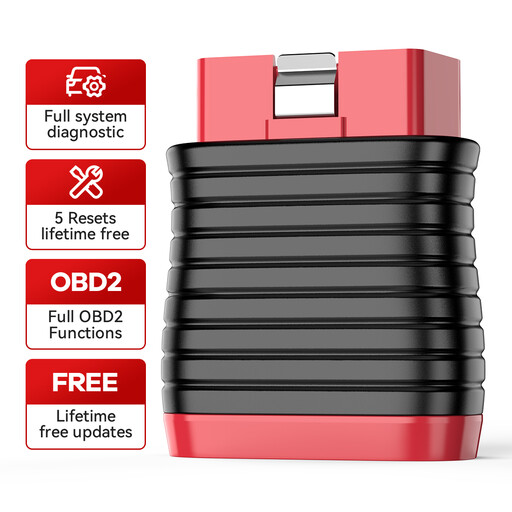
Why this choice works: Its Bluetooth format works with an Android or iOS smartphone or tablet, making it ideal for occasional checks at home.
The listing clearly separates full-system diagnostics from advanced functions and lists five main resets, rather than claiming unlimited coverage.
Compact design, dedicated app, multilingual interface, and claimed access to the main service functions.
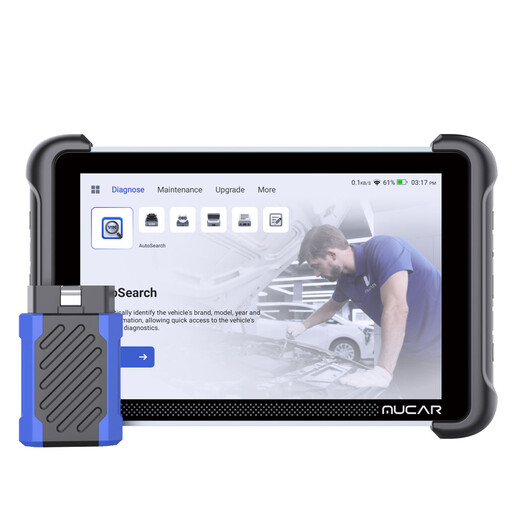
Why this choice works: With its 8-inch tablet and ECU coding functions, it’s aimed at users who prefer working on a dedicated interface.
Functions are split between diagnostics, bidirectional tests, and service functions; their availability still needs to be confirmed for each vehicle.
8-inch screen, claimed CAN FD and DoIP protocols, over 34 services, and lifetime free updates according to the product listing.
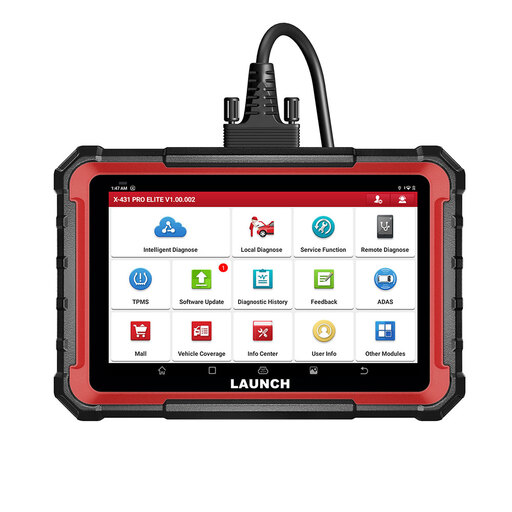
Why this choice works: Its 8-inch tablet, full-system diagnostics, and expansion options suit workshops that work on a wide range of vehicles.
The listing states that ECU coding, active tests, and service functions vary by make, model, and system concerned.
CAN FD, DoIP, active test, ECU coding, shareable reports, and claimed compatibility with several additional modules.
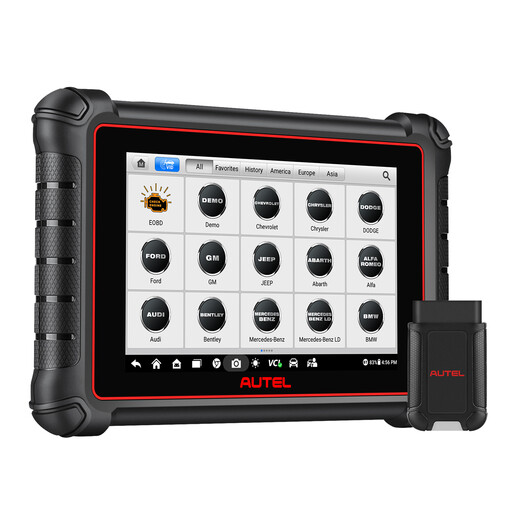
Why this choice works: Its wireless connection, 8-inch screen, and report management make it easy to work in and around the vehicle.
The listing separates the first year of included updates from functions that require additional accessories, such as the BT506 battery tester.
Over 40 claimed services, bidirectional tests, CAN FD and DoIP protocols, plus before-and-after intervention reports.
We’ve selected a complete, real-time updated range of products that meet these demanding criteria, while also taking European safety regulations into account.
No. The OBD2 port is widely used, but the accessible systems and available functions vary by make, model, engine type, and control unit. Always check compatibility using the VIN before buying.
A connection is usually needed for activation, updates, online reports, and certain secure access features. On some devices, local diagnostics may then work offline, depending on the model and installed software.
A Bluetooth scanner is compact and works with a phone or tablet. A standalone diagnostic tool has its own screen, dedicated menus, and often storage space for reports. The former is suited to mobile checks; the latter is more practical for regular workshop use.