
Livraison le jour même ou le lendemain

Qualité garantie

Débloquez vos offres de bienvenue: Livraison GRATUITE | Jusqu'à -80 % | 30 jours d'essai gratuits à JoyPlus
Téléchargez l'application
A warning light on the dashboard, a gearbox behaving erratically, or a recently replaced battery can require more than just a basic OBD2 code reader. For an independent garage, a mechanic, or a keen home diagnostician, a professional diagnostic tool needs to identify faults, display live data and, depending on the vehicle, carry out certain maintenance procedures.
The trouble is that product listings sometimes bundle together functions that have little to do with one another. Here are the main pitfalls to avoid before buying a professional OBD2 diagnostic scanner.
A basic reader typically interrogates the engine control unit and can clear certain emissions-related codes. It may not communicate with the ABS, SRS, transmission, electric parking brake, air conditioning or body control modules.
The phrase "all systems" therefore deserves a close look in the technical specifications. It means the tool can access the control units available on a given model, not that it supports every function on every vehicle.
Oil service reset, EPB reset, DPF regeneration and injector coding all depend on the make, model, year of manufacture, engine type and ECU version. Even a device that claims 15, 28 or 40 functions may only offer a subset of them on your car.
Before placing an order, provide the seller with the 17-character VIN, the engine type and the specific function you need. This check is particularly important for ECU coding, immobiliser systems and operations related to replacing a control unit.
Some devices include lifetime free updates, while others only offer them for a limited period. Once that period expires, access to advanced functions may require renewing the software licence.
Access to certain FCA vehicles protected by a security gateway may also require a separate FCA AutoAuth account and subscription. The device may provide access to the login portal without covering the fees charged by the service itself.
A diagnostic tool intended for a workshop should at minimum be able to read and clear fault codes, display control unit information, view live data and save reports. Graphs are particularly useful for monitoring parameters such as temperature, pressure, engine speed or battery voltage.
The AutoVIN function can speed up vehicle identification, but it is not available on all cars. Manual selection should therefore remain an option.
Bidirectional control, also known as active testing, allows you to send a command to certain actuators from the diagnostic tool. Depending on the vehicle, it can be used, for example, to activate a fan, fuel pump, injector, air conditioning relay, door lock, window or parking brake motor.
This function does not replace electrical measurements, mechanical checks or manufacturer procedures. It is mainly used to compare the command sent with the observed response. The list of available tests should always be confirmed for the specific vehicle.
On newer vehicles, CAN FD compatibility can be useful, particularly with certain GM models. The DoIP protocol also applies to some architectures that use Ethernet. However, these compatibilities do not guarantee access to all functions.
Also remember to check:
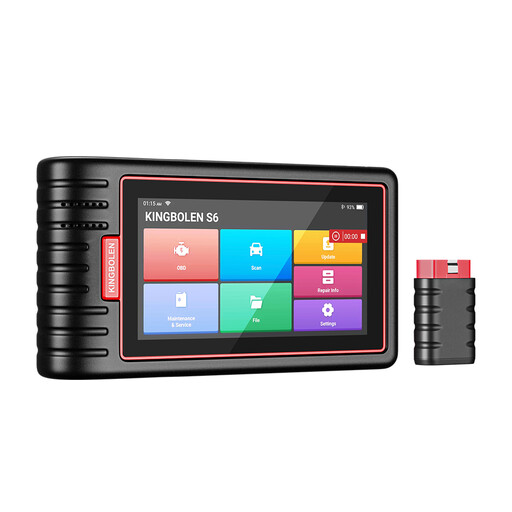
Why this suits this profile: Its compact design and Bluetooth connection make it ideal for home maintenance and light work on several vehicles.
It goes beyond the engine and claims multi-system diagnostics. The exact coverage of functions should still be checked for your specific vehicle.
28 claimed service functions, AutoVIN, live data and CAN FD support depending on the software version.
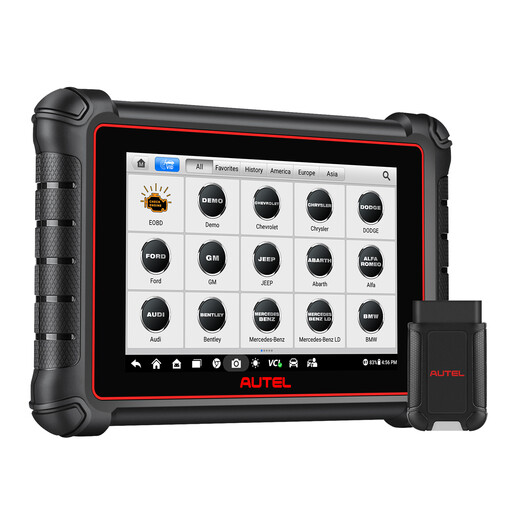
Why this suits this profile: Its 8-inch tablet and extensive features are aimed at users who want to centralise diagnostics and workshop reports.
The listing clearly distinguishes between included updates, functions available by model, and FCA AutoAuth access, which requires a separate account.
CAN FD and DoIP protocols, bidirectional control, over 40 claimed services and wireless connectivity.
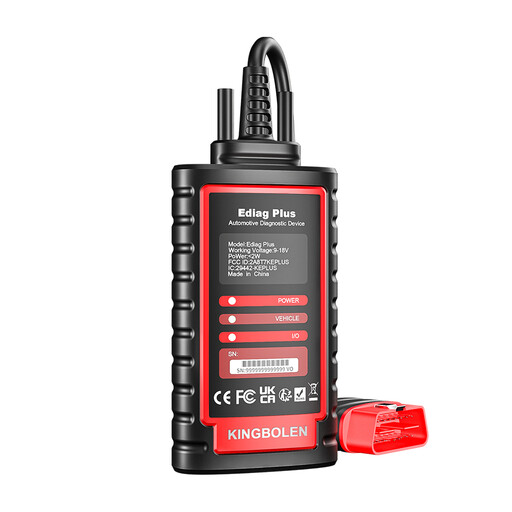
Why this suits this profile: Workshops looking for ECU coding, active tests and extended compatibility get a more specialised set of functions here.
The listing specifies that coding, active tests and resets vary by make, model and system concerned.
CAN FD, FCA AutoAuth, 15 special functions, bidirectional control and ECU coding on compatible vehicles.
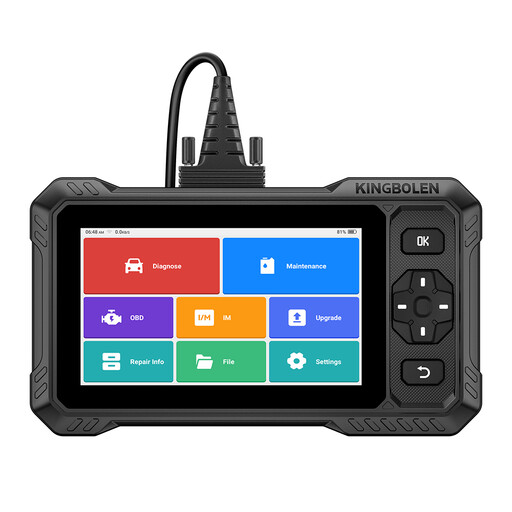
Why this suits this profile: Its tablet-style interface, reports and lifetime free updates make it suitable for frequent use across multiple brands.
The claimed compatibility should be confirmed using the VIN. This avoids assuming that all functions are available on every vehicle.
Full-system diagnostics, over 3,000 claimed active tests, CAN FD, FCA AutoAuth and updates with no announced software subscription.
We have selected a comprehensive, real-time updated list of products that meet these demanding selection criteria and European safety standards.
No. Most devices support vehicles equipped with an OBD2 or EOBD port, but the accessible systems and special functions vary by model. Check the make, model, engine type and VIN before ordering.
A connection is often required for initial activation, software downloads, updates, access to online reports or certain coding functions. Depending on the device, local diagnostics may then work without a connection.
A code reader typically focuses on the engine and OBD2 faults. A more advanced scanner can offer full-system diagnostics, live data, bidirectional control, active tests, reset functions and sometimes ECU coding. However, these capabilities depend on the vehicle and should not be assumed to be universal.