
Livraison le jour même ou le lendemain

Qualité garantie

Débloquez vos offres de bienvenue: Livraison GRATUITE | Jusqu'à -80 % | 30 jours d'essai gratuits à JoyPlus
Téléchargez l'application
Buying a professional laptop isn't just about comparing processors or hunting for the best discount. For a freelancer, a small business, a student or a remote employee, a poorly chosen configuration can quickly lead to slowdowns, full storage or limited connectivity.
The Joybuy Product Recommendation Officer's selection is based on concrete criteria: intended use, RAM, storage, screen, battery life, operating system and upgrade potential.
A recent processor alone doesn't guarantee a smooth experience. You also need to consider the amount of RAM, the type of storage and the machine's thermal management. With 8 GB of RAM, a computer can quickly show its limits when several browser tabs, a video conferencing tool and professional applications are open at the same time.
For versatile professional use, 16 GB of RAM is a much more comfortable baseline. Users working in video, 3D, data analysis or artificial intelligence should consider moving up to 24 or 32 GB.
A 512 GB SSD can be enough for office work and everyday files. However, videos, photo libraries and virtual machines fill up the drive quickly. A laptop with a 1 TB SSD gives you more room to keep your ongoing projects without having to buy an external drive straight away.
Also check the technology used. A 512 GB NVMe SSD is generally more responsive than a SATA SSD when booting up, opening applications and transferring files. Before any upgrade, though, make sure the M.2 format is compatible with your machine.
An OLED panel offers striking contrast and particularly rich colours, but it doesn't serve the same priorities as an IPS screen that favours battery life. For content creation, resolution, colour gamut coverage and brightness are essential. For remote work, visual comfort, screen size and the ability to connect an external monitor may carry more weight.
The keyboard also deserves your attention. A French AZERTY Apple laptop or a PC equipped with a French keyboard avoids the hassle of adapting to type accents and characters used every day.
For office work, web browsing, accounting and remote working, 16 GB of RAM lets you work comfortably with several applications open. For content creation, development or AI-related tasks, 24 or 32 GB can reduce slowdowns.
Apple models equipped with M5 chips, notably the MacBook Pro M5 and MacBook Air M5, use unified memory integrated directly into their architecture. Windows PCs can feature Intel Core Ultra or AMD Ryzen processors, sometimes paired with a dedicated graphics card.
A 512 GB SSD can suit a mobile user who also relies on cloud storage or an external drive. For heavy software and multimedia files, a 1 TB SSD is much more practical day to day.
On a mini PC, check whether the storage can be replaced. The Lexar NM620, for example, uses an M.2 2280 PCIe 3.0 x4 NVMe format. It can be used as a system drive or as secondary storage, provided it is compatible with the motherboard. Remember to back up your data before installation.
An OLED laptop like the MSI PrestigePro 16 combines UHD+ resolution with a claimed 100% DCI-P3 colour gamut coverage. This combination is aimed more at creatives than users who only do office work. For meetings and remote work, also consider the webcam, microphones, Wi-Fi and the number of available ports.
A Windows 11 Pro laptop can be particularly relevant in a business environment thanks to the system's administration and security features. macOS will suit users already integrated into the Apple ecosystem. The right choice depends mainly on the software you use, the licences available and your collaboration habits.
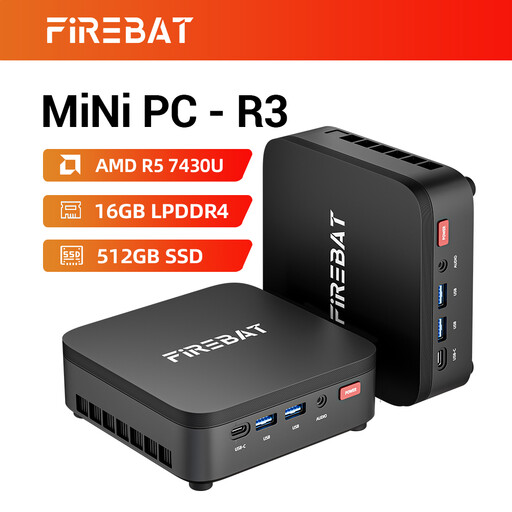
Why this choice suits this profile: This compact mini PC will easily find its place on a fixed desk for remote work, studies or office tasks, without taking up as much space as a traditional tower.
Its 16 GB of memory and 512 GB SSD prevent you from starting with a configuration that's too tight for everyday tasks. The outputs supporting three screens make it easy to set up your workstation.
Ryzen 5 7430U with 6 cores and 12 threads, Wi-Fi 6, Bluetooth 5.2 and compact form factor.
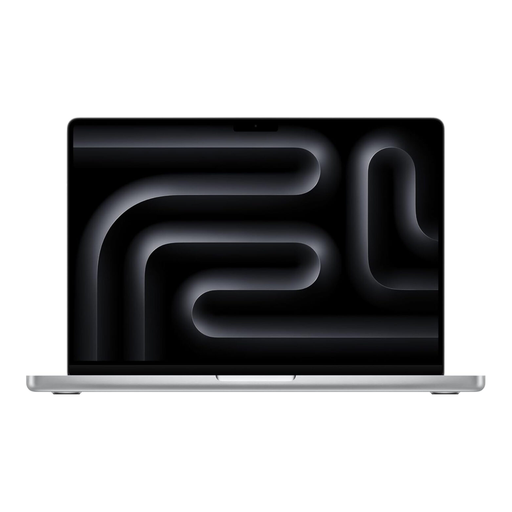
Why this choice suits this profile: This mobile configuration is aimed at professionals working in video editing, development, graphic design or on projects that demand more memory.
The 24 GB of memory and 1 TB SSD handle multitasking and large files much better than an entry-level configuration.
M5 Pro chip, 14.2-inch Liquid Retina XDR display, three Thunderbolt 5 ports and AZERTY keyboard.
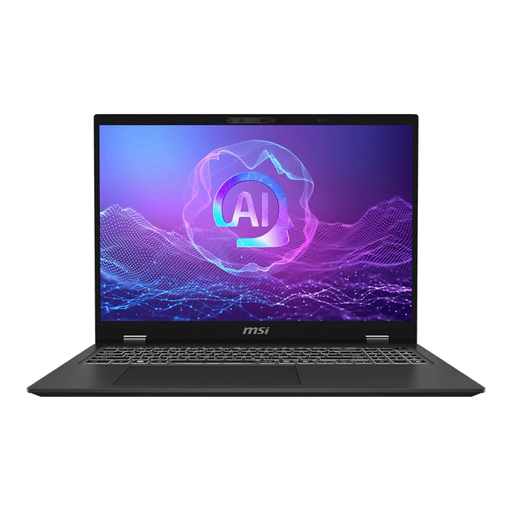
Why this choice suits this profile: Its 16-inch screen and dedicated graphics card are aimed at content creators, developers and professionals using demanding software.
The spec sheet lists 32 GB of RAM and a 1 TB NVMe PCIe 4.0 SSD: the resources are up to the task for heavy projects and intensive multitasking.
Intel Core Ultra 9, GeForce RTX 4050, UHD+ OLED display and Windows 11 Pro with AZERTY keyboard.
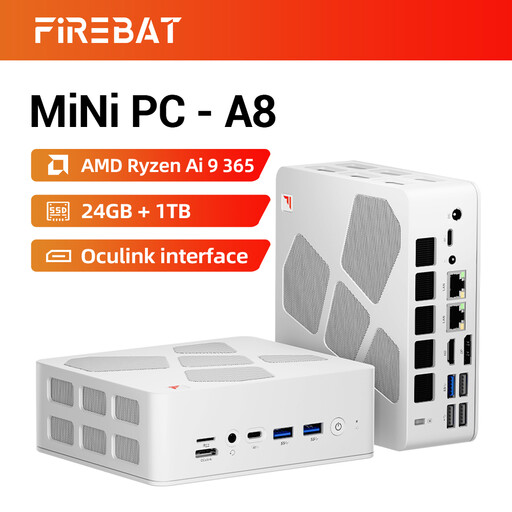
Why this choice suits this profile: This compact mini PC is ideal for a fixed workspace that needs multiple screens, comprehensive connectivity and generous storage capacity.
Its 24 GB of memory and 1 TB PCIe 4.0 SSD prevent multitasking from being bottlenecked too quickly. The spec sheet states support for four screens.
Ryzen AI 9 365 with 10 cores and 20 threads, Radeon 880M, USB4, dual 2.5 Gbit/s Ethernet ports and Wi-Fi 6E.
We've put together a comprehensive, real-time updated selection of products that meet these strict criteria as well as European safety requirements.
For office work, video calls and web browsing, 16 GB of RAM gives you a comfortable margin. If you regularly use editing, development or data processing software, 24 or 32 GB will be more suitable.
Yes, if your documents are archived on a server, an external drive or a cloud service. For content creation, light gaming or multimedia libraries, a 1 TB SSD significantly reduces storage constraints.
A laptop is suitable for people who travel or work from multiple locations. A compact mini PC will be better suited to a fixed workstation with a separate screen, keyboard and mouse. It can offer multiple video outputs in a discreet form factor, but it doesn't have the battery life or built-in screen of a laptop.