
Livraison le jour même ou le lendemain

Qualité garantie

Débloquez vos offres de bienvenue: Livraison GRATUITE | Jusqu'à -80 % | 30 jours d'essai gratuits à JoyPlus
Téléchargez l'application
For an independent garage, a dealership, a fleet manager or a private individual who maintains several vehicles, a professional automotive diagnostic tool can save valuable time and simplify the tracking of repairs. The problem is that adverts sometimes lump together a simple fault code reader, an advanced OBD2 scanner and a programming tool.
Before placing an order, make sure you check the functions actually available on your vehicles, the cost of updates and compatibility with the latest protocols. Here are the criteria to examine to avoid nasty surprises.
A simple fault code reader is generally limited to the engine control unit and standard OBD2 functions. It can read or clear certain codes, display live data and check readiness for emissions testing.
A full system diagnostic goes much further: engine, gearbox, ABS, SRS, air conditioning, body control, steering, electric parking brake or tyre pressure monitoring system, depending on the coverage stated. So don't just settle for the term "multi-make": check the precise list of accessible control units.
Bidirectional control, active testing, ECU coding and reset functions depend on the make, model, engine type and year of manufacture of the vehicle. A diagnostic tool may display a function in its menu without actually allowing it on all configurations.
Before ordering, have your 17-character VIN number ready and ask for confirmation for sensitive operations: coding a control unit, gearbox adaptation, injector programming, DPF regeneration or access to a secure portal.
Some devices include a period of free updates, while others advertise free lifetime updates. It's important to distinguish between OBD2 functions that remain accessible after a subscription expires and advanced functions that may become chargeable.
Also check the conditions for accessing secure gateways such as FCA AutoAuth. Depending on the vehicle and the operation to be carried out, a manufacturer account or subscription may be required, regardless of the price of the diagnostic tool.
For a workshop, look for at least:
An active test function directly controls certain components via the control unit. It can help distinguish between an actuator problem, a wiring issue or a communication fault. However, it does not replace the essential mechanical and electrical checks.
Newer vehicles sometimes adopt faster communication architectures. CAN FD increases the amount of data carried in a frame, while DoIP routes diagnostics over Ethernet.
If your fleet includes recent models from European, American or Asian manufacturers, native support for these protocols can save you from buying an additional adaptor. However, it does not guarantee compatibility with every vehicle: always check the list of covered models and confirm compatibility using the VIN.
A 7 or 8-inch tablet makes graphs and reports easier to view in a workshop. Bluetooth offers more freedom of movement around the vehicle, while a wired connection may be preferable when connection stability is a priority.
For daily use, also remember to check:
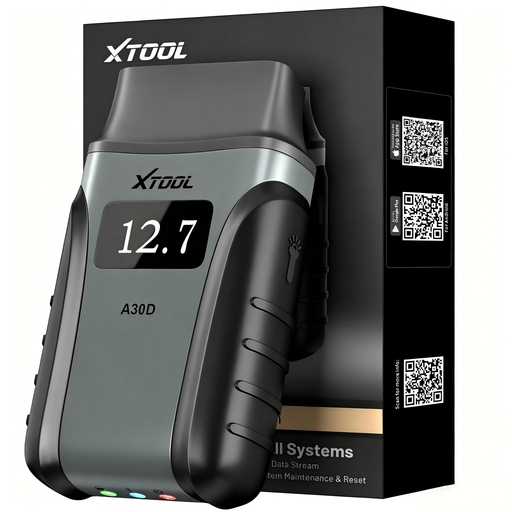
Why this choice suits this profile: Its compact design and connection to Android and iOS devices make it a practical model for private individuals, small garages and mobile repairs.
It doesn't just read fault codes: it offers full system diagnostics, bidirectional control and 19 reset functions. Compatibility should still be confirmed using the VIN.
Bluetooth connection, CAN FD support and functions such as EPB, TPMS, BMS, SAS and throttle adaptation.
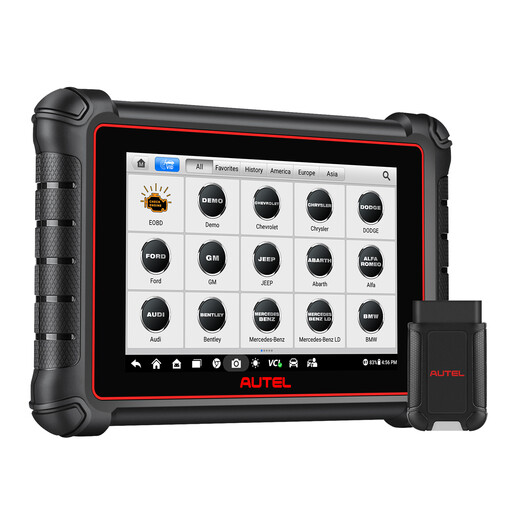
Why this choice suits this profile: Its 8-inch touchscreen tablet and wireless interface are ideal for workshops that regularly consult graphical data and detailed reports.
It combines full diagnostics, live data, active testing and support for CAN FD and DoIP protocols. The available functions are still dependent on each vehicle's coverage.
Over 3,000 active tests advertised, more than 40 service functions, AutoVIN and before/after repair reports.
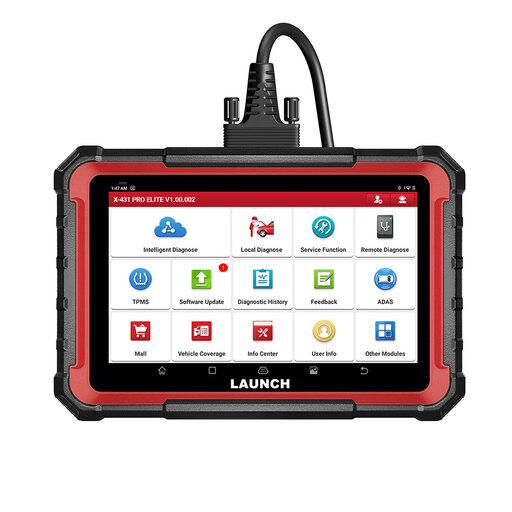
Why this choice suits this profile: It is aimed at workshops looking for a wide range of functions, a standalone tablet and expansion possibilities.
The product page clearly distinguishes CAN FD and DoIP protocols, ECU coding, bidirectional control and service functions. Coding operations require prior VIN verification.
8-inch screen, 31 advertised services, remote diagnostic functions and compatibility with add-on modules sold separately.
We have put together a comprehensive, real-time updated selection of products that meet these demanding criteria and European safety standards.
Clearing a code does not fix a fault. If the fault reappears, a mechanical, electrical or software check is still necessary.
No. Coverage varies depending on the make, model, engine type, market and equipment level. The OBD2 standard facilitates engine-related functions, but diagnostics for ABS, SRS or gearbox, as well as ECU coding, require specific coverage.
It depends on the model. Some products include updates for one year, while others advertise free lifetime access. Check what remains accessible after this period and whether advanced functions are tied to a subscription.
Yes. Some devices like the XTOOL A30D, MUCAR BT200 Pro or THINKDIAG 2 use a mobile app and Bluetooth connection. Make sure you have enough storage space, a stable Wi-Fi connection and check compatibility with your operating system.