
Livraison le jour même ou le lendemain

Qualité garantie

Débloquez vos offres de bienvenue: Livraison GRATUITE | Jusqu'à -80 % | 30 jours d'essai gratuits à JoyPlus
Téléchargez l'application
Onboard electronics are becoming increasingly complex at a rapid pace, making a reliable diagnostic tool absolutely essential for mechanics, technicians, and garage managers. But with an overwhelming number of options on the market, how do you find the professional automotive diagnostic scanner that truly fits your needs? This guide is here to help, providing clear selection criteria and concrete recommendations to equip your workshop, focusing on features, compatibility, and the true long-term cost.
Before making a decision, a few technical points deserve your full attention. These factors will determine the effectiveness and value of your investment.
For professional use, a multi-brand car scanner is the bare minimum. Ensure it covers a wide range of European, Asian, and American manufacturers. Pay special attention to its support for recent communication protocols like CAN-FD and DoIP. These are increasingly common in new vehicles (since around 2020), and their absence will quickly make your tool obsolete for working on the latest models.
This is where true professional scanners set themselves apart.
The purchase price is just the tip of the iceberg. Many manufacturers require expensive annual subscriptions to continue receiving software updates. Choosing a diagnostic tool with free lifetime updates can therefore lead to substantial long-term savings, while ensuring your tool stays current and compatible with new vehicles.
Here is a selection of tools that cater to different profiles and budgets, from mobile diagnostics to comprehensive workshop solutions.
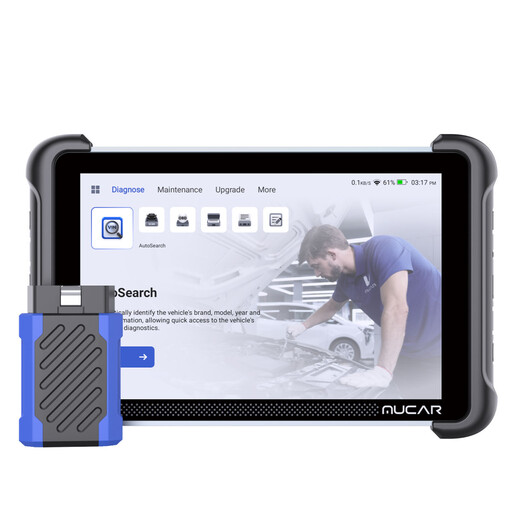
Why It Stands Out
The MUCAR 892BT stands out as a comprehensive and particularly cost-effective solution for the long term. Its key advantage? Access to free lifetime updates, which frees you from any subscription fees. As a bonus, it offers very broad vehicle coverage (over 100,000 models) and support for the latest CAN-FD and DoIP protocols.
Pros
Who Is It For?
Ideal for independent technicians and garages looking for a powerful, future-proof tool with no hidden costs, capable of handling a wide variety of vehicles, including the very latest models.
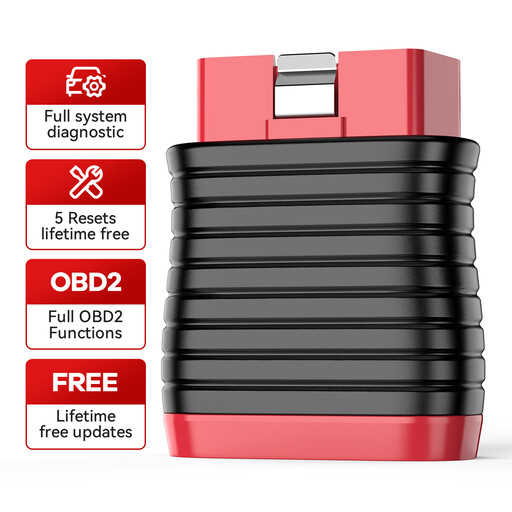
Why It Stands Out
The THINKCAR BD6 is a smart, ultra-compact diagnostic dongle that communicates via Bluetooth with your smartphone (iOS or Android). It gets straight to the point: full electronic vehicle diagnostics for all systems and five basic reset functions. Just like the MUCAR, it benefits from free lifetime updates.
Pros
Who Is It For?
Perfect for knowledgeable DIYers and mobile mechanics who need a portable and affordable OBD2 diagnostic tool for system diagnostics and common maintenance tasks. Note, however, that it leaves out advanced functions like ECU coding or bidirectional control.
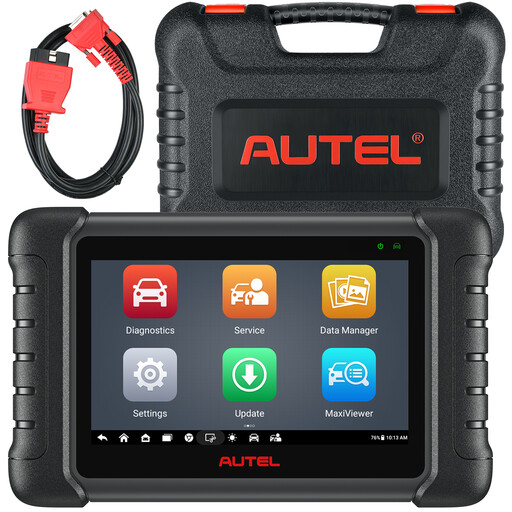
Why It Stands Out
Autel is a benchmark brand in the world of diagnostics. The MaxiCheck MX808S is a 7-inch tablet that offers an excellent balance of features and performance. It includes bidirectional control, over 38 maintenance services, and full all-system diagnostics, all on a responsive hardware platform (Android 11).
Pros
Who Is It For?
For workshops and technicians who want a versatile tool from an established brand, offering extensive active test capabilities and a myriad of service functions. Be aware, this model includes only one year of free updates; a paid subscription is required to continue receiving them afterward.
This selection is just a glimpse of what's available. If your needs are different or you simply want to explore other models, many alternatives exist.
? Discover our full range of European automotive diagnostic tools
1. What is the difference between a basic OBD2 reader and a professional diagnostic scanner? A basic OBD2 reader is limited to reading and clearing fault codes related to the engine and emissions (EOBD standard). A professional scanner, on the other hand, communicates with all of the vehicle's electronic systems (ABS, airbag, transmission, climate control, etc.), performs service resets, runs active tests (bidirectional control), and can even perform ECU coding.
2. Is ECU coding necessary for a DIYer? Generally, no. For hobbyist use focused on basic maintenance and reading fault codes, ECU coding is unnecessary. This function is primarily intended for professionals who are replacing electronic modules or performing advanced vehicle customisations.
3. How can I check if a scanner is compatible with my vehicle? The easiest way is to consult the compatibility list provided by the manufacturer. Most product pages detail the makes, models, and years covered. For specific functions like coding or active tests, the best approach is to contact the seller directly with your vehicle's Vehicle Identification Number (VIN) to get confirmation.