
Livraison le jour même ou le lendemain

Qualité garantie

Débloquez vos offres de bienvenue: Livraison GRATUITE | Jusqu'à -80 % | 30 jours d'essai gratuits à JoyPlus
Téléchargez l'application
Is your printer's indicator light flashing and your important documents are coming out half-faded? It's a classic problem. Changing printer ink can quickly become a headache: which reference number should you choose? Should you opt for a cartridge or a refill bottle?
This guide is here to shed some light. As tech experts, our mission is to decode the marketing jargon to give you clear, practical advice. The goal: to find the right consumable for your hardware, hassle-free. We'll review the essential points for a confident purchase and present our top picks for the most popular brands.
Before you jump on the first deal you see, a few checks are necessary to ensure your equipment functions optimally.
This is the first and most crucial step: ensuring the ink is compatible with the printer. Each machine is designed to work with a specific series of cartridges or refills. Using an incorrect reference can not only prevent you from printing but also damage your device.
To find the right reference number, here are a few places to look:
Carefully note this number (e.g., HP 303, Canon PGI-580, Epson 104); it's your golden ticket to a successful purchase.
Two camps face off in the market:
For photo prints or professional documents, don't take any risks: original ink remains a safe bet.
The ink format depends directly on your printer's technology.
We have selected some of the most popular original consumables on the French market for you.
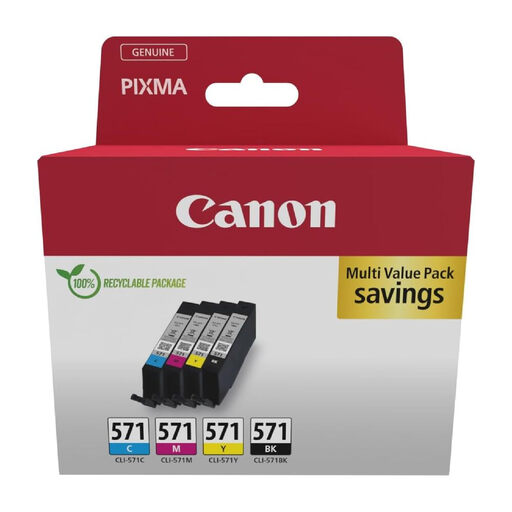
What we like: Ideal for versatile use, this Canon ink pack is for those who juggle printing documents and photos. It combines a pigment-based black ink, for perfectly sharp and durable text, with dye-based colour inks for photos with vibrant hues. The separate cartridge system allows you to change only the empty tank, a more economical solution.
Key features:
Who it's for: Owners of Canon PIXMA printers from the TS5050, MG5750 series, and similar models, who are looking for an all-around solution for home or a small office.
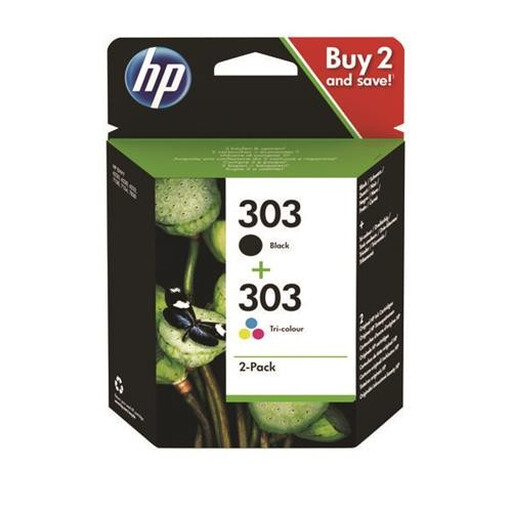
What we like: This HP 303 pack is the ultimate convenient solution, combining a black cartridge and a tri-colour cartridge. It was specially developed for the HP ENVY Photo range to ensure flawless results on everyday documents as well as photo prints. Its main advantage is its simplicity. With only two cartridges to manage, you can't go wrong.
Key features:
Who it's for: Users of compatible HP printers (ENVY Photo 6200, 7100, 7800 series) who have a moderate printing volume and prefer to replace their consumables all at once.
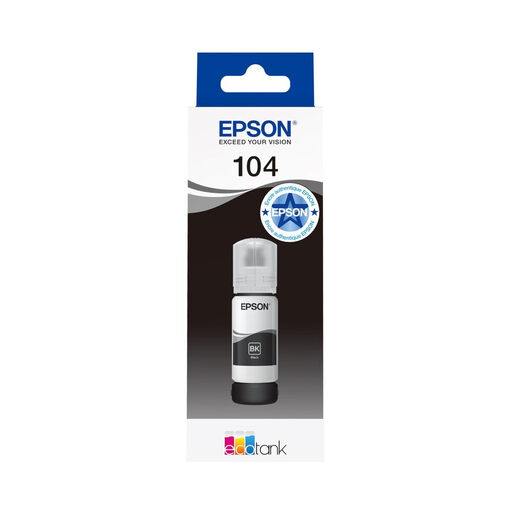
What we like: This Epson ink bottle is a game-changer. Designed for the EcoTank range, it's used to directly fill the printer's tanks. Its key advantage: a spectacular yield that plummets the cost per page. The refilling system is clever: each bottle has a unique keyed nozzle ("Key Lock") that prevents it from being emptied into the wrong tank. No more mixed-up colour disasters!
Key features:
Who it's for: Freelancers, small businesses, or large families equipped with a compatible Epson EcoTank printer (ET-2710, ET-4700, etc.) who print regularly and in large quantities.
Our selection covers the most common models, but the world of printer consumables is vast. Is your reference number not on the list? Don't worry, many other options exist.
To explore a wider selection of consumables, especially for black printer ink, head over to our dedicated category.
Explore the Black Printer Ink category
You have to distinguish between two things: the lifespan of an opened cartridge and that of a new one. Once installed in the printer, its yield depends solely on your printing volume. Still sealed in its packaging, a cartridge has an expiration date, usually indicated on the box (often 18 to 24 months after its manufacturing date). Our advice: avoid stocking up on cartridges for years, as the ink could dry out.
This is the big question about so-called "compatible" inks. While they can work, it's not always worth the risk. The dangers? Faded colours, clogged printheads, or a cartridge that is simply not recognised by the printer. Also, be aware: in the event of a malfunction, using non-official ink may void your hardware's warranty.
The foolproof method: open your printer's cover and read the model number directly on the ink cartridge that's installed. Already thrown it away? No problem. Your printer's model name (e.g., "Canon PIXMA TS5050") will allow you to find the corresponding reference number on the manufacturer's website or on reseller product pages.