
Livraison le jour même ou le lendemain

Qualité garantie

Débloquez vos offres de bienvenue: Livraison GRATUITE | Jusqu'à -80 % | 30 jours d'essai gratuits à JoyPlus
Téléchargez l'application
By Joybuy Product Expert | Updated 26 August 2026
The blinking printer light, the "Low Ink" message popping up just before a crucial print job... It's a classic, and always frustrating, scenario. The printer ink market can be confusing?: a real maze of technical part numbers and deals that seem too good to be true. Choosing the wrong ink cartridge can not only ruin your print quality but also cost you dearly, or even permanently damage your hardware.
Before you jump on the first deal you see, let's break down the most common traps that drain users' wallets?:
This guide gives you all the keys to making an informed choice that's perfectly suited to your needs and budget.
To ensure you never make a mistake again, there are three things you should always check. This guarantees you'll order the right ink cartridge on the first try.
This is the non-negotiable starting point. Every printer is designed for a very specific series of cartridges. Attempting to install an incorrect part number, even if it looks like the original, will result in failure?: the printer will reject it.
For example, a cartridge for a Canon PIXMA TS3450 series printer will use PG-545 (black) and CL-546 (colour) cartridges, but not the PG-540/CL-541 from an older model.
Manufacturers generally offer two formats for the same part number?: standard and XL (high-yield).
The smart move?: If you use more than one ream of paper per year, the high-yield XL cartridge is almost always the smartest investment.
Your printer's technology determines the type of consumable you need to buy.
Rather than an endless list, we've selected consumables tailored to typical user profiles to simply guide you to the right choice.
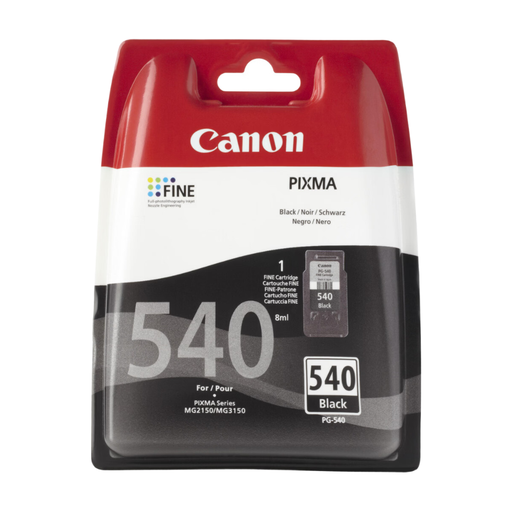
Why this choice? Ideal for those who occasionally print administrative documents, tickets, or homework. The standard format is suited for low print volumes, without investing in a high-capacity cartridge that might dry out before it's empty.
This genuine Canon cartridge guarantees perfect compatibility and protects the printhead, unlike unreliable compatible cartridges. Its initial cost is manageable, avoiding the false economy of an XL cartridge for such low usage.
Reliability and consistent print quality for crisp text. As an original consumable, it preserves the proper functioning and lifespan of your printer.
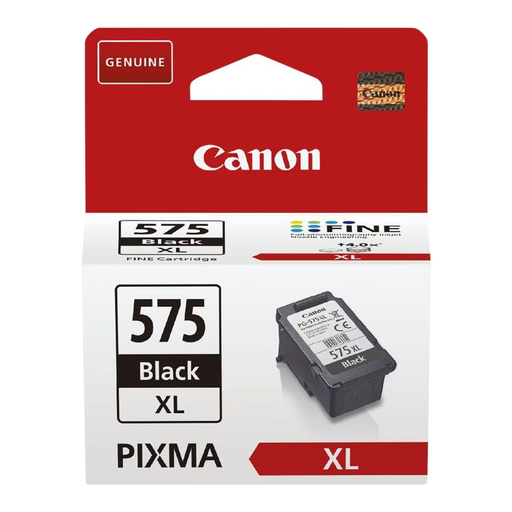
Why this choice? Perfect for students, remote workers, or small businesses printing reports, lecture notes, or invoices in volume. The XL format is designed to last longer and reduce the frequency of cartridge changes.
It beats the cost-per-page trap. Although its purchase price is higher, its yield of approximately 400 pages (ISO/IEC 24711 standard) makes it far more economical to use than two standard cartridges.
An optimised cost per page and greater peace of mind. The black pigment ink ensures razor-sharp text that won't smudge when you use a highlighter.
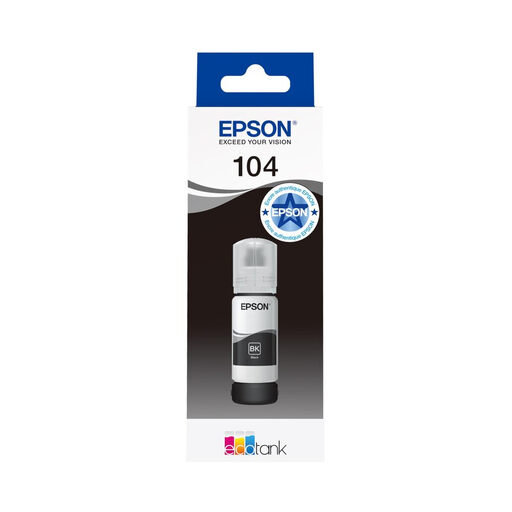
Why this choice? Designed for Epson EcoTank printers, this refill is aimed at very high-volume printing. Its unbeatable cost per page is perfect for large families or offices.
This system eliminates the concept of a cartridge. Its foolproof "Key Lock" system makes it impossible to fill the wrong tank, preventing the most dreaded handling error on this type of printer.
An XXL yield : approximately 4,500 pages per black bottle (ISO/IEC 24712 standard). Refilling is clean and effortless thanks to the clever bottle design.
Explore our full selection of consumables, all rigorously chosen by our experts for their reliability and value for money.
A genuine ink cartridge, kept in its sealed packaging away from light and extreme temperatures, can be stored for up to 24 months after its manufacturing date. Once opened, it is recommended to use it within six months to prevent the ink from drying out and clogging the printhead nozzles.
The easiest and most reliable method is to remove the empty cartridge from your printer and note the model number printed on it (e.g., HP ink cartridge 305, Canon ink PG-545, Epson ink 104). You can also consult your device's manual or search online for your printer model followed by the words "ink cartridge".
Yes, most of the time. An ink pack (or multipack), which contains several cartridges (often black and the three colours), is usually cheaper than buying the cartridges individually. It's a very economical option if you use all colours evenly.