
Livraison le jour même ou le lendemain

Qualité garantie

Débloquez vos offres de bienvenue: Livraison GRATUITE | Jusqu'à -80 % | 30 jours d'essai gratuits à JoyPlus
Téléchargez l'application
Your printer has stopped working, out of ink again? It's a classic scenario. Replacing your consumables, whether it's an ink cartridge or photo paper, can quickly become a headache. Between marketing promises and technical jargon, it's easy to make a purchasing mistake—one that costs you dearly in both money and quality.
As a product expert at Joybuy, I'm here to help you make sense of it all. Let's break down the common pitfalls to avoid and the essential criteria to ensure you never make the wrong choice again.
To avoid falling into these traps, a three-point check is essential. Here are the criteria to examine to make an informed choice.
This is the non-negotiable criterion. First and foremost, you must identify the exact reference number you need. You can find this number:
Once you have the reference number (e.g., Epson 604 or HP 305), you have two options: the original (OEM) cartridge or a compatible cartridge.
Not all inks are created equal, nor are they used for the same purpose.
The medium is just as important as the ink. The paper weight, expressed in grams per square metre (g/m?), is a key indicator of the paper's thickness and sturdiness.
Finally, the finish (matte, satin, or glossy) affects the final look. Matte is perfect for its understated, reflection-free appearance, while glossy literally makes colours pop.
To illustrate this advice, here are a few products that meet specific needs, selected according to the criteria we've just discussed.
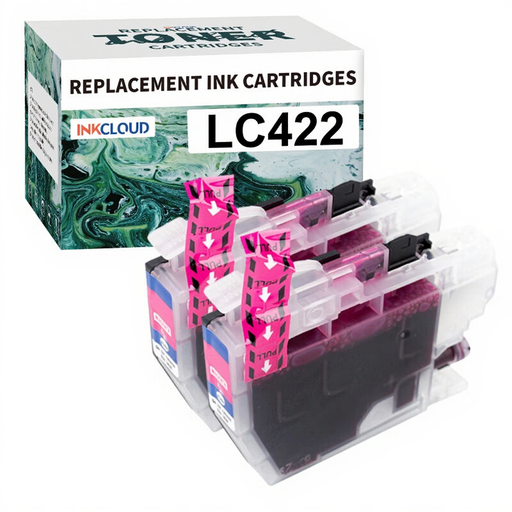
Why we chose it: Ideal for small businesses or heavy family use, this pack of high-capacity (XL) compatible cartridges for Brother printers lets you handle a high print volume while keeping costs under control.
This model is specifically designed for seamless integration with compatible Brother printers, eliminating the risk of the cartridge not being recognised after an update.
A drastically reduced cost per page, with no visible compromise on the quality of office documents (text and graphics).
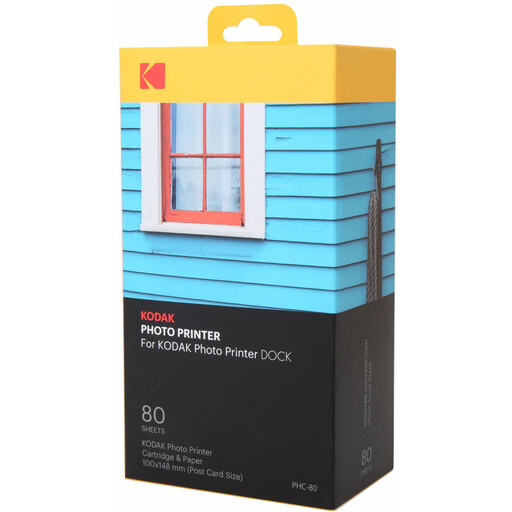
Why we chose it: This all-in-one kit (cartridge + paper) is the ideal solution for owners of a Kodak Dock photo printer. It contains everything you need to make 80 quality postcard-sized (10x15 cm) prints.
The 4-Pass dye-sublimation technology applies a protective finishing layer. The result: photos are resistant to water, fingerprints, and time, avoiding the pitfall of prints degrading within a few months.
Absolute simplicity. There's only one cartridge to change, and the paper is included in the pack. The colour quality and longevity of the prints are guaranteed by the dye-sublimation process, which is superior to inkjet for this purpose.
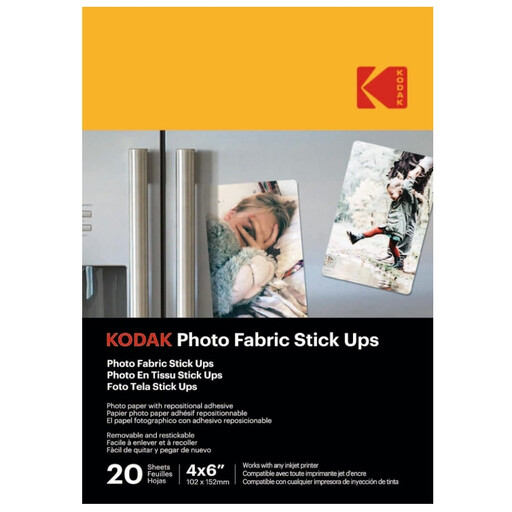
Why we chose it: For anyone who loves to decorate, personalise objects, or create original photo albums. This repositionable adhesive paper, compatible with most inkjet printers, opens up a whole new world of possibilities.
It bypasses the "wrong medium" pitfall by offering a turnkey creative solution. Its fabric base makes it virtually tear-proof, and its smart adhesive allows it to be repositioned without damaging walls or notebooks.
Total flexibility. Print, stick, peel, and restick... your photos can go anywhere with you without leaving a trace. Perfect for wall decor that changes with your mood or for scrapbooking.
Discover our full selection of products that meet our selection criteria and market standards.
A quality compatible cartridge from a reputable manufacturer is designed to the original specifications and poses no risk. The danger comes from ultra-low-cost "no-name" cartridges, which can indeed leak or use ink with a chemical composition that damages the printheads. Trust brands that have good user reviews.
When stored in its sealed packaging away from heat and light, an ink cartridge generally lasts for 18 to 24 months. An expiry date is almost always indicated on the box. Beyond that date, the ink may dry out or lose its properties, which will affect the quality of your prints.
The foolproof method: remove the empty cartridge from the printer and write down the reference number printed on it (e.g., HP ink 912XL, Epson cartridge 604). If you've already thrown it away, don't panic: the exact name of your printer model (e.g., HP OfficeJet 8022) will allow you to find the compatible consumables on the manufacturer's website or on the product pages of retail sites.