
Livraison le jour même ou le lendemain

Qualité garantie

Débloquez vos offres de bienvenue: Livraison GRATUITE | Jusqu'à -80 % | 30 jours d'essai gratuits à JoyPlus
Téléchargez l'application
Your desk is drowning in cables, standby devices are inflating your electricity bill, and there's never a free USB port to charge your smartphone... Sound familiar? A power strip with individual switches and USB is the all-in-one solution to restore order, hunt down phantom power consumption, and centralise charging for all your gadgets.
But with an overwhelming number of options on the market, it's hard to know where to start. This guide is here to shed some light and help you find the power strip that's perfectly suited to your needs, whether it's for your office, your TV area, or even your kitchen counter.
Before diving into our top picks, let's review the key criteria for making the right choice.
While a power strip's primary function is to distribute power, its ability to protect your devices and your family is just as crucial.
Your connectivity needs are always evolving. A good power strip must adapt to your daily life.
This is the key feature that sets these models apart. Each socket has its own switch, allowing you to cut power to a specific device without unplugging the others. It's the ideal solution for eliminating "phantom" power consumption from devices on standby (TV, internet router, console), which can significantly lower your electricity bill.
Our editors have sifted through the market's options to bring you models that combine functionality, safety, and convenience.
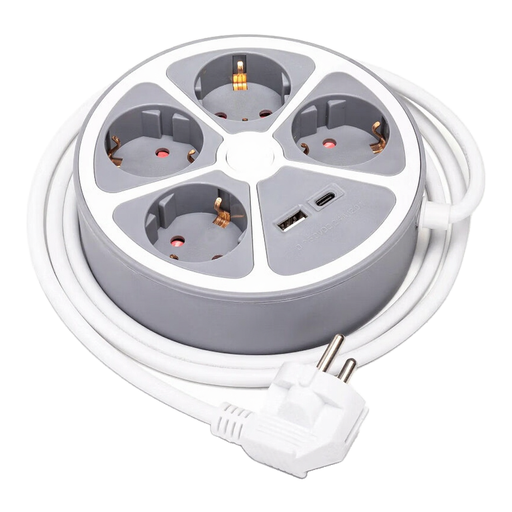
Why it stands out?: Its disc-shaped design is both modern and incredibly practical. It allows you to plug in adapters without them conflicting and fits discreetly on a desk or nightstand.
Advantages?:
Who is it for?? Ideal for those looking for a compact and stylish solution for a desk or bedroom, and who juggle charging multiple types of devices.
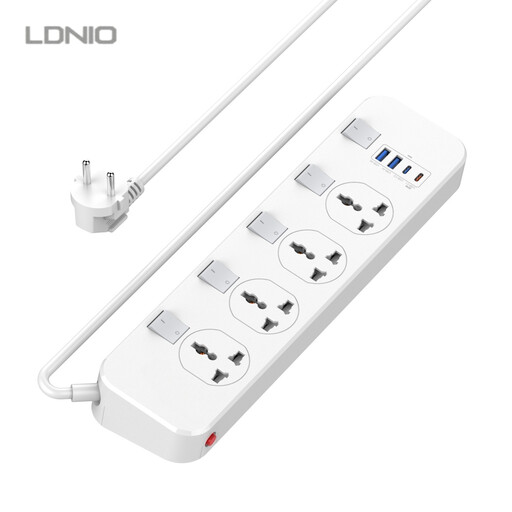
Why it stands out?: This power strip shines with its 20W USB-C Power Delivery (PD) port, capable of rapidly recharging compatible smartphones and tablets. Its individual switches offer granular control over each connected device.
Advantages?:
Who is it for?? Perfect for tech enthusiasts and professionals who want to fast-charge their mobile devices while controlling their workstation's power consumption down to the last watt.
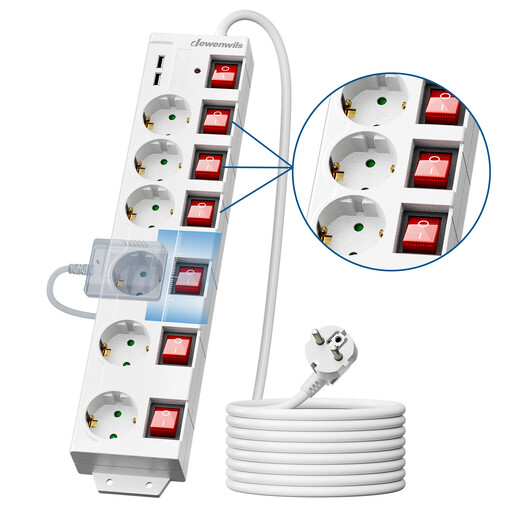
Why it stands out?: With its six sockets, long 3-metre cable, and angled outlets, this model is built for the most demanding setups, like a packed media centre or a multi-monitor workstation.
Advantages?:
Who is it for?? The go-to solution for power-hungry setups: home cinemas, studios, workshops, or multi-monitor workstations.
Your setup is unique. If our three champions don't check all your boxes, whether you need more sockets or a different format, feel free to explore our full selection to find the perfect fit.
Discover Our Range of Power Strips
Yes, absolutely. Many electronic devices continue to draw power even when in standby mode. By using a switch to completely cut their power supply, you eliminate this phantom consumption and can achieve significant savings in the long run.
A surge protector power strip includes a circuit that protects connected devices against voltage spikes. These surges can irreversibly damage sensitive electronic components. It is a highly recommended protection for computers, TVs, audio systems, and any other valuable equipment.
Absolutely not. It is strongly advised not to connect power strips in a series (a practice known as daisy-chaining). This can overload the circuit, creating a major risk of overheating and fire. The golden rule: a power strip should always be plugged directly into a wall outlet.