
Livraison le jour même ou le lendemain

Qualité garantie

Débloquez vos offres de bienvenue: Livraison GRATUITE | Jusqu'à -80 % | 30 jours d'essai gratuits à JoyPlus
Téléchargez l'application
Is your computer, console, or smartphone running out of space? A portable SSD is the perfect solution to expand your storage and speed up your file transfers. But be careful—the market is a jungle of often confusing marketing promises. Between advertised speeds that seem like science fiction and sometimes overstated durability, it's easy to make the wrong purchase.
As a product expert at Joybuy, my mission is to help you decode this jargon. Let's break down the pitfalls to avoid and the criteria that truly matter to find the perfect external SSD for your needs, whether you're a gamer, content creator, or an on-the-go professional.
To choose a fast and reliable external SSD, there are three key points to examine closely.
Your SSD's speed depends on its interface and that of your device. Here are some simple benchmarks:
The rule of thumb: always check the ports on your devices before splurging on an ultra-fast SSD to avoid disappointment.
It all depends on your needs:
If you're always on the move, durability is not optional.
Here are a few options that cater to different user profiles, taking into account the criteria we've just discussed.
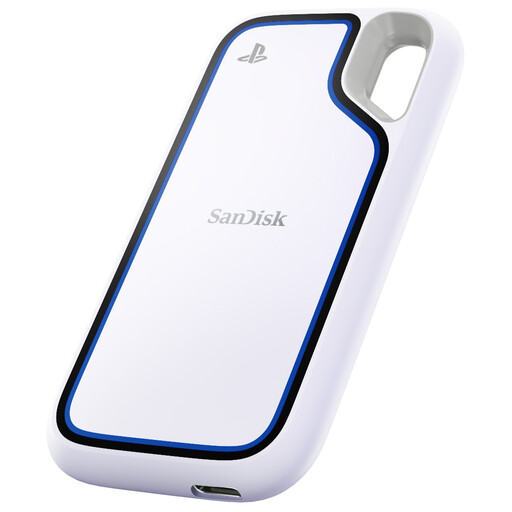
Why this model? With 2TB, it offers ample space to store dozens of PS4 and PS5 games, freeing up the console's precious internal SSD. Its IP65 certification also makes it a great companion for travel.
This SSD advertises a realistic speed of 1050 MB/s over USB 3.2 Gen 2, a standard found on the PS5. No false promises: its performance is in line with the console, and its compatibility for storing PS5 games is crystal clear.
An excellent balance of high capacity (2TB portable SSD), fast speeds, and durability, all designed for the gaming ecosystem.
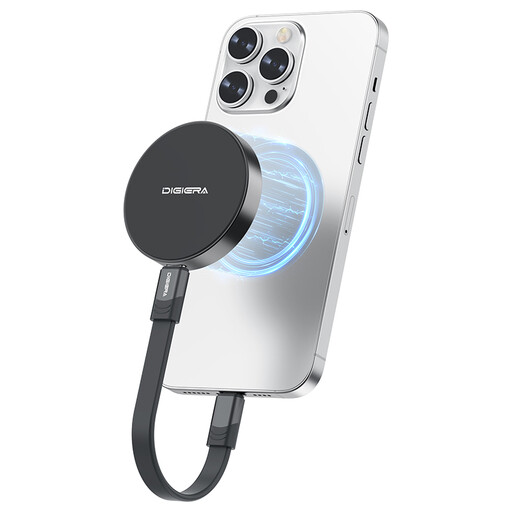
Why this model? Because it magnetically attaches directly to the back of iPhone 15/16 Pro models. Its extreme speed (up to 2000 MB/s) is specifically designed for direct 4K ProRes video recording, a particularly demanding task.
It targets a very specific niche (the ProRes format) that standard SSDs can't handle. The manufacturer is commendably transparent about the need for a USB 3.2 Gen 2x2 port to achieve maximum speed.
The combination of a very high write speed and a magnetic design makes it a remarkably effective tool for mobile video production.
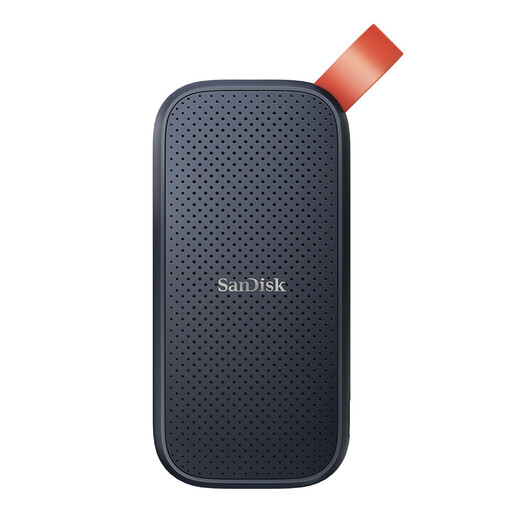
Why this model? Ultra-compact and feather-light (barely 40g), it slips unnoticed into any pocket. Its 2TB provides comfortable backup space at an affordable price, with performance that is more than enough for daily tasks.
It doesn't compete in the league of extreme speeds. At 800 MB/s, it advertises an honest performance, which is more than enough for transferring documents, presentations, or performing Time Machine backups on an SSD for Mac.
An unbeatable portability/capacity/price ratio. The ultimate mobile storage solution: simple, reliable, and no-frills.
We've put together a complete selection of products that meet our quality criteria and market standards.
It all depends on your use case. For documents, photos, and standard backups, a 1TB portable SSD is often more than enough. However, if you're a gamer, video creator, or if you archive large volumes of data, a 2TB portable SSD will offer you much more comfort and leeway.
Yes, this is completely normal, especially during high-speed transfers of large files. The casing, often made of aluminum, acts as a heat sink. A surface temperature between 45°C and 55°C is a sign of optimal operation. Just remember not to cover it and to place it on a flat surface to help it dissipate heat effectively and avoid any performance drops (the infamous thermal throttling).
The answer is no. Currently, an external SSD connected to a PS5 can store and launch PS4 games. It can also store PS5 games, which is very useful for freeing up space on the internal SSD. However, to play a PS5 title, you must copy it to the console's internal storage. The good news is that this transfer is infinitely faster than a full re-download.