
Livraison le jour même ou le lendemain

Qualité garantie

Débloquez vos offres de bienvenue: Livraison GRATUITE | Jusqu'à -80 % | 30 jours d'essai gratuits à JoyPlus
Téléchargez l'application
Turning a blank wall into a cinema screen, projecting a professional presentation in seconds, or hosting an unforgettable gaming night at a friend's house?: that's the promise of the portable projector. Increasingly compact and powerful, these nomadic devices offer a level of flexibility that traditional televisions can only dream of.
But with an overwhelming number of options on the market, how do you choose the right one? Our guide breaks down the essential features to help you identify the products that truly meet your needs, without all the unnecessary marketing jargon.
Before you dive in, here are the key criteria to examine closely to make an informed choice.
Image quality rests on two pillars: native resolution and brightness.
What's the point of portability if connecting it is a headache?
The very essence of a mini projector is its mobility. Its weight and dimensions are therefore key factors to consider. Another crucial point is keystone correction. Automatic correction adjusts the image to be perfectly rectangular, even if the projector isn't perfectly aligned with the wall. Finally, for a stable and truly versatile setup, investing in a dedicated projector stand is highly recommended.
We have selected products that cater to different needs, from pure on-the-go entertainment to creating a true portable home cinema.
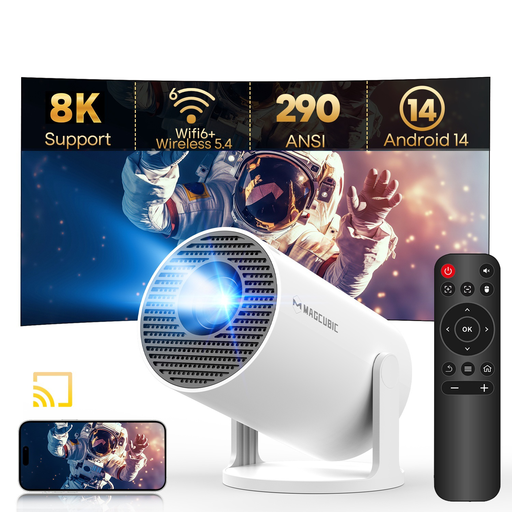
Why it stands out?: The Magcubic HY300Pro is a powerhouse of technology designed for maximum simplicity. With its integrated Android 14 system, it opens the door to a huge catalogue of apps without needing an external device. Its Wi-Fi 6 and Bluetooth 5.4 connectivity ensure smooth streaming and a rock-solid wireless audio connection. Its compact design, 180° rotating stand, and automatic keystone correction make it the ultimate on-the-go entertainment companion.
Pros?:
Who is it for??: The ideal partner for students, apartment dwellers, and anyone dreaming of an all-in-one, plug-and-play portable home cinema solution for movie nights in the bedroom, living room, or even outdoors after dark.
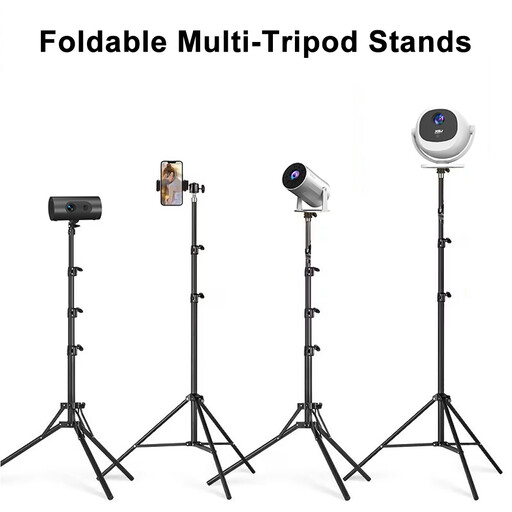
Why it stands out?: For the optimal experience, stability is king. This aluminium alloy projector stand provides a base that is both solid and fully adjustable. Its height, adjustable from 60 to 160 cm, and its 360° swivel head allow you to position the projector with pinpoint accuracy, whether on the floor, a table, or for ceiling projection. Once folded, it's so compact you'll forget it's in your bag.
Pros?:
Who is it for??: This is an almost indispensable accessory for any mini projector owner. No more wobbly stacks of books; it guarantees a perfectly straight and stable image every time.
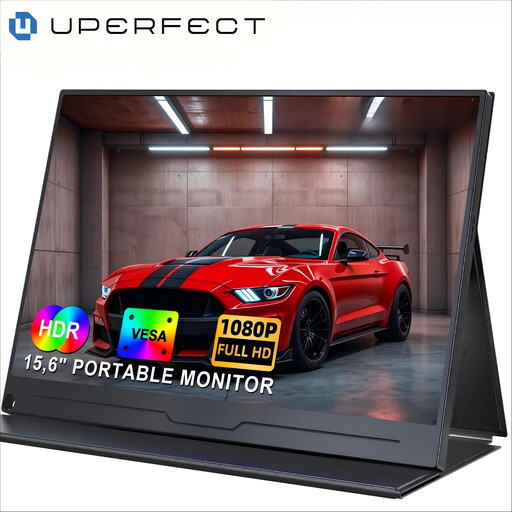
Why it stands out?: If you prefer the precision of a physical screen over a projected image, or if you need a second monitor for work or play on the go, this model is an excellent alternative. With its 15.6-inch Full HD (1920x1080) IPS panel, it guarantees accurate colours and wide viewing angles. Its ultra-simple USB-C connectivity lets you plug it into a laptop, smartphone, or gaming console in a flash.
Pros?:
Who is it for??: Perfect for digital nomads, students, and gamers looking for a quality secondary display for their laptop or console (Switch, PS5, etc.) while on the move.
Our selection highlights particularly versatile solutions, but your needs might be more specific. If you're looking for a particular type of stand or other accessories to perfect your setup, our catalogue offers a much wider selection.
Explore our full range of portable TV stands to find the equipment that will perfectly complete your setup.
1. What is the difference between native resolution and supported resolution? Native resolution is the physical resolution of the projector (e.g., 1280x720 pixels). This is what defines the actual sharpness of the image. Supported resolution (e.g., 4K) indicates that the projector can receive and decode a signal of that quality, but it will compress it to display at its native resolution. Always prioritise a good native resolution over a high supported resolution.
2. Do I need a projection screen for a portable projector? Not necessarily. A smooth, matte white wall can work perfectly well, especially for occasional use. However, a proper projection screen is designed to optimise contrast, brightness, and colour fidelity. The improvement in visual quality is undeniable.
3. Can a mini projector replace a television? For daily use, especially in broad daylight, a television remains more practical and performs better. The portable projector shines as an excellent alternative or a smart supplement for those who prioritise flexibility, a very large image for movie nights, and a minimal footprint. It's perfect for renters, students, or as a second entertainment screen.