
Livraison le jour même ou le lendemain

Qualité garantie

Débloquez vos offres de bienvenue: Livraison GRATUITE | Jusqu'à -80 % | 30 jours d'essai gratuits à JoyPlus
Téléchargez l'application
The idea of a 100-inch screen projected onto any wall, or even the ceiling, is an appealing prospect. However, the market for portable smart projectors is a jungle of complex spec sheets and marketing promises that can quickly become confusing. To avoid buyer's remorse, it's best to know the pitfalls to watch out for.
Investing in a portable cinema should be a pleasure, not a source of frustration. Here are three crucial points to check to make the right choice.
For a successful portable cinema experience, three technical criteria are essential.
Don't fall for the trap of "supported" resolution versus "native" resolution. A projector might "support" a 4K signal, but if its native resolution is 480p, the image will be compressed and therefore degraded. For a sharp, detailed picture, a native Full HD 1080p (1920x1080 pixels) resolution is the standard to aim for today. It's the bare minimum for enjoying a movie or series on a large screen.
A good Wi-Fi Bluetooth projector must offer a stable connection. Wi-Fi 6 is a real plus: it reduces latency and the risk of buffering when streaming high-definition content. Bluetooth, meanwhile, allows you to easily connect a soundbar, headphones, or external speakers for a much more immersive audio experience than the often underwhelming built-in speakers.
Life-simplifying automations are a real asset. Automatic keystone correction straightens the image to create a perfect rectangle, even if the projector is tilted. Autofocus adjusts sharpness without manual intervention. These two features combined can turn any surface into a projection screen in seconds, whether on a wall or even the ceiling.
There's an ideal projector for every user. Here are a few models that meet specific needs, taking into account our criteria for quality and simplicity.
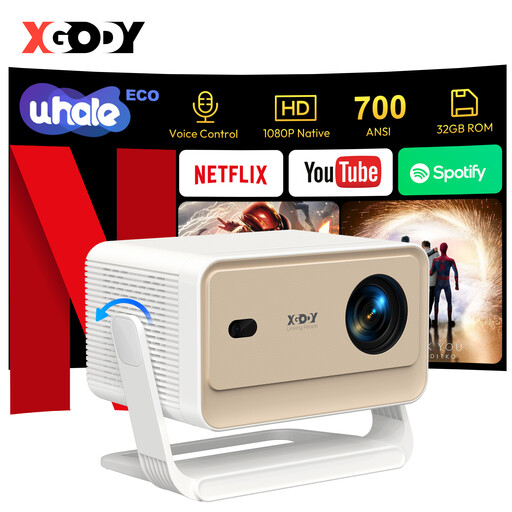
Why it's a match: Ideal for those who want direct, hassle-free access to their streaming platforms. It's designed to be operational in seconds, without getting lost in settings.
This model is Netflix-certified and runs an OS (WhaleOS 3.0) compatible with major apps. Its brightness is clearly stated as 700 ANSI lumens, a solid value for versatile use.
Its comprehensive automations (keystone, focus, obstacle avoidance) and Wi-Fi 6 connectivity ensure instant setup and flawless streaming.
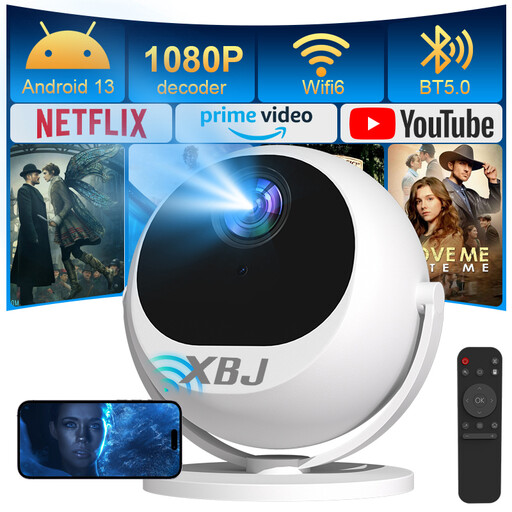
Why it's a match: Perfect for those who want to project anywhere. Its 360° rotating base lets you aim at a wall, a table, or even the ceiling for a movie session from your bed.
It ensures a sharp image with its native Full HD 1080p resolution. Its automations (6D keystone correction and autofocus) are particularly advanced, making manual adjustments obsolete.
Its 360° rotation provides unmatched placement versatility. Wi-Fi 6 and its wide compatibility (PC, PS5, etc.) make it a true multimedia hub.
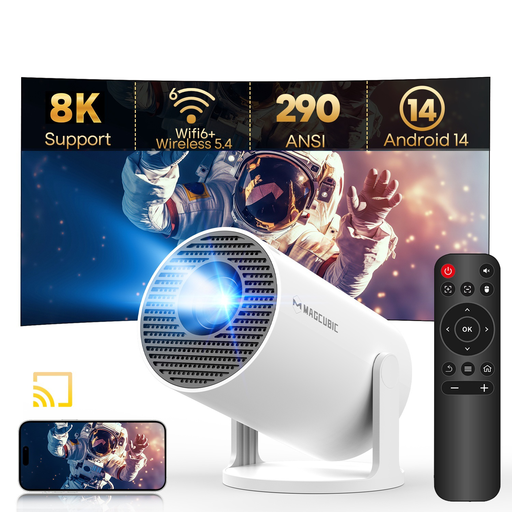
Why it's a match: A very accessible entry point to the world of portable projectors without breaking the bank. Its compact size and rotating base make it ultra-easy to carry and set up anywhere.
This projector is all about transparency: it advertises a native 720p resolution and a brightness of 290 ANSI lumens—honest specs for its price. It runs on a recent Android 14 system.
Its value for money is unbeatable, featuring Wi-Fi 6, Bluetooth 5.4, and a 180° rotating base. It's a very complete starter kit for occasional use or for taking on the go.
Discover our full selection of products that meet our quality criteria and current standards.
The native resolution is the actual number of pixels the projector displays. It's the number one criterion for sharpness. Supported resolution simply means the device can accept a higher-definition signal (e.g., 4K) but will downscale it to display at its native resolution (e.g., 1080p). For optimal image quality, only trust the native resolution.
For occasional use, a smooth, matte white wall works perfectly well. However, to achieve better contrast, more accurate colours, and higher brightness, a real projection screen is highly recommended. There are roll-up or tripod models that remain very practical for temporary setups.
In many cases, yes. A smart mini-projector offers flexibility a TV can't match: a giant, adjustable screen size and portability for movie nights in the garden or at a friend's house. However, for daytime use in a brightly lit room, a television will still have the edge in terms of brightness and contrast. The choice, therefore, depends on your environment and viewing habits.