
Livraison le jour même ou le lendemain

Qualité garantie

Débloquez vos offres de bienvenue: Livraison GRATUITE | Jusqu'à -80 % | 30 jours d'essai gratuits à JoyPlus
Téléchargez l'application
Turning any wall into a giant cinema screen is no longer just a dream. The portable projector is establishing itself as the immersive, on-the-go alternative to a traditional TV, especially when space is at a premium. But here's the catch: navigating the jungle of spec sheets (ANSI lumens, native resolution, connectivity, etc.) can be a real challenge.
As a Product Manager at Joybuy, my mission is to guide you. This guide breaks down the essential criteria and presents our 2026 selection, designed to cater to every need and budget. The goal: to help you find the perfect projector for you.
Before diving into our selection, let's review the three essential points that will guide your choice.
Image quality primarily depends on two key factors:
A good WiFi Bluetooth projector must be easy to use. WiFi 6 ensures a more stable and faster connection, which is essential for streaming high-definition content without the dreaded buffering. Bluetooth, meanwhile, allows you to wirelessly connect a soundbar or headphones.
An Android projector, or even better, one with Google TV built-in, opens the door to a complete app ecosystem (Netflix, YouTube, Prime Video...) without needing to connect a computer or external dongle. It's the promise of a turnkey, all-in-one experience.
Recent models include features that make manual adjustments obsolete:
These two automated features are a game-changer for on-the-go use, where the projector is frequently moved.
Here are three models that stand out from the crowd and cater to different needs.
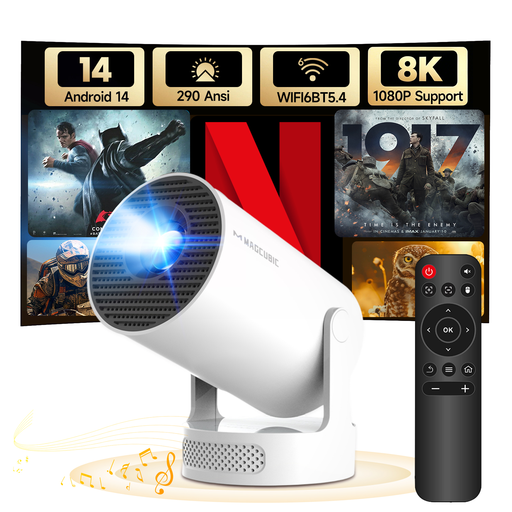
Its Strengths: The HY300Pro+ was designed to be taken anywhere. With its feather-light weight and clever 180° rotating stand, it can project an image onto the ceiling from your bed or onto any wall, all without a tripod. Its Android 14 system ensures a smooth interface for accessing all your content.
What We Like:
Who is it for? This mini projector is the ideal solution as a companion device: easy to carry for an impromptu movie night, perfect for a student's room, or for keeping the kids entertained on holiday.
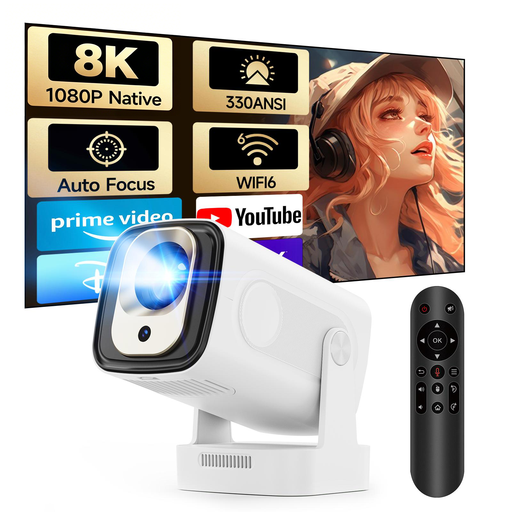
Its Strengths: The HY310 marks a significant step up with its native 1080p resolution and autofocus feature. The image is noticeably sharper, and setup is a breeze: just place it, turn it on, and it handles the rest.
What We Like:
Who is it for? It's aimed at families and regular users looking for a quality home cinema projector experience, combining the simplicity of a smart device with high performance, all without breaking the bank.
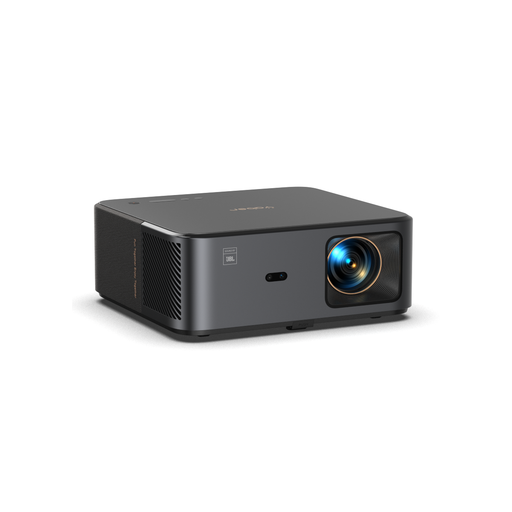
Its Strengths: The Yaber K2s isn't just a projector; it aims to replace your entire setup. Its key feature? An impressive audio system, with dual 10W speakers by JBL and Dolby Audio compatibility. It also comes with Google TV, guaranteeing certified access to Netflix and over 7,000 apps.
What We Like:
Who is it for? This model is for cinephiles and demanding users who want a high-performance, all-in-one solution for the living room or outdoor movie nights, combining a top-tier picture with immersive sound.
None of these models check all your boxes? Looking for specific connectivity options? Feel free to explore our full catalogue.
? Discover our full range of HDMI Projectors
1. What's the difference between native resolution and supported resolution?Native resolution is the actual number of pixels the projector can display (e.g., 1920x1080). This is the true measure of sharpness. "Supported" resolution (e.g., a projector that "supports" 4K) is a marketing term: the device can read a 4K signal, but it will downscale it to display at its native resolution. The final image will therefore be 1080p, not true 4K.
2. Do I need a projection screen? For occasional use, a smooth, white wall will do the trick. However, for optimal results (better contrast, more accurate colours, improved brightness), a dedicated projection screen is highly recommended, especially with higher-performance models.
3. Can a portable projector really replace a TV? For many people, the answer is yes. A good, bright, native Full HD model with a smart OS like Google TV can perfectly replace a television for movies, series, and even video games. It offers an unbeatable screen size and flexibility for the price. However, its use is still best in the evening or in a room where the lighting can be controlled.