
Livraison le jour même ou le lendemain

Qualité garantie

Débloquez vos offres de bienvenue: Livraison GRATUITE | Jusqu'à -80 % | 30 jours d'essai gratuits à JoyPlus
Téléchargez l'application
Dreaming of a cinema-sized screen at home but put off by the idea of installing a giant TV? The portable projector is the perfect solution, combining flexibility, a massive screen size, and ease of use. Whether it's for a movie night in the living room, an intense gaming session in the bedroom, or even a screening under the stars, these compact devices can turn any white wall into a window to your imagination.
With an overwhelming number of options on the market, it can be hard to know where to start. As the Head of Product Recommendations at Joybuy, my mission is to guide you with clear, honest advice, free of marketing jargon. This guide breaks down the essential criteria and presents a selection of models that are making a difference in 2026.
Before you take the plunge, here are the three technical points to check to find the projector that will truly meet your needs.
Image quality rests on two pillars: resolution and brightness.
Recent models stand out with their smart features that make operation incredibly simple. No more endless manual adjustments!
For a truly seamless experience, wireless connectivity is crucial.
Let's get down to specifics with three models that caught our eye, each catering to different needs and budgets.
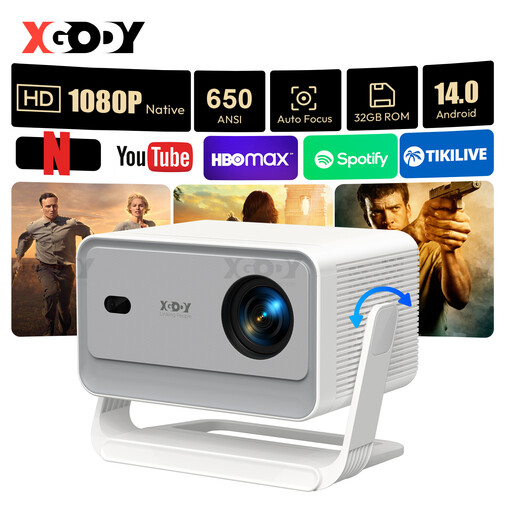
Why it stands out A true Swiss Army knife of projection, the XGODY Gimbal A6 Pro is all about automation and performance. With its Android 14.0 system, WiFi 6 connectivity, and a full suite of automatic adjustments (keystone, focus, obstacle avoidance), it's designed for those who want a hassle-free, "plug-and-play" experience. Its impressive brightness of 650 ANSI lumens and native 1080p resolution make it highly versatile, even in a dimly lit living room.
Highlights
Who is it for? For tech enthusiasts and families looking for a high-performance, ultra-simple home cinema projector that can replace a TV in a bedroom or living room.
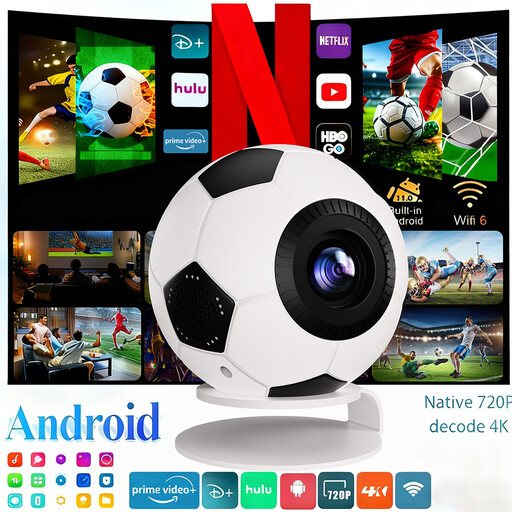
Why it stands out You can't miss it: this XBJ projector stands out with its fun, football-shaped design, making it the perfect accessory for match nights. But its looks aren't its only asset. It packs a punch with a very comfortable brightness of 800 ANSI lumens and native 1080p resolution (with 4K decoding), ensuring a vibrant picture even when the room isn't completely dark. Just like the XGODY, it features Android 14, WiFi 6, and life-simplifying automatic adjustments.
Highlights
Who is it for? For sports fans, families, and anyone who loves hosting large movie or match nights, both indoors and out. Its high brightness is a real advantage for projections in a living room or in the evening.
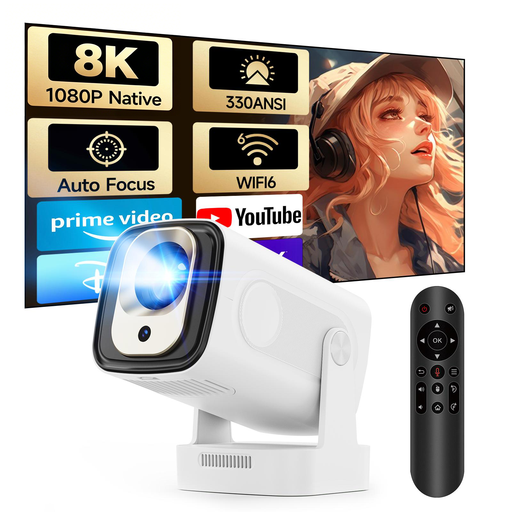
Why it stands out The MAGCUBIC HY310 is positioned as a smart and accessible mini projector, perfect for portable or daily use. It covers the essentials with native 1080p resolution and a brightness of 330 ANSI lumens, ideal for projecting in a dimly lit room. It's not lacking in smart features either, with autofocus and automatic vertical keystone correction. Its standout feature: an Air Mouse remote with voice control that makes navigating Android 14 highly intuitive.
Highlights
Who is it for? For those looking for their first effective and affordable portable projector, whether for a teenager's room, for holidays, or for occasional movie nights. It's the smart choice for a controlled budget.
This selection gives you a glimpse of three very different profiles, but the portable projector market is vast. To compare more models, check technical specs, or simply find a design you love, feel free to browse our full catalogue.
? Discover Our Full Range of Portable Projectors on Joybuy
1. What's the difference between native resolution and supported resolution? Native resolution is the actual number of pixels the projector has: this is what defines the true sharpness of the image. "Supported" resolution (e.g., 4K) is a marketing term: the projector can read a 4K file, but it will downscale it to display at its native resolution (for example, 1080p). Therefore, the spec to ALWAYS look for is the native resolution.
2. Is a projection screen essential? No, not necessarily. For occasional use, a smooth, matte white wall works perfectly well. However, a proper projection screen is designed to optimise light reflection. The result: contrast, brightness, and colour accuracy will be noticeably better.
3. How do I connect my smartphone to a portable projector? It's very simple. Most modern Android-based projectors are compatible with wireless screen mirroring. Just connect the projector and your smartphone to the same Wi-Fi network, then launch the screen sharing function (often called Miracast on Android or AirPlay for iPhones).