
Livraison le jour même ou le lendemain

Qualité garantie

Débloquez vos offres de bienvenue: Livraison GRATUITE | Jusqu'à -80 % | 30 jours d'essai gratuits à JoyPlus
Téléchargez l'application
Whether you're working from home, on a business trip, or a student, a single laptop screen quickly shows its limitations. Juggling between windows, documents, and applications hurts your concentration and efficiency. For gaming, video game enthusiasts often dream of a more immersive experience than what a handheld console's screen can offer.
A portable monitor is the ideal solution to extend your display, wherever you are. Lightweight, slim, and easy to connect, it transforms any space into a true dual-screen workstation (or gaming station). In this guide, we'll review the essential criteria to consider and present our selection of the best 2026 models to help you find the right portable laptop monitor for you.
Before diving into our selection, let's review the key technical specifications that will make all the difference in your daily use.
Their main advantage? Incredibly simple connectivity. Most recent models rely on a USB-C port. Be careful, though—not all USB-C ports are created equal. To carry both the video signal and power through a single cable, your device (computer, smartphone) must have a USB-C port that supports DisplayPort Alt Mode. If it doesn't, or to connect older devices, the presence of a mini-HDMI port is a huge plus. A word of advice: always check your devices' compatibility before you buy.
A second screen for your laptop should offer the perfect balance between display comfort and portability. The most common screen sizes range from 13 to 16 inches, an ideal format for slipping into a backpack alongside your computer. For resolution, Full HD (1920 x 1080 pixels) is the standard today. This definition provides enough sharpness for most uses, from productivity tasks to content viewing. A larger travel monitor or one with a higher resolution (QHD, 4K) will offer greater comfort, but at the cost of a higher weight and price.
For purely office use, a standard 60?Hz refresh rate is more than enough. For video games, however, a higher rate means smoother on-screen motion. A 144Hz portable gaming monitor will deliver a noticeably more responsive and enjoyable gaming experience, especially in fast-paced titles like FPS games. This is a decisive factor if you plan to pair it with a gamer laptop or a console.
Here are the models that caught our eye, each catering to specific needs.
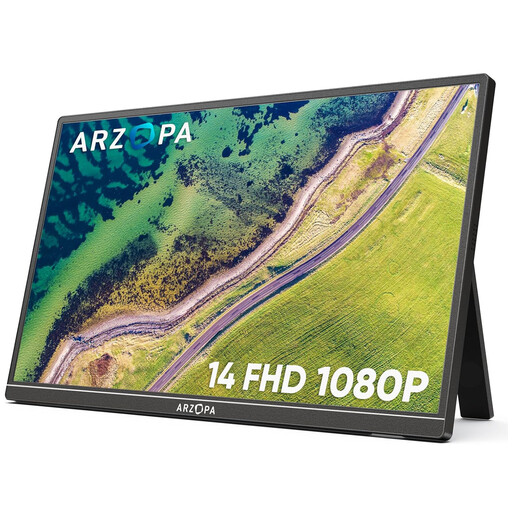
Why we love it: This model goes all-in on portability. Weighing in at just 600 grams and with a record-breaking thinness, it's built for life on the go.
The ARZOPA A1S is a 14-inch portable monitor that focuses on the essentials. Its Full HD (1920 x 1080) IPS panel offers wide viewing angles and perfectly decent image quality for office work and multimedia. Its connectivity is comprehensive (two USB-C ports, one mini-HDMI port), ensuring broad compatibility. The integrated stand is a real plus, allowing you to set it up on a desk or table in seconds.
Pros:
Who is it for?
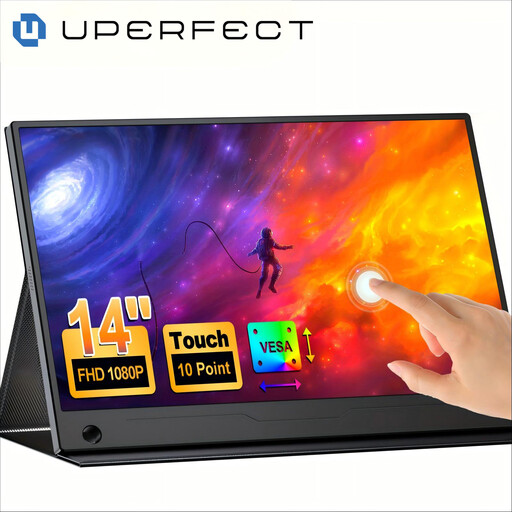
Why we love it: Its touchscreen layer opens up new ways to interact, turning it into a true extension of your machine.
This UPERFECT monitor adds a tactile dimension to the dual-screen setup. On compatible devices, it allows you to navigate, draw, or annotate directly on the screen. Its 180° adjustable stand and VESA compatibility offer maximum placement flexibility. The panel covers 100% of the sRGB color space, making it an excellent choice for creatives on the go who need faithful color reproduction.
Pros:
Who is it for?
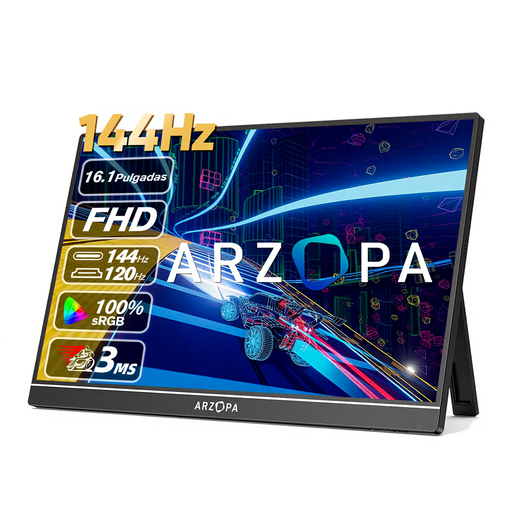
Why we love it: Its 144 Hz refresh rate unequivocally targets gamers seeking performance and fluidity.
With its 16.1-inch screen and 144?Hz refresh rate, the ARZOPA Z1FC is built for gaming on the go. This high refresh rate significantly reduces motion blur, a decisive advantage in fast-paced action games. The 106% sRGB coverage ensures vibrant and punchy colors. It's an excellent companion for a Nintendo Switch (for compatible games), a Steam Deck, or a gaming laptop.
Pros:
Who is it for?
Our selection covers a wide range of uses, from mobile productivity to video gaming. If the possibilities offered by a touchscreen appeal to you, other models might catch your interest.
? Discover our full selection of touchscreen monitors for PC and find the perfect companion for your needs.
The simplest and most elegant method is a single USB-C cable, provided that your computer and the monitor are compatible (a USB-C port that supports DisplayPort Alt Mode). Otherwise, you'll need two cables: an HDMI cable (or mini-HDMI to HDMI) for video, and a USB-C to USB-A cable for power, which you can plug into your computer or a power adapter.
It all depends on the model and your computer. A USB-C external monitor can typically be powered by the laptop through the same cable that carries the video signal. However, if you turn the brightness all the way up or if your machine's USB port isn't powerful enough, supplemental power (via a second USB-C port or a power adapter) may be necessary.
Absolutely. Most portable monitors include a mini-HDMI port, which makes it very easy to connect them to the Nintendo Switch's dock, or directly to a PS5 or Xbox. It's the ideal solution for continuing to game on a comfortable screen while on vacation or traveling.