
Livraison le jour même ou le lendemain

Qualité garantie

Débloquez vos offres de bienvenue: Livraison GRATUITE | Jusqu'à -80 % | 30 jours d'essai gratuits à JoyPlus
Téléchargez l'application
Working or gaming on the go quickly runs into one limitation: the screen size of your laptop or console. Multitasking becomes a headache, in-game immersion is limited, and productivity takes a hit. The solution? A portable monitor, to regain the comfort of a dual-screen setup wherever you are.
But with a booming market, it can be hard to know where to start. This guide is here to break down the key features and present our selection of the best models, whether you're a mobile professional, a student, or an avid gamer.
Before diving into our selection, let's review the essential points to help you make the right choice.
This is the crucial element. Most recent models rely entirely on USB-C: a single cable to carry the video signal, power, and even touch data. It doesn't get more convenient on the go.
Be aware, not all USB-C ports are created equal. Double-check that your laptop's port is compatible with DisplayPort Alternate Mode. If it isn't, or if you only have HDMI ports, make sure the portable monitor has a Mini HDMI input. In that case, you'll need an external power supply, often via a second USB-C port.
Finding the right balance between viewing comfort and ease of transport is the main challenge.
By definition, a portable monitor must be light and thin. Aim for under one kilogram for optimal portability. Also, consider the support system: some models have an integrated, adjustable kickstand, while others rely on a protective cover that folds into a stand. For a more stationary setup, VESA compatibility is a bonus for attaching the monitor to an articulated arm.
Let's get to the specifics with models that have caught our attention, each catering to very different needs.
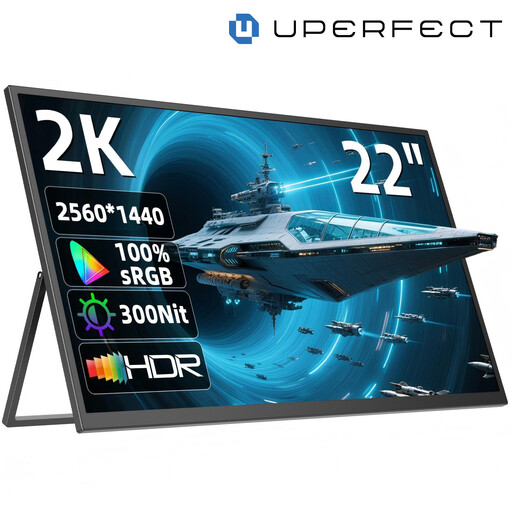
Why it stands out: With its XXL diagonal, this model blurs the lines between a portable screen and a desktop monitor. It offers a giant display area and high resolution while remaining transportable.
Advantages:
Who is it for? Remote workers, developers, or creatives looking for a large secondary workspace, whether at home or for occasional travel, without the bulk of a traditional desktop monitor.
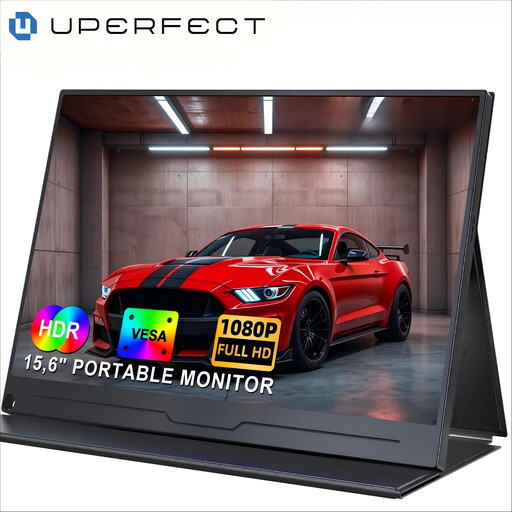
Why it stands out: This is the quintessential second screen for a laptop. It checks all the boxes: a comfortable size, standard resolution, and excellent portability. The perfect balanced choice.
Advantages:
Who is it for? Mobile professionals, students juggling between lecture halls and their dorm rooms, and also console gamers (especially Nintendo Switch) who want a larger display than their device's built-in screen.
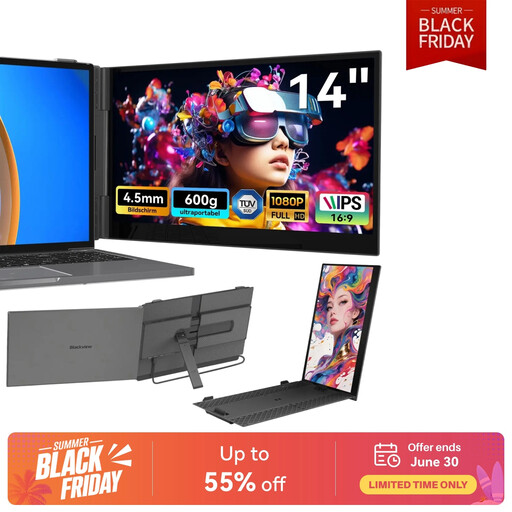
Why it stands out: Designed for extreme mobility, this model isn't just a screen; it's a true extension for your laptop. Ultra-light and thin, it clips directly onto the back of your machine's screen to create a perfectly integrated dual-screen setup.
Advantages:
Who is it for? Digital nomads and professionals who frequently work from cafés, trains, or coworking spaces. In short, anyone for whom every gram counts and who wants to boost their productivity without sacrificing an ounce of portability.
Our selection covers the most common uses, but your needs might be more specific. A different size, a touchscreen, a high refresh rate for gaming? Feel free to explore our full catalogue to find that hidden gem.
Discover Our Full Range of Portable Monitors
The simplest solution is a single USB-C cable, provided your computer's port is compatible (with DisplayPort Alternate Mode). Otherwise, you'll need to use an HDMI (or Mini HDMI) cable for the video, supplemented by a second USB cable for power.
It all depends on the model and the connection. With USB-C, most monitors are powered directly by the laptop. However, if you're using HDMI, or if the screen is particularly large or bright, an external power supply (via a wall adapter or a portable power bank) often becomes essential.
Absolutely, it's actually a very popular use case! To connect a PS5, Xbox, or a Nintendo Switch in its dock, check that the monitor has an HDMI input (often in Mini HDMI format, with an adapter supplied). To connect a Switch directly in handheld mode (without its dock), you will need a model that accepts a video signal through its USB-C port.