
Livraison le jour même ou le lendemain

Qualité garantie

Débloquez vos offres de bienvenue: Livraison GRATUITE | Jusqu'à -80 % | 30 jours d'essai gratuits à JoyPlus
Téléchargez l'application
Whether for remote work, client presentations, on-the-go gaming sessions, or simply expanding your smartphone's workspace, the portable monitor has become an essential accessory. It promises to turn any location into a productive workstation or a mobile entertainment hub. The problem? The market is flooded with models featuring often-opaque spec sheets, making the choice complex, to say the least.
Our mission here at the editorial desk is to help you see things more clearly. This guide will break down the essential features and warn you about the common pitfalls to avoid. Our goal is to help you invest in a second screen for your laptop that truly meets your needs.
Marketing claims are often enticing but can hide deal-breaking flaws. Here are three critical points to watch out for before you check out.
Many models boast a "magic" connection via a single USB-C port. But be warned: not all USB-C ports are created equal. For a single cable to transmit both the video signal and power, it must be compatible with the DisplayPort Alt Mode standard. Some entry-level screens do have a USB-C port... but it's only for power! You'll then be forced to use a second HDMI cable, shattering the single-cable promise and saddling you with an extra charger.
Don't be fooled by a simple "Full HD" label. At the same resolution, two screens can offer night-and-day visual experiences. The points to check without fail:
A portable display must be lightweight; that's a given. But it must also be sturdy. An ultra-slim design always looks impressive, but if it hides a flimsy chassis and no protective sleeve is included, the risk of finding it shattered in your bag is very real. Also, consider ergonomics: the lack of an integrated stand or a stable kickstand can quickly turn daily use into a genuine hassle.
To make the right choice, focus on the features that truly matter in day-to-day use.
A good USB-C external monitor should offer, at a minimum:
Beyond raw resolution, focus on these three aspects:
If gaming is your priority, the refresh rate becomes a non-negotiable criterion. While a 60 Hz screen is sufficient for office tasks, a 144 Hz portable gaming monitor will deliver incomparably smooth visuals, which is essential for reducing motion blur in fast-paced action games.
Here are a few models that stand out from the crowd, each tailored for a specific user profile.
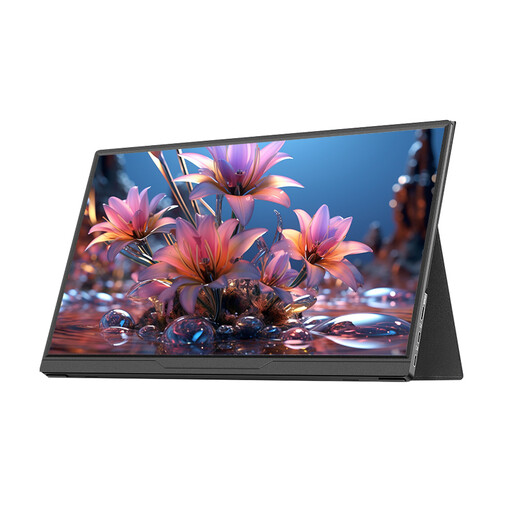
Why it's a match: Perfect for anyone looking for a simple and effective display extension. Its 15.6-inch Full HD format is ideal for office work, browsing, and video calls. Straight to the point.
It includes a USB-C port for easy connection to modern devices. Its IPS panel ensures wide viewing angles (178°), preventing colour shifting when you're not perfectly in front of it.
Its plug-and-play approach requires no drivers. Compatible with a host of devices (PC, Mac, Switch...), it's a versatile choice for both professional and personal use.
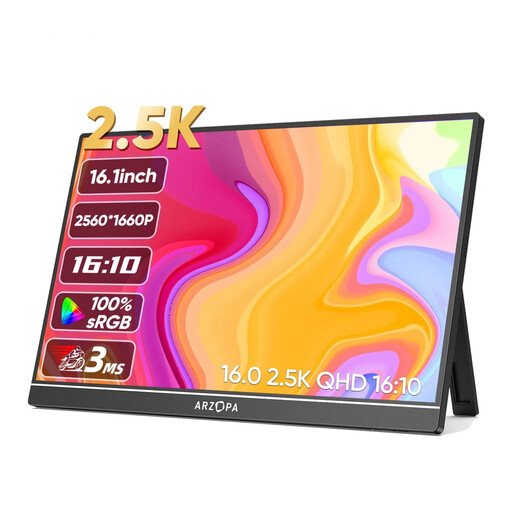
Why it's a match: Tailored for photographers, designers, and videographers who demand precise colour accuracy and high definition, even on the go. Its 16:10 aspect ratio provides extra vertical space, a real bonus in creative software.
It shatters the pitfall of a low-end image with its 2.5K (2560x1600) resolution, 123% sRGB colour gamut, and 350 nits of brightness. The result: a sharp image with vibrant colours.
The combination of high resolution and excellent colour accuracy on a 16-inch screen makes it a high-precision work tool. Its two USB-C ports and HDMI port ensure rock-solid connectivity.
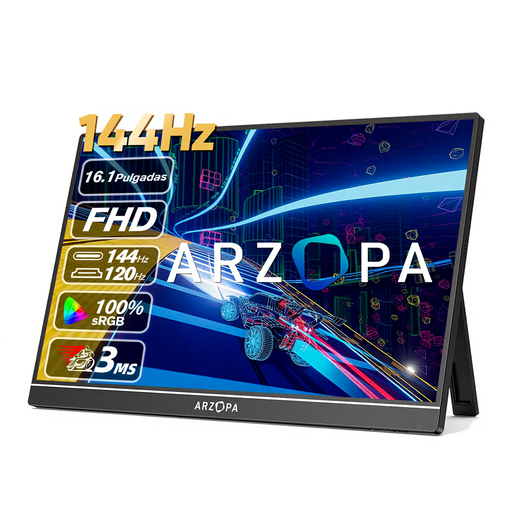
Why it's a match: For gamers who refuse to sacrifice performance on the move. This screen is built for smooth gameplay, whether on a gaming laptop, a console, or even a smartphone.
It directly meets the demand for smoothness with its 144 Hz refresh rate. Image quality isn't sacrificed, either, thanks to a Full HD IPS panel and 106% sRGB coverage.
Its key strength is that very refresh rate, which is still rare in this format. Its comfortable 16.1-inch diagonal enhances immersion, and its comprehensive connectivity (2x USB-C, 1x HDMI) makes it ultra-versatile.
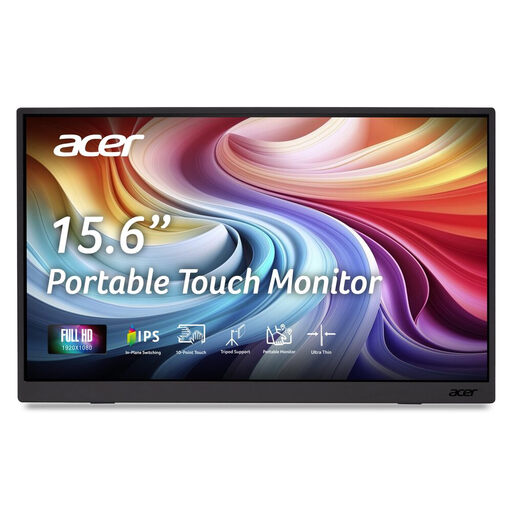
Why it's a match: Ideal for those who want more than just a display. This touchscreen model allows you to interact directly with your content: perfect for presentations, annotating documents, or enjoying your apps on a larger surface.
It avoids the false portability trap by including a protective cover that also functions as a foldable stand, ensuring both stability and protection. Acer's reputation is also a mark of quality in its design.
Its key strength: a 10-point capacitive touchscreen for a smooth and responsive experience. Its full connectivity suite (2x USB-C, 1x Mini HDMI) guarantees broad compatibility for both display and touch functions.
Our complete selection brings together the best models available right now, all tested and approved by our editors according to these criteria.
The simplest method is a USB-C to USB-C cable, provided that both your computer and the monitor are compatible (i.e., the USB-C port supports DisplayPort Alt Mode). Otherwise, the solution is to use a Mini HDMI to HDMI cable for the video signal and a second USB-C cable for power (plugged into your PC or a wall outlet).
It all depends on the connection. With a full USB-C connection (DP Alt Mode) from a laptop, the laptop itself is usually sufficient to power the screen. However, if you push the brightness to its maximum or if your PC's power output is a bit low, an external power supply via the second USB-C port may be necessary. With an HDMI connection, on the other hand, an external power source is almost always required.
As with any high-tech product, its longevity depends on the build quality and the care you take with it. A well-designed model, protected by a sleeve and handled with care, will last you for many years. The usual weak points are the connectors (which should be handled gently) and the panel itself (which needs to be protected from impacts and pressure).
Ultimately, choosing the right portable monitor is simple: you just need to clearly identify your primary use case (productivity, creation, gaming) and check a few key technical points. By avoiding marketing traps and focusing on connectivity, panel quality, and durability, you'll make a lasting investment that will truly transform your digital life.