
Livraison le jour même ou le lendemain

Qualité garantie

Débloquez vos offres de bienvenue: Livraison GRATUITE | Jusqu'à -80 % | 30 jours d'essai gratuits à JoyPlus
Téléchargez l'application
Remote work, business trips, gaming on holiday... a laptop screen quickly shows its limitations. The portable monitor emerges as the ideal solution to boost your comfort and productivity, wherever you are.
But with a crowded market, it can be hard to know where to start. This guide is here to break down the key criteria and present our selection of the best models currently available, helping you make the right choice.
Before you take the plunge, let's review the key points for finding the second screen for your laptop that will perfectly meet your needs.
The screen size (usually between 13 and 18 inches) and image resolution are the first criteria to consider.
The connectivity of your portable screen is crucial for ease of use.
For gaming, there are two features to watch closely on a portable gaming monitor:
Here are three models that stand out from the crowd and meet very specific needs.
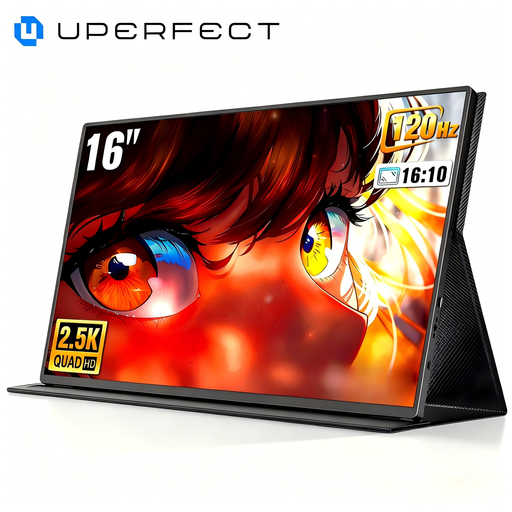
Why it stands out: This model combines a QHD (2560 x 1600) resolution with a 144?Hz refresh rate, a combination that's still rare in the portable market. Its QLED panel ensures vibrant colours and high contrast.
Advantages:
Who is it for? This is the obvious choice for PC or console gamers (PS5, Xbox, Switch) who refuse to compromise on smoothness and image quality, even when on the move.
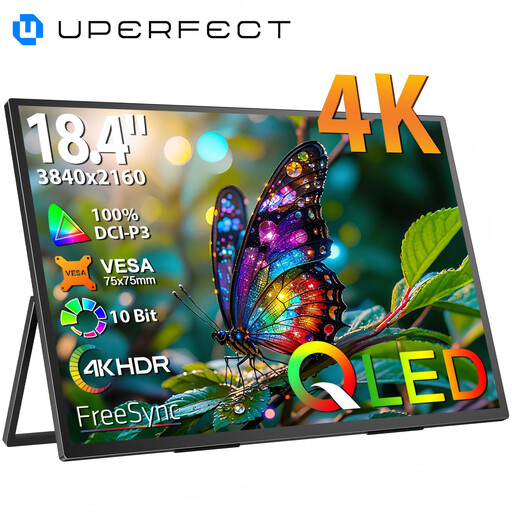
Why it stands out: With its huge 18.4-inch screen and 4K UHD (3840 x 2160) resolution, this monitor offers a workspace and level of detail worthy of a desktop monitor. It's a real asset for multitasking and precision work.
Advantages:
Who is it for? It's aimed at creatives on the go (photographers, video editors, graphic designers) who need a display that is both precise and spacious. It's also an excellent option for an immersive cinema experience, wherever you are.
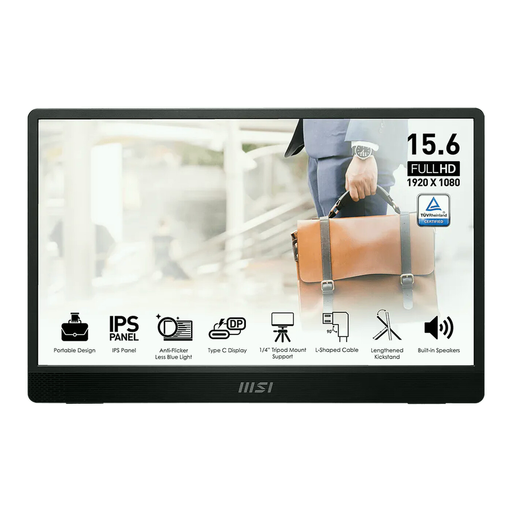
Why it stands out: From a leading brand, this travel monitor focuses entirely on portability and ergonomics. With its feather-light weight of 0.75?kg and ultra-slim profile, it slips into any bag. Its built-in stand allows for both landscape and portrait orientation.
Advantages:
Who is it for? It's the ideal companion for mobile professionals, remote workers, and students looking for a reliable and ultra-portable second screen for their laptop to boost productivity.
Our selection covers several key use cases, but the portable monitor market is full of options. If you're looking for different sizes, specific features, or models that fit your budget, feel free to explore our full category.
? Discover our entire range of portable monitors
1. How do I connect a portable monitor to my device? The simplest method is via a USB-C port that supports video signal (DisplayPort Alt Mode): a single cable is all you need. If your device or the monitor only has a Mini-HDMI port, you will need to use an HDMI cable and connect the monitor to an external power source, most often via a second USB-C cable.
2. Does a portable monitor need an external power supply? It depends on the situation. With a USB-C connection from a laptop whose port provides enough power, the monitor will be self-powered. However, with a Mini-HDMI connection or when connecting to a smartphone, it is almost always necessary to plug the monitor into a wall outlet or a power bank.
3. Can you use a portable monitor with a game console like the PS5, Xbox, or Switch? Yes, absolutely. Most portable monitors have a Mini-HDMI port, making them compatible with all consoles. For the optimal gaming experience, choose a model with a low response time and, if your budget allows, a refresh rate of 120?Hz or higher, especially to unlock the potential of the PS5 and Xbox Series X/S.
Written by the Joybuy Product Recommendation Officer