Feeling cramped on your single laptop screen? Whether you're working from home, travelling for business, or studying at university, the lack of screen real estate quickly becomes an issue. Multitasking becomes a headache, and productivity takes a hit. The solution? A portable monitor. Simple and effective, it lets you enjoy the comfort of a dual-screen setup, anywhere, anytime.
With a booming market, it can be tough to navigate the options. This guide is here to break down the essential selection criteria and present the best options to help you choose the portable monitor that's perfectly suited to your needs.
How to Choose the Right Portable Monitor??
Before diving into our selection, let's review the key technical specifications that will make all the difference in your day-to-day use.
Connectivity: The Crucial Factor
This is the critical point that determines compatibility with your devices. Most recent models are built around two types of ports:
- USB-C: The gold standard for simplicity. On compatible devices, a single USB-C cable is all you need to transmit the video signal, data (for touch functionality), and power. It's the very definition of "plug-and-play". Just make sure the USB-C port on your machine (PC, Mac, smartphone, etc.) supports DisplayPort Alternate Mode.
- Mini HDMI: This port ensures near-universal compatibility with the majority of laptops, games consoles, and other devices. Using it typically requires a second cable (usually USB-C) dedicated to powering the monitor.
A good USB-C external monitor will often combine both options for maximum flexibility.
Size, Weight, and Resolution: Balancing Comfort and Portability
A portable screen, by definition, should be unnoticeable in your bag.
- Size: The most common diagonals range from 13 to 16 inches. A 14-inch portable screen offers an excellent compromise between a comfortable display area and a compact footprint. Models at 15.6 inches are closer to the standard size of a laptop screen.
- Weight and Thickness: For truly mobile use, aim for under a kilogram, and for thickness, less than a centimetre is ideal. Some ultra-light monitors weigh in at around 600?g and are completely unnoticeable in a backpack.
- Resolution: Full HD (1920 x 1080 pixels) resolution has established itself as the go-to standard. It provides ideal sharpness for office work, web browsing, and watching multimedia content.
Specialised Features: Touch, Gaming, or Office Use?
Your primary use case will guide your choice towards key features.
- For creatives or for delivering impactful presentations, a portable touchscreen monitor adds a highly valuable interactive dimension.
- Gamers, on the other hand, will be looking at portable gaming monitors, which feature a high refresh rate (over 60?Hz) and a low response time for flawless fluidity.
- For purely office-related tasks, the priority will be display quality (an IPS panel for good viewing angles) and ease of connection.
Portable Monitor Recommendations
We've selected models that tick all the right boxes, whether you're looking for a simple laptop screen extension or a secondary display for your console.
UPERFECT 15.6" Touchscreen Portable Monitor
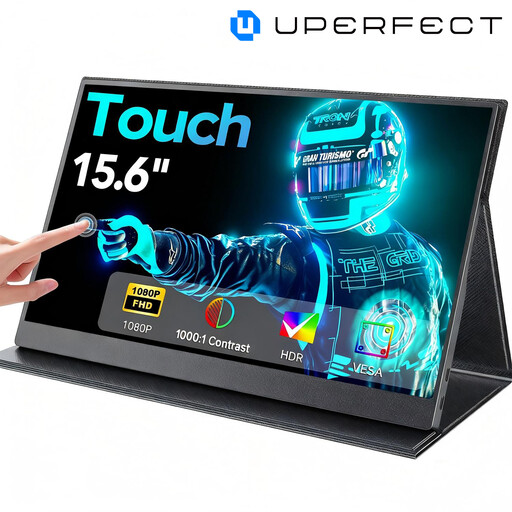
This model impresses with its generous 15.6-inch diagonal and its touchscreen overlay, offering a workspace that is as comfortable as it is interactive.
- Why it stands out: The combination of a large screen, a responsive touch panel, and VESA compatibility for stand mounting makes it a versatile tool, equally at home on the go or set up on a desk.
- Advantages:
- Large 15.6-inch screen with 1080P resolution.
- 10-point touchscreen functionality.
- Comprehensive connectivity with Mini HDTV and USB-C.
- VESA mount for flexible installation.
- Who is it for?: Professionals and creatives looking for a large, interactive second screen for their laptop for graphic design, presentations, or simply for enhanced visual comfort.
See the UPERFECT 15.6" on Joybuy
Blackview SCM6 Laptop Screen Extension
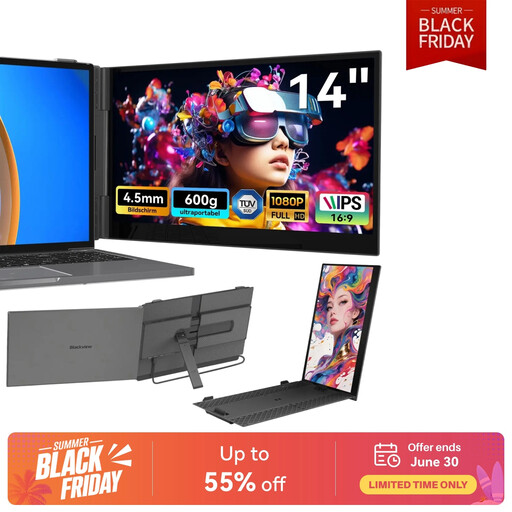
The Blackview SCM6 is the ace of mobility. At 600?g and 4.5?mm thick, it slips into any bag without being noticed.
- Why it stands out: Its feather-light weight and record-breaking thinness make it the ideal travel companion. The T?V S?D certification for low blue light emission is a real bonus for protecting your eyes during long work sessions.
- Advantages:
- Ultra-light (600?g) and ultra-thin (4.5?mm).
- 14-inch FHD IPS screen with eye protection (T?V certified).
- "Plug & Play" setup via Type-C or HDMI.
- Carrying case included.
- Who is it for?: Digital nomads, students, and anyone for whom weight and size are the number one criteria. This is a laptop screen extension designed with mobility first and foremost.
Discover the Blackview SCM6 on Joybuy
ARZOPA A1S 14-Inch Portable Monitor
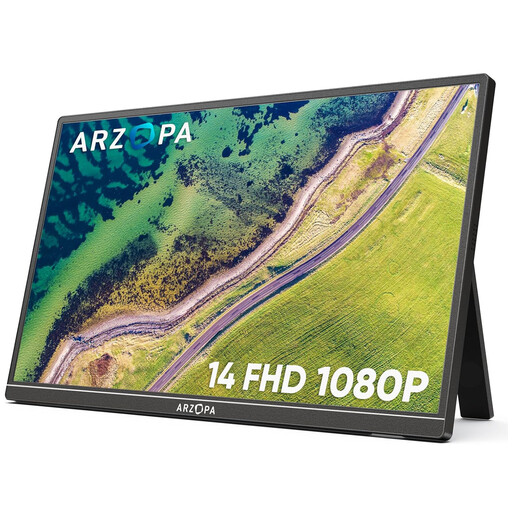
The ARZOPA A1S is a pragmatic choice that gets straight to the point: a quality display, broad compatibility, and disarmingly simple to use.
- Why it stands out: Its rock-solid versatility. Compatible with a wide range of devices (PC, Mac, smartphones, consoles), its integrated stand makes it ready to go in seconds.
- Advantages:
- Lightweight (600?g) 14-inch FHD IPS format.
- Versatile connectivity with 2 USB-C ports and 1 Mini HDMI port.
- Integrated and adjustable stand.
- Wide compatibility: computers, consoles (Switch, PS5, Xbox), Steam Deck.
- Who is it for?: Those looking for a reliable and hassle-free portable monitor for various uses, from remote work to on-the-go gaming.
Check out the ARZOPA A1S on Joybuy
Need Accessories for Your Mobile Office?
An optimised mobile workspace is more than just a screen. To keep all your devices charged and your desk uncluttered, good power management is crucial.
To organise your setup and power all your devices, explore our range of USB charging stations.
Frequently Asked Questions About Portable Monitors
How do you connect a portable monitor to a laptop?
There are two main ways to connect. The simplest: a single USB-C cable if your computer and the monitor are compatible (the USB-C port must handle the video signal). The alternative: an HDMI (or Mini HDMI) cable for the picture, supplemented by a second cable (often USB-A to USB-C) for power.
Does a portable monitor always need an external power source?
Not necessarily. If you connect it via a USB-C port that handles both power and video (DisplayPort Alt Mode), that single cable is enough. However, with an HDMI connection, or if your device's USB-C port is low-power, an external power source (wall outlet, power bank) will be required.
Can you use a portable screen with a games console or a smartphone?
Absolutely. Most portable monitors with an HDMI port or a video-compatible USB-C port work perfectly with a Nintendo Switch, Steam Deck, PS5, or Xbox. Likewise, some smartphones (like Samsung models with DeX mode) can turn the portable screen into a true desktop-like experience.


