
Livraison le jour même ou le lendemain

Qualité garantie

Débloquez vos offres de bienvenue: Livraison GRATUITE | Jusqu'à -80 % | 30 jours d'essai gratuits à JoyPlus
Téléchargez l'application
The idea of adding a second screen to your laptop to boost productivity on the go, or connecting your console for an impromptu gaming session, is appealing. The portable monitor emerges as the ideal solution. Yet, the market is flooded with models and marketing promises that can quickly turn that dream into a disappointing purchase.
Before you take the plunge, it's best to know the common pitfalls that can turn a smart investment into a useless gadget. We're breaking down the key points to check to make the right choice, with no regrets.
Incomplete or Misleading Connectivity?: This is the number one trap. The promise of a clean, single-cable USB-C setup is a dream, but the reality is often more complex. Many users discover too late that their computer or smartphone doesn't have a USB-C port with DisplayPort support (sometimes called "full-featured"). The result?: the screen won't turn on. You then have to juggle adapters and power cables, defeating the whole purpose of portability.
Subpar Image Quality?: To cut costs, some manufacturers sacrifice the essentials. A brightness level that's too low (under 250 nits) makes the screen unreadable on a train or in a sunny café. Likewise, a poorly covered color gamut (sRGB space) results in a dull, washed-out image—a deal-breaker for creatives, but also for simply watching a movie.
Portability in Name Only?: A so-called "portable" screen that weighs a ton, is too thick, or relies on a wobbly external stand immediately loses all its appeal. Ergonomics are too often an afterthought for these products, yet a good, adjustable, integrated stand makes all the difference between a true productivity tool and dead weight in your backpack.
To avoid falling into these traps, focus on these few technical specifications. These are the points that determine the real quality of a portable monitor and its ability to meet your needs.
This is the key to your mobile experience. Make sure the monitor offers at least?:
Resolution isn't everything—far from it. For true visual comfort, keep an eye on these three points?:
In daily use, practicality comes down to design details. Prioritize models with a stable, integrated stand that allows you to adjust the tilt without needing an extra accessory. Weight and thickness are, of course, crucial?: a good travel monitor should be able to slip into a backpack without turning it into a burden.
There's a screen for every need. Here is a selection of models that check all the right boxes, designed for specific user profiles.
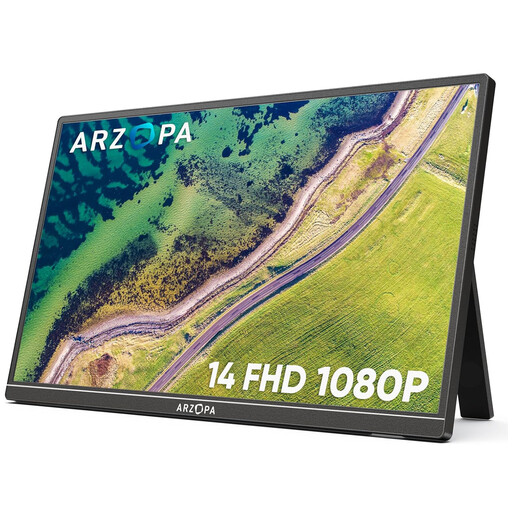
Why it's a great choice : Ideal for expanding your workspace without the bulk. With its 14-inch format and 600g weight, it's the ultimate discreet and efficient travel companion for staying productive anywhere.
With its two USB-C ports and Mini HDMI port, it offers versatile, hassle-free connectivity, protecting you from unpleasant compatibility surprises.
Its feather-light weight and integrated stand make it a true travel monitor, ready to use in seconds, anywhere.
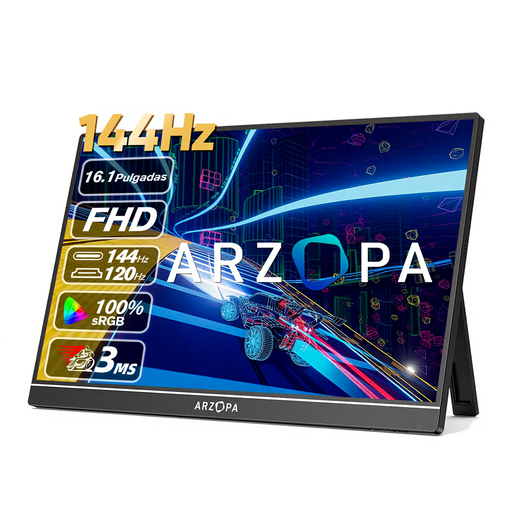
Why it's a great choice : Designed for laptop or console gamers who make no compromises on fluidity. Its 16.1-inch screen offers great immersion without sacrificing portability, whether for a LAN party with friends or on vacation.
With its 144 Hz refresh rate, it sidesteps the trap of 60 Hz screens, which are far too slow for competitive gaming.
Its winning combination : a 144 Hz refresh rate and 106% sRGB color coverage for an immersive and ultra-responsive gaming experience.
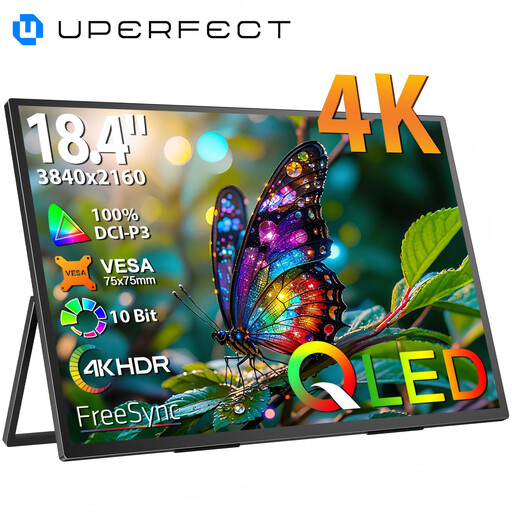
Why it's a great choice : The dream tool for graphic designers, video editors, or developers seeking a large workspace and absolute image precision. Its large, high-resolution screen facilitates multitasking and handling heavy files.
Thanks to its 4K QLED panel, say goodbye to dull colors and lack of detail. It delivers image quality that meets the strictest professional standards.
Its 4K (3840 x 2160) resolution on a massive 18.4-inch screen, for unparalleled working comfort and display real estate on the go.
Discover our complete selection of products that meet our strict requirements for quality and safety.
It all depends on the model and your device. Many monitors can be powered and receive a video signal via a single USB-C cable, provided your computer's port supplies enough power. If not, or if you're using the HDMI port, you will need to connect the monitor to a power source (wall outlet, power bank) via its second USB-C port.
Yes, with one crucial condition?: your smartphone must have a USB-C port that supports video output (known as "DisplayPort Alternate Mode"). This is the case for many high-end Android models (like Samsung devices with DeX). For iPhones, you will need to use a Lightning to Digital AV Adapter. In any case, be sure to check your phone's technical specifications before buying!
The lifespan of a second screen for a laptop is similar to that of a desktop monitor. The key component, the LED backlight, is designed to last between 20,000 and 30,000 hours, which translates to many years of normal use. The real risk comes from shocks during transport?: a sturdy design and a good protective sleeve are therefore essential to make it last.