
Livraison le jour même ou le lendemain

Qualité garantie

Débloquez vos offres de bienvenue: Livraison GRATUITE | Jusqu'à -80 % | 30 jours d'essai gratuits à JoyPlus
Téléchargez l'application
Does your laptop screen often feel too cramped for managing multiple tasks at once? Do you dream of enjoying your video games on the go without sacrificing display quality? Then a portable monitor is undoubtedly the solution you need. Lightweight, slim, and easy to connect, it expands your workspace or entertainment hub, wherever you are.
I'm Joy, a product expert at Joybuy. My role is to guide you through the jungle of portable displays. In this guide, I'll walk you through the essential criteria to consider and present a selection of the best models currently available. The goal: to help you make the right choice, the one that truly fits your needs.
Before you dive in, let's review the key points to find the perfect external monitor for your laptop.
Size and resolution are the two pillars of image quality and user comfort.
The most common diagonal, 15.6 inches, remains an excellent compromise between portability and visual comfort. Larger models, like 18.4-inch screens, are for those who prioritize display space over compactness.
The refresh rate, measured in Hertz (Hz), is the number of images the screen can display per second.
If gaming is your priority, a high-refresh-rate model will be a game-changer for your mobile sessions.
Ease of connection is one of the main advantages of a portable display. Most recent models rely on a USB-C port. A USB-C monitor has the benefit of transmitting both the video signal and power through a single cable, provided your computer's USB-C port is compatible (usually via DisplayPort Alternate Mode and Power Delivery protocols).
The inclusion of a Mini HDMI port is a major advantage, as it ensures broad compatibility with a wide range of devices: game consoles (PS4/5, Xbox, Switch), older laptops, or even some cameras.
Here are the models that stand out from the crowd and have caught our full attention.
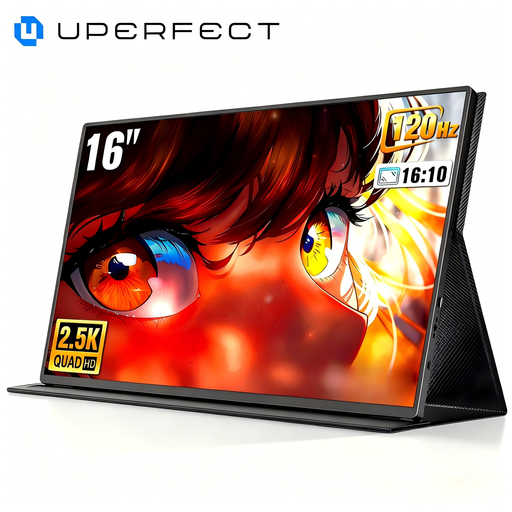
What Sets It Apart This model is a technology powerhouse for gamers, featuring a QHD 2K (2560 x 1600) panel and a 144 Hz refresh rate. It's optimized for gaming on the go, delivering flawless motion clarity and rock-solid responsiveness, thanks in part to its HDR compatibility. Its 16:10 aspect ratio provides a welcome boost in vertical screen real estate, for both gaming and work.
Key Features
Who Is It For? The clear choice for demanding gamers looking for a high-performance portable gaming monitor for their laptop or console. It will also appeal to creatives who need an ultra-smooth display for video editing or motion design.
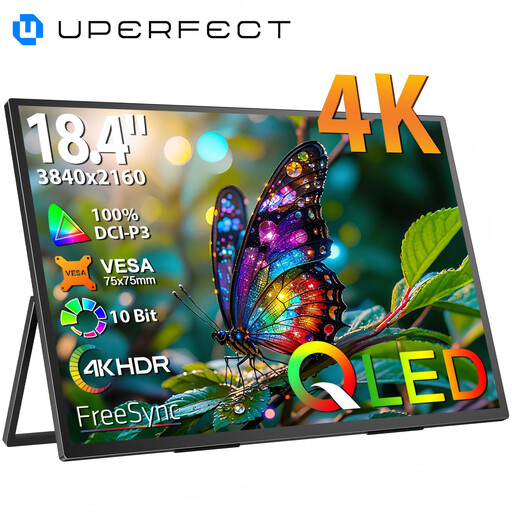
What Sets It Apart With its massive 18.4-inch panel and 4K UHD (3840 x 2160) resolution, this screen offers an immense workspace and pin-sharp detail. Its XXL diagonal is a dream come true for multitasking, whether for displaying complex editing timelines or spreadsheets. Its 178° viewing angles ensure a perfect image, even when you're not directly in front of it.
Key Features
Who Is It For? This 4K portable monitor is clearly aimed at professionals: developers juggling multiple code windows, graphic designers, video editors, or finance experts working on huge spreadsheets.
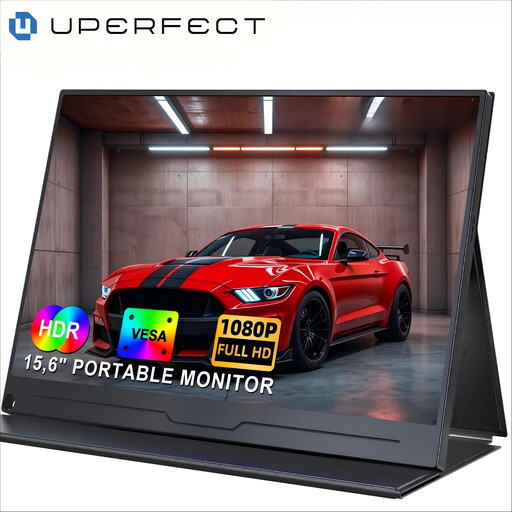
What Sets It Apart This model embodies the perfect balance of portability, features, and price. Its 15.6-inch size and Full HD (1920x1080) resolution make it an ideal travel companion and an excellent second screen for your laptop for daily use. Lightweight and easy to carry, it has all the necessary connectivity (two USB-C ports and one Mini HDMI) to connect to almost any modern device.
Key Features
Who Is It For? Ideal for students, remote workers, and business travelers who need a simple and effective second screen on the go, without breaking the bank or being weighed down.
While an external monitor is an excellent way to boost your gaming experience on a console or laptop, some prefer an all-in-one solution. If you're looking for an even more integrated portable gaming setup, a phone designed specifically for gaming could be an avenue worth exploring.
? Discover our selection of gaming phones for a complete mobile gaming experience
The simplest method is to use a USB-C cable if both your laptop and monitor are compatible. A single cable is then sufficient for both power and video. Otherwise, you'll need an HDMI cable (or Mini HDMI to HDMI) for the image, and a second USB-C cable connected to a power source (your PC or a wall adapter) to power the screen.
Yes, a portable monitor always needs to be powered. Less power-hungry models can run on the energy supplied by your computer's USB-C port. For larger, brighter, or high-refresh-rate screens, it's often necessary to plug them into a wall outlet or use a second USB port to ensure a stable power supply.
The number one advantage: an immediate productivity boost. Having a second screen for your laptop allows you to display multiple applications at the same time without constantly juggling windows. For example, you can follow a video conference on one screen and take notes on the other, or keep a reference document in view while you write an email. For entertainment, it's a chance to play a game or watch a movie on a larger, higher-quality screen than your laptop's.