
Livraison le jour même ou le lendemain

Qualité garantie

Débloquez vos offres de bienvenue: Livraison GRATUITE | Jusqu'à -80 % | 30 jours d'essai gratuits à JoyPlus
Téléchargez l'application
Feeling cramped on your laptop screen? Is constantly juggling windows sapping your productivity while working remotely? Or maybe you just dream of enjoying your console games on a larger, higher-performance display when you're on the go? Rest assured, you're not alone. The portable monitor has become an essential accessory for many professionals, creatives, and gamers.
This guide is here to help you navigate the options and choose the portable monitor that truly fits your needs. We'll break down the key technical specs before presenting our selection of the best models available, whether you're looking to expand your digital workspace or dive into the action.
Before diving into product specs, let's review the few features that will make all the difference in daily use.
The screen size, typically between 13 and 18 inches, directly impacts its portability. A smaller model will be lighter and easier to carry. The resolution, on the other hand, defines the sharpness of the display.
Connectivity is a crucial point: it dictates how easy your second screen for your laptop will be to use.
Expressed in hertz (Hz), this indicates the number of images the screen displays per second.
Now, let's move on to our selection of portable monitors that have caught our eye, designed for various profiles, from the mobile professional to the demanding gamer.
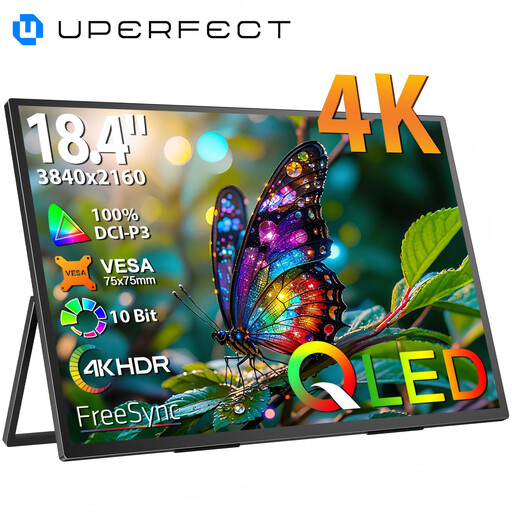
Why we chose it: With its massive 18.4-inch screen and 4K resolution, this UPERFECT model offers visual comfort and a workspace rivaling a desktop monitor. Its QLED panel ensures vibrant colors and deep contrasts for a stunning visual experience.
Key features:
Who is it for? Creatives (videographers, photographers), developers, and also movie-loving nomads who demand a large workspace and impeccable image quality.
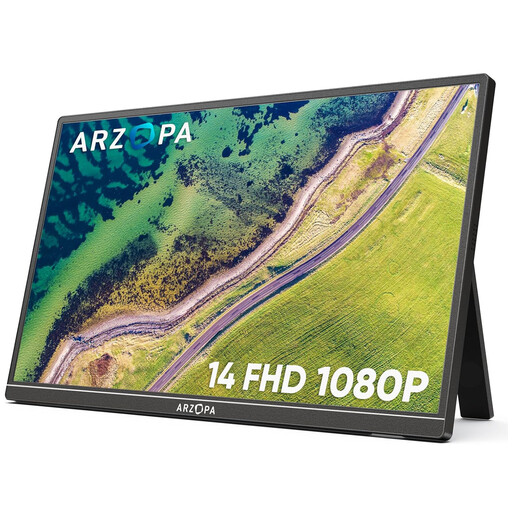
Why we chose it: The ARZOPA A1S is the very definition of a mobile screen. Ultra-thin and feather-light (around 500 grams), it slips into any bag without weighing it down. Its integrated stand and ease of use make it the perfect travel companion.
Key features:
Who is it for? Digital nomads, students, and all professionals on the move looking for a simple, lightweight, and incredibly effective second screen for their laptop to boost their productivity, wherever they are.
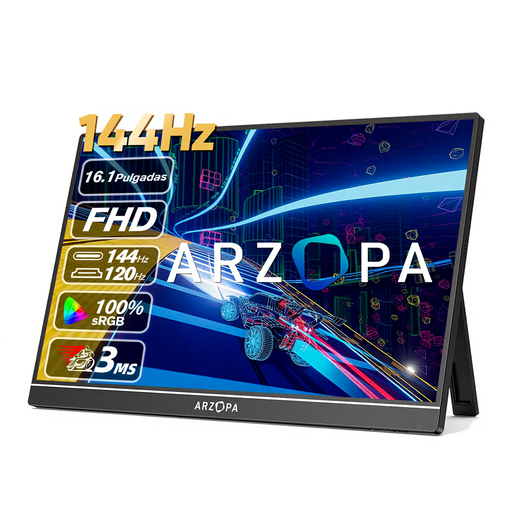
Why we chose it: This ARZOPA model is built for gaming. Its key feature: a 144 Hz refresh rate that guarantees flawless fluidity in the heat of battle. Paired with a good 16.1-inch IPS panel, it's an excellent monitor for PS5/Switch or for mobile PC gamers.
Key features:
Who is it for? Laptop or console gamers who refuse to compromise on fluidity and performance, even when away from their main setup.
A good mobile screen is an excellent start. But for truly optimal ergonomics, don't forget to raise your laptop to eye level. A well-arranged workstation is the key to improving your comfort and preventing neck pain.
Discover our selection of laptop stands to perfect your mobile setup.
The vast majority of modern portable monitors connect via a USB-C port. If your computer or smartphone has a USB-C port that handles video output (DisplayPort Alt Mode), a single cable is enough for both display and power. Otherwise, you will need to use the Mini HDMI port for the video signal and connect a second USB-C cable to a power source (your PC's charger, a wall outlet, a power bank, etc.).
It all depends on your source device and connection method. When connected via a sufficiently powerful USB-C port, the monitor is powered directly by your computer. If you use the HDMI port or a USB-C port that doesn't deliver enough power, you will need to plug the monitor into a wall outlet (or a power bank) using its second USB-C port.
Absolutely, that's one of the great advantages of these screens. You can connect your console via the monitor's Mini HDMI port. You'll just need to remember to power the monitor separately via its USB-C port. Note that for the Nintendo Switch, using its official dock is essential for video output to the portable screen. Get ready for gaming sessions on a much more comfortable screen than the console's own, wherever you are.