
Livraison le jour même ou le lendemain

Qualité garantie

Débloquez vos offres de bienvenue: Livraison GRATUITE | Jusqu'à -80 % | 30 jours d'essai gratuits à JoyPlus
Téléchargez l'application
Want a giant screen for your movie nights or gaming sessions, but the thought of a massive TV ruining your living room's aesthetic is holding you back? You're not alone. In our increasingly optimized apartments and living spaces, flexibility is king. The portable mini projector emerges as the ideal solution, capable of turning any white wall—or even your ceiling—into a private movie theater.
But with an overwhelming number of options and often cryptic spec sheets, how do you find the right one? As tech experts, our mission is to cut through the noise for you. This guide gets straight to the point: we'll break down the essential criteria and present our selection of the best models, suited for every need and budget.
Before you take the plunge, here are the three key things to check to find the perfect projector for you.
Image quality rests on two pillars: native resolution and brightness.
Gone are the days of endless cables! A good, modern WiFi Bluetooth projector must be a model of simplicity.
One of the biggest advantages of a mini projector is its flexibility. Automatic adjustment features are a daily game-changer.
Here are a few options that stand out for their features and value, suitable for different uses.
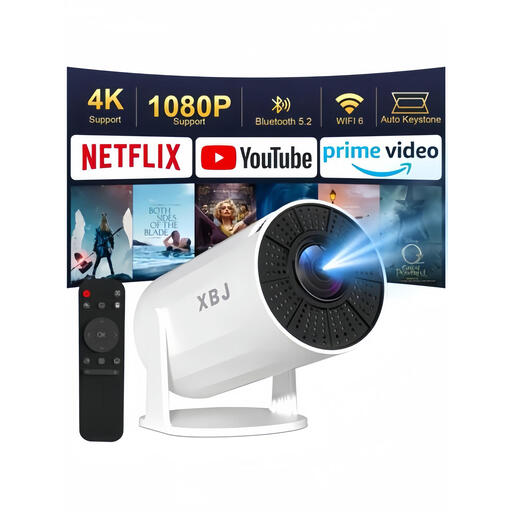
Why it stands out This model is an excellent entry point for those who prioritize versatility above all. Its main advantage is its 180° rotating stand, which makes it incredibly easy to project an image anywhere, from the wall to the ceiling. Its built-in Android 11 system provides access to a wide range of apps, making it a true compact entertainment hub.
Advantages
Who is it for? Ideal for students or young couples looking for an ultra-flexible and affordable entertainment solution. Perfect for a bedroom or a first apartment, and especially for those who dream of movie nights in bed with the image projected on the ceiling.
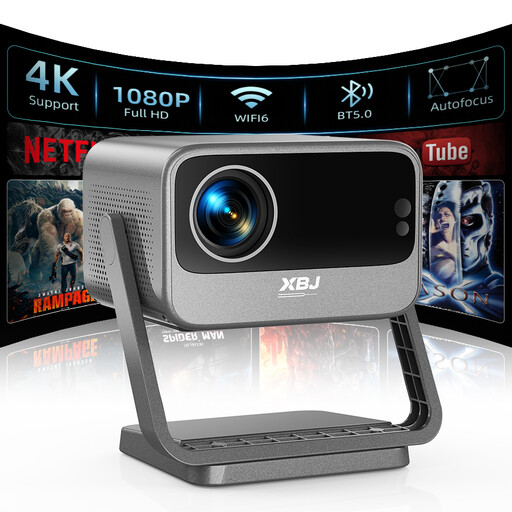
Why it stands out This projector is a step up, with advanced image quality and automation features. With a native 1080p resolution, 700 ANSI Lumens of brightness, and HDR10 support, it delivers a more vibrant and high-contrast image, even in a moderately lit room. Its fully automatic focus, keystone correction, and obstacle avoidance features make it a remarkably easy-to-use device.
Advantages
Who is it for? For cinephiles who demand superior image quality and a compromise-free plug-and-play experience. It's the perfect choice for those who don't want to fuss with any settings.
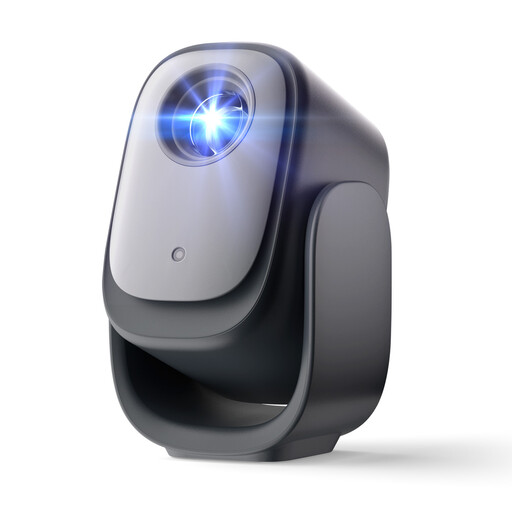
Why it stands out What truly sets the Dangbei N2 apart is its official Netflix license. Unlike many Android-based projectors where the Netflix app can be unstable or require workarounds, this model guarantees a smooth, high-definition experience, just like on your Smart TV. Combined with its auto focus, keystone correction, and obstacle avoidance features, it represents the pinnacle of simplicity for streaming enthusiasts.
Advantages
Who is it for? The obvious choice for Netflix addicts and fans of other streaming services who want a reliable, turnkey solution without needing any extra devices.
To get the most out of your projector, don't overlook the projection surface. To ensure accurate colors and optimal contrast, a dedicated screen can make all the difference.
Discover our range of portable projector screens to perfect your home theater setup.
1. What's the difference between native resolution and supported resolution? The native resolution is the physical number of pixels on the projector's chip; it's the true definition of your image. For example, 1920x1080 pixels for Full HD. The supported resolution (e.g., 4K) means the projector can accept a signal of that higher resolution, but it will scale it down (a process called downscaling) to display it at its native resolution. The image will therefore be in Full HD, not true 4K.
2. Can you use a mini projector in broad daylight? It heavily depends on the projector's brightness, measured in ANSI Lumens. Entry-level models (around 300 ANSI) should be reserved for use in dim or dark rooms. More powerful models (700 ANSI and up) perform respectably in a room with moderate ambient light (e.g., with the blinds drawn). However, for the best cinematic experience with rich colors and deep blacks, the darkest possible room is always recommended.
3. Do I need an external device to watch Netflix? It depends on the projector. A smart projector with an operating system like Android TV or a proprietary OS may have the app pre-installed. However, due to licensing restrictions (HDCP), the Netflix app doesn't always work correctly on all devices. A model with an official Netflix license, like the Dangbei N2, guarantees perfect performance. For others, adding a streaming stick like a Chromecast or an Amazon Fire TV Stick remains the simplest and most reliable solution.