
Livraison le jour même ou le lendemain

Qualité garantie

Débloquez vos offres de bienvenue: Livraison GRATUITE | Jusqu'à -80 % | 30 jours d'essai gratuits à JoyPlus
Téléchargez l'application
Bringing order to your daily life can sometimes feel like an uphill battle. Between storage boxes with forgotten contents, tangled cables behind your desk, and spice jars that are impossible to tell apart, good organisation is the key to a clear mind. This is where the portable label printer comes in: a deceptively simple and effective tool for identifying, classifying, and finding your belongings in a flash.
But with the overwhelming number of models available, it's hard to know where to start. This guide is here to shed light on the essential criteria and present a selection of top models, helping you find the perfect device for your needs, whether it's for home organisation, studying, or a small business.
Before you take the plunge, let's review the key technical features that will make all the difference in your day-to-day use.
Almost all recent consumer models rely on direct thermal technology. The principle? An inkless label printer uses a print head to heat thermosensitive paper, causing text or images to appear. The advantage is twofold—both economical and practical: no more ink cartridges or ribbons to buy! This means your mini thermal printer is always ready to go.
In today's hyper-connected world, ease of use naturally means wireless. A Bluetooth label maker pairs with your smartphone or tablet in seconds. Using a dedicated app, you can create your labels intuitively: choose fonts, add icons, insert frames, or even generate a barcode with your printer. Remember to check the app's compatibility (iOS or Android) and take a look at its range of features.
The versatility of a portable label maker is also measured by the consumables it supports. Some models are limited to a single label width (often 12?mm), while more versatile ones can accommodate rolls of various sizes (up to 50?mm, for example). Think about your intended uses: will you only need small labels for your cables, or will you also need larger ones for your storage boxes? The type of adhesive labels is also a factor, with various options for colours, patterns, or materials.
To help you make an informed decision, here are a few models that stand out for their features and value for money.
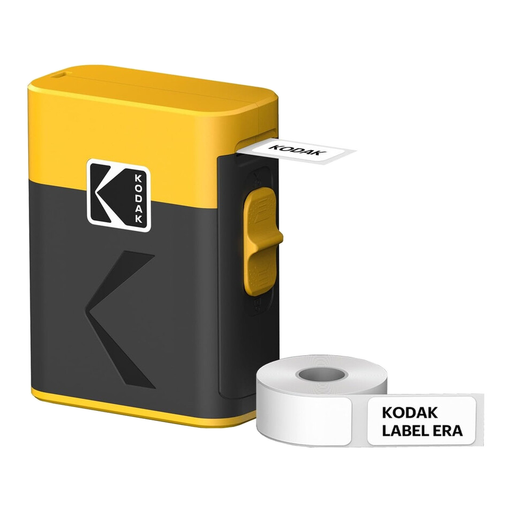
Highlights
This Kodak label maker shines with its impressive versatility. It is compatible with labels ranging in width from 12 to 50?mm, making it suitable for a multitude of tasks, from the most detailed to the most substantial. Its Bluetooth Low Energy (BLE) connectivity ensures a stable and power-efficient connection with your smartphone. Rechargeable via a modern USB-C port, its battery offers excellent life.
Advantages
Who is it for?
This model is aimed at those looking for an all-in-one solution for home organisation. Its ability to handle different label widths makes it a powerful Swiss Army knife for marking everything from kitchen jars to garage boxes and office binders.
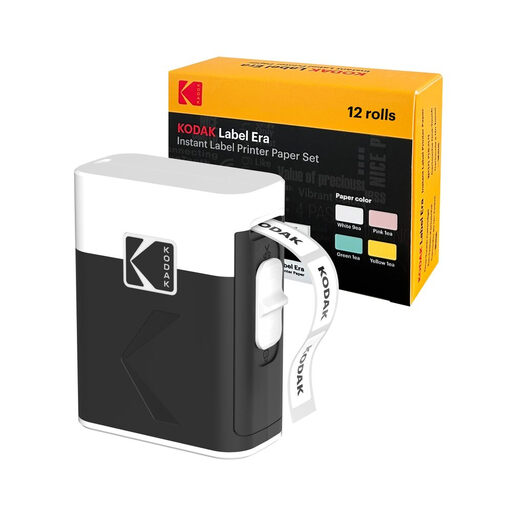
Highlights
This bundle stands out with its superior 300?DPI print resolution, ensuring impeccably sharp labels, ideal for small text or complex icons. Its ultra-compact design and integrated, secure cutting blade make it the ultimate portable device. The bundle includes 12 label rolls (9 white and 3 coloured) so you can start organising right away.
Advantages
Who is it for?
With its high resolution and pocket-sized format, this printer is the perfect companion for students, teachers, and crafting enthusiasts (scrapbooking, personalised gifts). Its secure blade also makes it perfectly suitable for family or school use.
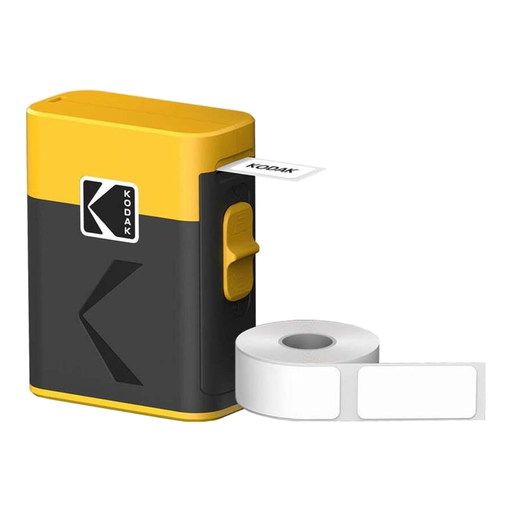
Highlights
A specialist in narrow labels, this printer is compatible with widths from 12 to 15?mm. Its ultra-compact format and feather-light weight (180?g) make it a discreet companion for on-the-go organisation. Delivered as a bundle with 12 rolls, it's an excellent starting point for precision labelling.
Advantages
Who is it for?
This model is ideal for organisational tasks that require thin, discreet labels. It will excel at bringing order to an office (cables, files), a makeup bag, or a toolbox.
If the models in our selection don't quite meet your expectations, or if you simply want to explore a wider range, many other solutions are available. To discover devices with different features or those dedicated to more specific uses, browse our complete category of printing machines and find the tool that will bring all your projects to life.
A mini thermal printer needs neither ink nor toner. Its secret? A print head made of tiny heating elements. When these heated areas come into contact with the thermosensitive paper, they cause it to darken, revealing the text or image. It's a clean, economical process that requires no consumables other than the label rolls.
Absolutely. Most modern Bluetooth label makers allow you to generate and print barcodes. Through the dedicated mobile app, you can usually create various standard formats (QR codes, EAN, UPC, etc.). This feature is very useful for small shop owners or entrepreneurs who want to manage their inventory or label their creations.
Labels produced by direct thermal printing are sensitive to heat and prolonged exposure to UV light (especially sunlight). For indoor use away from direct light (storage boxes, jars, files, etc.), their lifespan can be several years. However, continuous exposure to sunlight or an intense heat source will eventually cause them to fade.