
Livraison le jour même ou le lendemain

Qualité garantie

Débloquez vos offres de bienvenue: Livraison GRATUITE | Jusqu'à -80 % | 30 jours d'essai gratuits à JoyPlus
Téléchargez l'application
Whether you're travelling, on holiday, or just in another room, the urge to game always strikes. But playing on a small laptop screen or settling for a poorly calibrated TV can quickly spoil the fun. This is where the portable gaming monitor comes in, promising a high-quality display, anywhere, anytime.
With a sea of options on the market, it's not easy to find your way. Refresh rate, resolution, connectivity... all this technical jargon can quickly make your head spin. This guide is here to break it all down and help you find the perfect gaming companion, without breaking the bank.
Before diving into our top picks, here's a quick overview of the technical specifications you shouldn't overlook to make the right choice.
The quality of your gaming experience largely depends on these two features.
A good portable gaming monitor should be a true Swiss Army knife, able to connect to your entire arsenal.
Always check the ports on your device (PC, console) and on the monitor to avoid any unpleasant surprises when you unbox it.
Here are a few models that have caught our eye, suitable for all types of gamers.
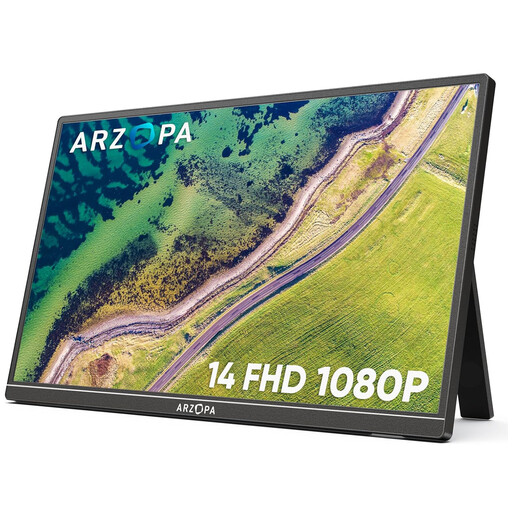
Why It Stands Out
The ARZOPA A1S monitor is all about portability and simplicity. With its feather-light weight and slim profile, it will go unnoticed in any backpack. Its comprehensive connectivity makes it ready to use with most devices.
Highlights
Who is it for? This is an excellent choice for students and digital nomads looking for a versatile second screen that's just as good for productivity as it is for an impromptu gaming session on a laptop or Nintendo Switch.
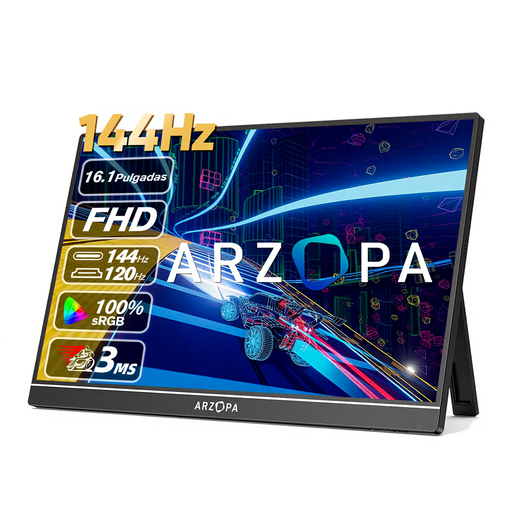
Why It Stands Out
The ARZOPA Z1FC is built for performance. Its secret weapon: a 144 Hz refresh rate that delivers incredibly smooth action, a crucial element in competitive gaming.
Highlights
Who is it for? The ideal companion for PC and console gamers who make no compromises on speed. A must-have for those for whom every millisecond counts.
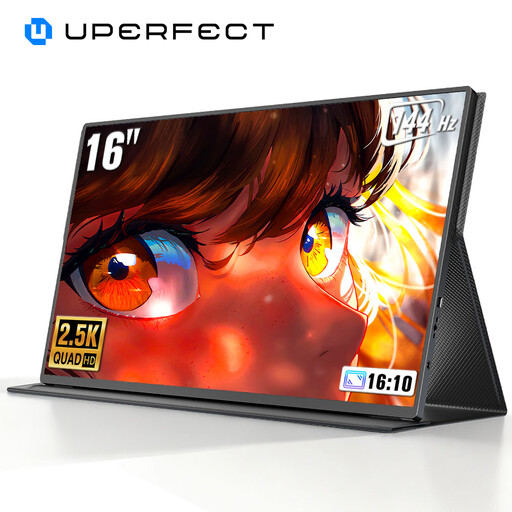
Why It Stands Out
This UPERFECT monitor delivers the best of both worlds: high resolution and high refresh rate. Its 2K screen offers exceptional image sharpness, while its 144 Hz frequency ensures rock-solid smoothness.
Highlights
Who is it for? It's aimed at gamers who want it all, with no compromises. It's the ideal partner for a PS5 or Xbox Series X to harness the full potential of next-gen consoles, as well as for PC gamers who demand the best display, even on the go.
If these models don't check all your boxes or if you want to explore other sizes and specifications, feel free to browse our full selection. There's something for every taste and budget!
? Discover all our portable monitors
For a PS5 or Xbox, the connection is most often made via the monitor's Mini HDMI port. Remember to also power the monitor via its USB-C port. For the Nintendo Switch in TV mode, a single USB-C cable may be sufficient, provided the monitor supports video signal and power delivery over that port (DisplayPort Alternate Mode standard).
It all depends on your setup. If you're using a compatible USB-C port (that handles both video and power) from a modern laptop, a single cable is all you need. However, with an HDMI connection or a USB-C port that doesn't provide power, you'll need to connect the monitor to a power source (wall outlet, power bank) via its second USB-C port.
A 60 Hz screen displays 60 frames per second, while a 144 Hz model displays 144. In practical terms, this higher frequency provides much smoother and sharper motion. For fast-paced games, this reduces motion blur and can improve your reaction time, as the displayed image is more up-to-date. The benefit is striking in first-person shooters (FPS) and racing games.