
当日/次日达

品质保障

开启新人专享福利: 全场免邮 | 低至 2 折 | 免费试用 30 天 JoyPlus 会员
下载 Joybuy
Whether you're working from home, at the office, or in a dorm room, a cool breeze becomes essential as soon as the temperature rises. The portable desk fan emerges as the ideal solution: compact, mobile, and affordable. However, the market is flooded with models making tempting promises that often prove disappointing in practice.
As a product expert at Joybuy, my mission is to guide you through this jungle of options. Let's break down the most common pitfalls together to help you make an informed and, most importantly, lasting choice.
Buying a compact fan can quickly become a headache if you're not careful. Here are the most common disappointments and our tips for avoiding them.
1. Overstated Battery Life: This is the number one pitfall. Many manufacturers advertise hours of runtime that are only valid at the lowest speed, which produces a barely perceptible breeze. The result? Your battery-powered fan dies on you in the middle of the afternoon. The actual battery capacity, expressed in milliampere-hours (mAh), is a much more reliable indicator than marketing promises.
2. The Myth of the "Silent Fan": A model advertised as silent can actually produce a constant, high-pitched hum, which is especially annoying in an office or bedroom. For a fan, silence isn't a feature: a truly quiet device must offer multiple speeds to let you balance airflow and noise level.
3. Flimsy Materials and Lack of Stability: A rock-bottom price often hides low-grade plastics and a fragile design. The fan starts to vibrate, its head droops on its own, or worse, it gives out after just a few weeks. For daily use, build quality and a stable base are non-negotiable.
To avoid unpleasant surprises, focus on a few technical specifications that make all the difference.
A good portable desk fan should, above all, free you from constraints.
The goal: to cool you down, not distract you.
To move from theory to practice, here are a few models that check all the boxes and meet specific needs.
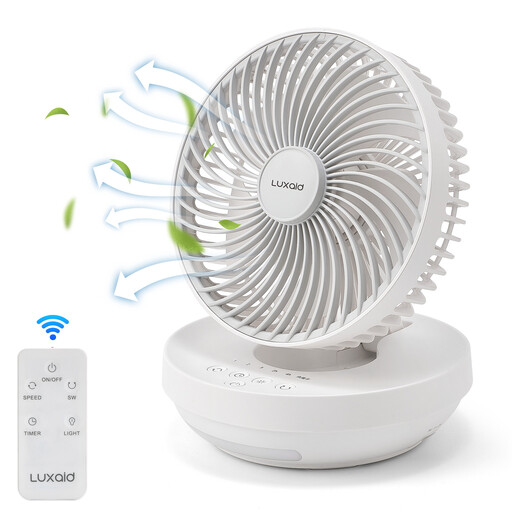
Why we chose it: Ideal for those who juggle work between the office, home, and travel. Its foldable design makes it ultra-compact for transport, while its remote control and wall-mount feature offer maximum flexibility.
Its 4000 mAh battery ensures real, comfortable runtime, far from empty marketing promises. Enough to last the whole day without you worrying about it dying.
Extreme Versatility: Foldable for transport, wall-mountable, remote control, timer, and even a night light. All rechargeable via USB Type-C.
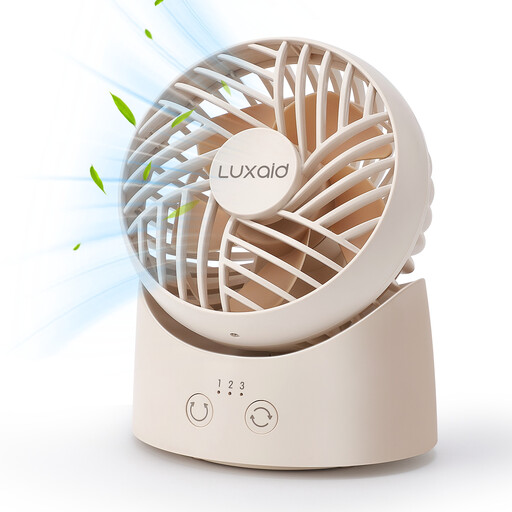
Why we chose it: Perfect for small spaces like a student's desk or a nightstand. Its mini size and well-designed oscillation provide a personal breeze without ever cluttering your space.
Despite its mini size, it includes a stable base and true 60° oscillation. This is a far cry from the flimsy gadgets with a hopelessly fixed airflow.
The essentials, without compromise: 3 speeds, oscillation to better distribute air, and an 1800 mAh battery sufficient for occasional use. Rechargeable via USB Type-C.
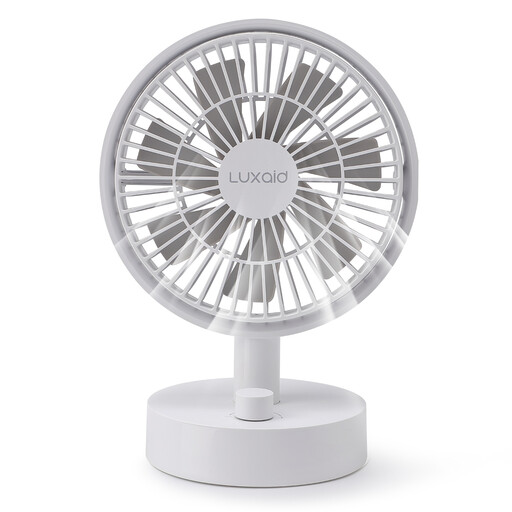
Why we chose it: The model for those who refuse to compromise on comfort and silence. Perfect for a large desk or a bedroom, where quiet operation and wide air coverage are top priorities.
With its 10 speeds, it shatters the myth of the "so-called silent" fan. The lowest settings generate a nearly imperceptible breeze, ideal for working or sleeping. This is a level of control that's impossible to achieve with classic 3-speed models.
Total Control: Its extra-wide 160° oscillation covers an impressive area, while the 10 speeds allow you to find the perfect balance between silence and power. Features a 2000 mAh battery and USB Type-C charging.
1. What is the lifespan of a portable mini fan? It all depends on the quality of its motor and battery. A well-designed model with a brushless motor can operate without issues for several years. As for the battery, a lithium-ion model will retain most of its capacity for 300 to 500 full charge cycles.
2. Does a USB fan use a lot of energy? No, its power consumption is negligible. A typical USB fan consumes between 2 and 5 watts, which is far less than an LED light bulb. Its impact on your electricity bill or your laptop's battery life is therefore minimal.
3. How do I clean a mini fan without damaging it? Always make sure the device is turned off and unplugged. Most models have a removable front grille (often you just need to twist it slightly). Remove it to access the blades. A dry cloth or a can of compressed air is sufficient to dust the blades and the grille. Never use water or any liquid directly on the motor or the body of the fan.