
Livraison le jour même ou le lendemain

Qualité garantie

Débloquez vos offres de bienvenue: Livraison GRATUITE | Jusqu'à -80 % | 30 jours d'essai gratuits à JoyPlus
Téléchargez l'application
Just because your car has a few years on it, or is an entry-level model, doesn't mean you have to miss out on modern technology. If your dashboard doesn't have a built-in navigation system, you're probably used to fumbling with your smartphone to find your way. Fortunately, a portable wireless CarPlay screen is a smart and affordable solution to bring your car's interior up to date.
Unfortunately, the market is flooded with products that make tempting promises but often deliver disappointing performance. To avoid throwing your money away, here are the common pitfalls to be aware of before you buy.
To get a reliable and long-lasting system, focus on a few non-negotiable technical features. These are what separate a frustrating gadget from a true plug and play car screen that delivers on its promises.
The magic of a portable wireless Android Auto or CarPlay system relies on a rock-solid connection. To ensure this, check that the device is equipped with:
A stable connection is the foundation of a great user experience. Without it, even the largest screen is just a high-tech paperweight.
Your main interaction is with the screen and its mount. Two points should be checked carefully:
plug-and-playThe greatest strength of this external car stereo is its simplicity. It should work in any vehicle, from a truck to a city car.
CarPlay on cigarette lighter concept so convenient. Check that the provided cable is long enough for a clean and discreet installation.Instead of an endless list, we've selected products that meet different needs while avoiding the pitfalls we've just mentioned.
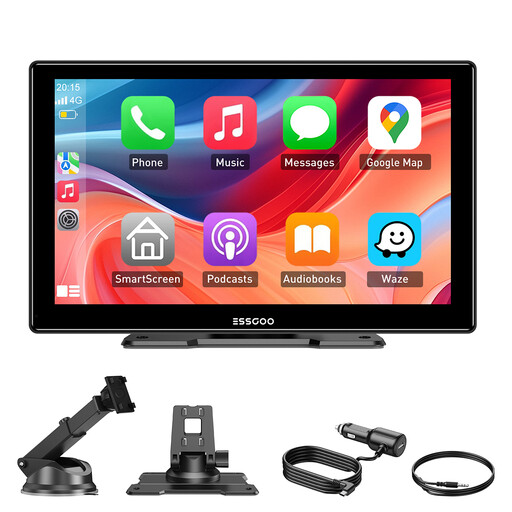
Why we chose it: For those who want a complete and immersive experience without a complex installation. This screen instantly transforms a dated interior into a modern multimedia hub, perfect for long trips and daily use.
It features dual-band Wi-Fi for a stable connection, a 9-inch HD IPS screen for optimal visibility, and comes with two types of sturdy mounts to eliminate any worries about a flimsy setup.
A true plug-and-play solution with wireless CarPlay and Android Auto. It has a large 9-inch screen and 4 audio output modes for near-universal compatibility.
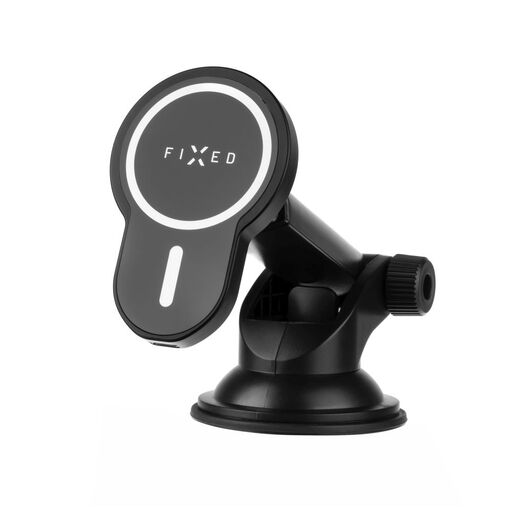
Why we chose it: For those who prefer to use their smartphone's screen but demand a flawless mounting and charging solution above all else. It's a minimalist alternative that combines stability, optimal positioning, and wireless charging.
It directly tackles the "flimsy mount" trap with a robust suction cup and a rigid extendable arm. The powerful MagSafe-compatible magnets ensure a perfect hold on your phone, even on rough roads.
Combines a secure mount with fast wireless charging (up to 15W). The long, adjustable arm allows for ideal positioning that never obstructs your field of view.
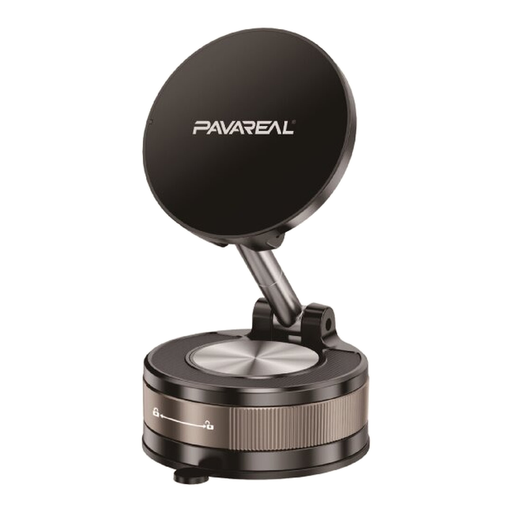
Why we chose it: For the budget-conscious driver who simply needs a reliable mount for their phone. No frills, just a functional solution for safely using your smartphone as a GPS.
This is the most direct answer to the "flimsy mount" trap. Its aluminium alloy construction and powerful suction cup provide stability that is light-years ahead of entry-level plastic mounts.
360-degree rotation for an optimal viewing angle in any situation. Stable suction cup base compatible with the windscreen or dashboard.
Whether you're looking for a full screen or a simple mount, choosing a stable and secure product is essential. Explore our selection of car mounts for all needs and budgets.
Yes, in the vast majority of cases. If your vehicle—whether it's a car, camper, or truck—has a functional cigarette lighter socket (12V or 24V), you can power one of these screens. That's the whole principle of a plug-and-play solution.
Yes, as long as you choose a quality model. Modern devices using Bluetooth 5.0 and dual-band Wi-Fi offer a connection as stable as factory-installed systems. This eliminates dropouts and latency for navigation and music streaming.
Absolutely not. In fact, that's one of the main advantages of a CarPlay screen for older car: its simple installation. Just attach the mount, plug the device into the cigarette lighter socket, and connect it to your phone. The entire process usually takes less than five minutes.