
Livraison le jour même ou le lendemain

Qualité garantie

Débloquez vos offres de bienvenue: Livraison GRATUITE | Jusqu'à -80 % | 30 jours d'essai gratuits à JoyPlus
Téléchargez l'application
A portable car GPS can breathe new life into an older vehicle, without replacing the stereo or modifying the dashboard. Yet product listings often focus on screen size or an abundance of features, when compatibility, installation and readability are far more important in everyday use.
Before you place an order, three common pitfalls keep cropping up:
A standalone GPS, such as the Garmin DriveSmart 76 GPS, has its own built-in maps and provides voice-guided navigation without relying entirely on a mobile app. However, your smartphone may still be needed for certain connected services, particularly traffic, weather or fuel prices.
A CarPlay screen for your car works differently: it displays compatible apps from your iPhone or Android phone. This solution suits drivers who already use Google Maps, Waze, Apple Maps or their audio apps. Remember to check the minimum operating system version required by the manufacturer.
A large screen makes it easier to read directions, but it must still be suitable for your car's cabin. The ESSGOO 10.26-inch model offers a resolution of 1,600 × 600 pixels, while the Garmin DriveSmart 76 has a roughly 7-inch screen at 1,024 × 600 pixels.
Beyond definition, pay attention to the following points:
The power cable for the cigarette lighter socket must also be long enough and discreet enough not to interfere with driving. A 12-24 V power supply works with many cars, vans and larger vehicles, but always check the specification sheet.
Car Bluetooth can be used for hands-free calls and audio streaming. Some screens also include an AUX output, a built-in speaker or an FM transmitter. These options come in handy when your original stereo does not support CarPlay or Android Auto.
For cable-free use, check that the device actually offers the feature you want: wireless CarPlay, wireless Android Auto or simple Bluetooth streaming. The ESSGOO claims dual-band 2.4 GHz/5 GHz Wi-Fi and Bluetooth 5.3. The Garmin, meanwhile, uses Wi-Fi for updates and Bluetooth for several connected services.
On a motorcycle, waterproofing, handlebar mounting and readability with gloves take priority over screen size. A waterproof motorcycle GPS should not be chosen solely on its diagonal: also check the mounting system, power supply and compatibility with your intercom.
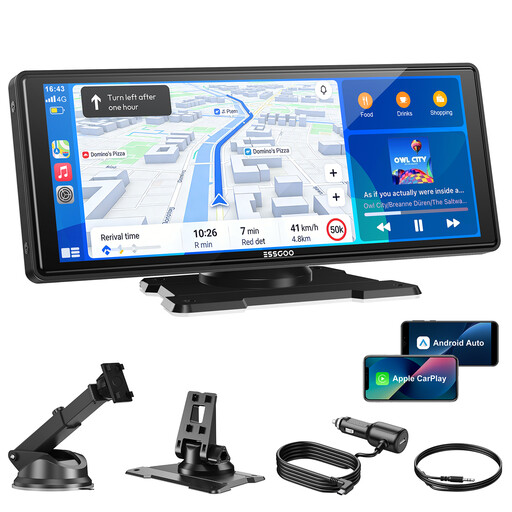
Why this choice suits this profile: This screen is aimed at drivers of older vehicles who want to add wireless CarPlay and Android Auto without touching the original multimedia system. The suction cup mount and power cable make the first installation straightforward.
The listing details the wireless connections, available audio outputs and compatibility with smartphones running iOS 12 and Android 11 or later. Please note: this device is not a standalone GPS.
10.26-inch screen, dual-band Wi-Fi, Bluetooth 5.3, voice control, AUX output, built-in speaker and over-the-air updates as advertised.
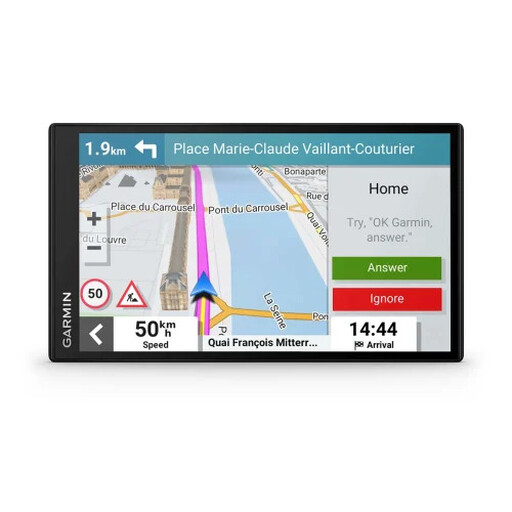
Why this choice suits this profile: This GPS is aimed at drivers who prefer a dedicated navigation system, with built-in European mapping and an interface independent of the apps installed on their phone.
The listing mentions mapping for 46 European countries and Wi-Fi updates. Traffic, weather and fuel services do, however, require a compatible smartphone and a data connection.
6.95-inch touchscreen, pre-loaded European mapping, voice control in English, Bluetooth, traffic alerts and 32 GB of internal storage.
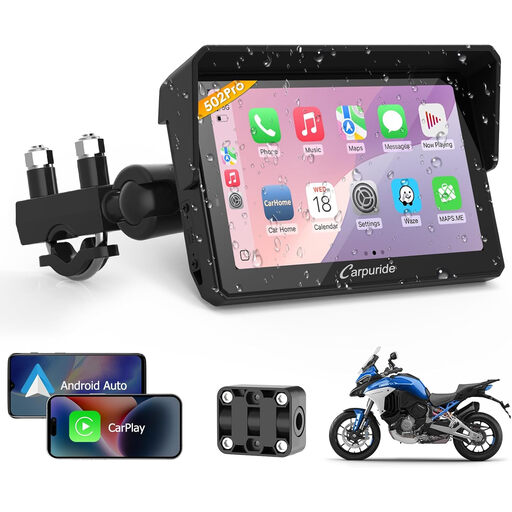
Why this choice suits this profile: Its 5-inch format and design specifically for motorcycles are aimed at riders who want to view their navigation from the handlebars, with CarPlay, Android Auto and connection to a compatible intercom.
The model name clearly states it is a waterproof touchscreen designed for motorcycles. Before installing it, however, check the mounting system, available power supply and compatibility with your intercom.
5-inch screen, CarPlay and Android Auto functions, dual Bluetooth and intercom compatibility as stated in the product description.
We have put together a comprehensive, real-time updated selection of products that meet these demanding criteria as well as European safety regulations.
To minimise distractions, install the device before you set off. Place the mount on the dashboard or windscreen without reducing your visibility, then plug in the power. Set up Wi-Fi and Bluetooth while stationary, pair your smartphone and check the sound output.
With a wireless CarPlay screen, navigation depends on your phone's connection and battery. With a standalone GPS, remember to update the maps via Wi-Fi before a long journey. In all cases, the on-screen directions do not replace road signs or actual traffic conditions.
Yes. A standalone model with built-in mapping can provide the main directions without a phone. Connected features, such as real-time traffic or weather, may however require a smartphone and a data connection.
Yes, a portable screen with a mount and 12 V power supply can add CarPlay or Android Auto to many vehicles that lack a multimedia screen. Check your phone's compatibility, the available audio outputs and the location for the mount.
It all depends on the type of device. A GPS with built-in mapping can avoid a navigation subscription, while a connected screen typically uses your smartphone's mobile data. Also remember to factor in the power supply, any replacement mount and accessories, such as a reversing camera sold separately on some models.