A mobile robot is worth considering if you want to check on several rooms without installing a camera in each one. A fixed camera is better suited to a specific area, while a fixed interactive model may be all you need if play or talking matters more than mobility. Before choosing, check for obstacles, Wi-Fi coverage, charging requirements, and the storage and privacy settings for the version you’re considering. CNET’s review of the EBO Air 2, for example, highlights limitations when moving across certain floors.
Who are these options for ?
For checking on several rooms
If you want to move the camera’s viewpoint remotely, check the flooring, thresholds, cables, Wi-Fi coverage and charging station location. CNET’s review of the EBO Air 2 notes that it can struggle with some rugs and obstacles.
For keeping an eye on a specific area
If your pet spends most of its time in one room, a fixed camera — possibly a pan-and-tilt model — can cover the area without the need for a rolling robot. TP-Link describes the Tapo C210 as a pan-and-tilt indoor camera.
When remote interaction is the priority
If you mainly want to talk, play or offer a treat, compare the features each fixed device actually provides. Petcube describes Play 2 as having a built-in laser, while Furbo’s 360° Dog Camera comes with a treat launcher.
What should you check before choosing ?
Mobile camera robot
Choose this if : you want to check on several areas without installing a camera in every room.
Bear in mind : how well it moves depends on the flooring, obstacles, Wi-Fi and the model’s charging method.
Fixed camera
Choose this if : your pet stays in one room or a defined area.
Bear in mind : the camera’s position determines what it can see, even if its head can pan and tilt.
Fixed interactive camera
Choose this if : talking, playing or offering a treat matters more than moving the camera’s viewpoint.
Bear in mind : interaction is limited to the area covered and depends on the model’s features.
| What matters |
What to check |
Who it matters most to |
| Moving between rooms |
Check thresholds, slopes and rugs for the exact model. CNET’s review of the EBO Air 2 reports limitations on thick carpets and with certain obstacles. |
When I’m away and want to check on several rooms without installing a camera in each one, getting between areas is the priority; around 36% of consumers put mobility first. |
| Monitoring a fixed area |
Check the viewing angle, pan-and-tilt function, position and proximity to a plug socket if the device is mains-powered. |
If my pet spends most of its time in one room, I’d choose a steady view over a rolling robot; around 29% of consumers prioritise a fixed camera. |
| Interacting remotely |
Check that two-way audio is available and confirm exactly what the play or treat-dispensing feature does on the version you’re considering. |
I mainly want to talk, play or offer a treat remotely from a set location; nearly 21% of consumers prioritise interaction. |
| Storage and privacy |
Check local or cloud storage, how long recordings are kept, and the controls for turning off the camera and microphone. The CNIL reminds users that private individuals may only film inside their own property. |
Before installing a camera at home, I want to know where the footage goes and how to stop monitoring; around 14% of consumers prioritise storage and privacy. |
Mistakes to avoid
-
Assuming a robot can get over every rug and threshold
How well it moves depends on your floors and any obstacles at home. CNET’s review of the EBO Air 2 notes that it is less stable on thick carpet and can struggle to get over some obstacles.
Check the rugs, cables and thresholds along the route you have in mind, then compare them with the published limits for the exact model.
-
Confusing live viewing, notifications and cloud storage
These features don’t necessarily involve the same data or keep it for the same length of time. The general EBO HOME policy mentions cloud use, but doesn’t cover every setting for each version of the EBO Air 2.
For the device and app you’re using, check which recordings are enabled, the storage options, and the controls for turning off the camera and microphone.
-
Comparing an interactive camera with a robot as if they move in the same way
A laser, speaker or treat launcher can let you interact with your pet from a fixed spot, but it won’t move the camera into other rooms.
First decide whether you need to check on several areas or whether interaction from one set location is enough.
Brands to know
Enabot
The brand offers mobile camera robots, with models and features that vary from one product to another.
- CNET’s review describes the EBO Air 2 as a mobile device and notes that it moves more steadily on smooth, hard floors.
- The same review highlights limitations on thick carpet and with obstacles; check your home’s layout against the specifications for the model you’re considering.
TP-Link Tapo
The Tapo C210 is a pan-and-tilt indoor camera for monitoring a defined area, without moving between rooms.
- TP-Link lists pan-and-tilt viewing, a privacy mode and microSD storage among the C210’s features.
- The camera can rotate, but it can’t follow your pet into another room.
Petcube
Petcube Play 2 combines a fixed camera with interactive features.
- Petcube describes Play 2 as having two-way audio and a built-in laser toy.
- The device stays in one place. Petcube also offers an optional Care service linked to cloud video history; check the features and terms of the service.
Furbo
The range includes fixed cameras for dogs, including the Furbo 360° with treat dispensing.
- Furbo lists a rotating view and treat launcher among this model’s features.
- History and alert features associated with Furbo Nanny depend on the subscription plan offered by the brand; check what’s included.
Products available on Joybuy
This selection brings together mobile camera robots and connected indoor cameras for checking on your pet or interacting with them remotely from a set location.
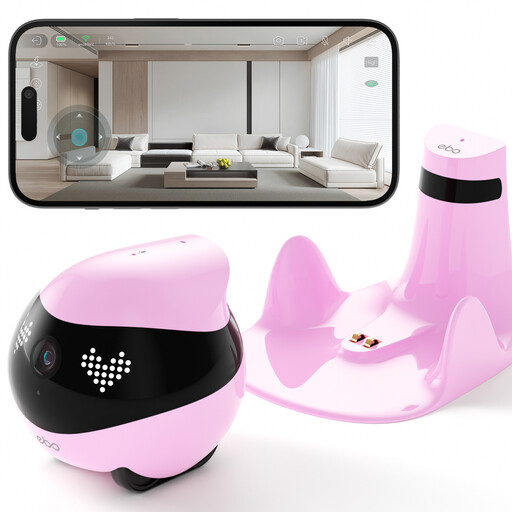 Image unavailable
Enabot EBO Air 2 (Robin Pink)
Worth considering if you want to move a camera around to check on different areas and talk to your pet remotely.
The product listing mentions app control, live video and two-way audio. CNET’s review notes that it can struggle to move across some floors and obstacles.
View on Joybuy
 Image unavailable
aosu 2K WiFi Indoor Camera
Consider this if you want to keep an eye on a defined area and communicate remotely, without moving the camera between rooms.
The product listing mentions pan-and-tilt viewing, motion tracking, two-way audio and a mode that switches off audio and video recording. Check exactly how these settings work in the app.
View on Joybuy
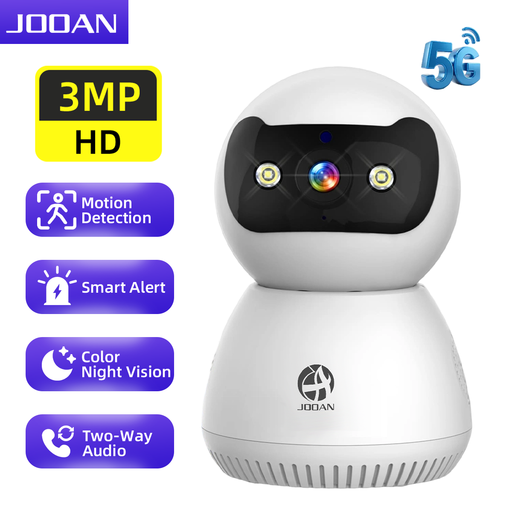 Image unavailable
JOOAN 2K Full HD Indoor Camera
Worth considering if you want to keep an eye on your pet in one room and communicate remotely through the app.
The title mentions colour night vision and two-way audio. The product listing also mentions motion detection and app control.
View on Joybuy
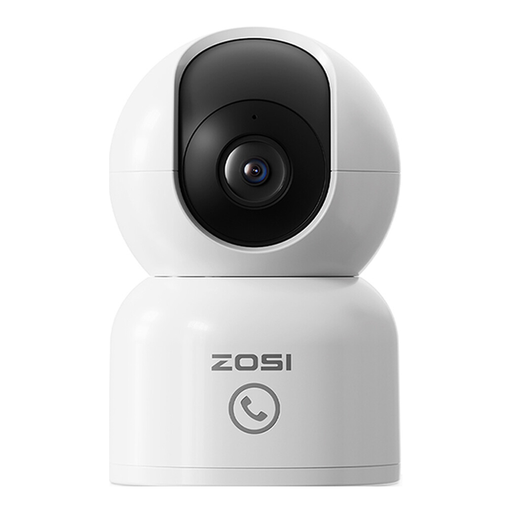 Image unavailable
ZOSI 4MP Indoor WiFi Camera
Consider this if you need to monitor an indoor area and want to listen or talk remotely.
The product listing describes automatic tracking, night vision, two-way audio and local or cloud storage options. Check the storage settings for the version you choose.
View on Joybuy
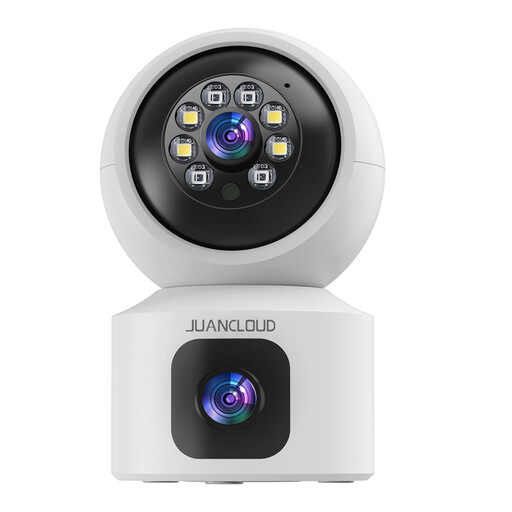 Image unavailable
JUANCLOUD Dual-Lens Indoor Camera, WiFi 6
Worth considering if you want to monitor your pet in a defined area and communicate remotely, rather than move the camera between rooms.
The product listing mentions pan-and-tilt viewing, automatic tracking, night vision, remote access and two-way audio. It also describes local or cloud storage options.
View on Joybuy
Frequently asked questions
Is a mobile robot suitable for a home with rugs and thresholds ?
It depends on the model and your flooring. For the EBO Air 2, CNET’s review reports steadier movement on smooth floors and limitations with some rugs and obstacles. Compare your home’s thresholds and floor surfaces with the guidance for the exact model.
Can a camera at home film outside or visitors ?
The CNIL says private individuals may only film inside their own property and must respect the privacy of anyone being filmed. Position your camera accordingly and check the guidance that applies to people who work in your home.
Do you need a subscription to use an interactive camera ?
It depends on the model and the features you want. Petcube offers a Care service linked to cloud video history, while Furbo describes history and alert features associated with Furbo Nanny. Check which features are included with the device or subscription plan you’re considering.


