
Livraison le jour même ou le lendemain

Qualité garantie

Débloquez vos offres de bienvenue: Livraison GRATUITE | Jusqu'à -80 % | 30 jours d'essai gratuits à JoyPlus
Téléchargez l'application
A PC water-cooling system can improve the thermal management of a powerful processor while freeing up space around the CPU socket. However, an all-in-one liquid-cooling kit should not be chosen solely for its lighting or the number printed on the box. Case compatibility, Intel or AMD socket support, fan noise and connections often matter more than marketing claims.
A 360 mm radiator generally accommodates three 120 mm fans, compared with two for a 240 mm radiator. This additional surface area can improve heat dissipation, but it does not guarantee lower temperatures on its own. The pump, copper contact surface, fans and airflow inside the case also play an important role.
A 360 mm model may also be incompatible with a mid-tower case, particularly when installed at the front or top. Check the radiator’s full dimensions with the fans fitted, rather than relying solely on the “360 mm” designation.
The word “quiet” should always be considered in context. Noise levels depend on fan speed, processor load and the PWM profile configured in the BIOS. For example, the be quiet! Pure Loop 3 240 mm specifies a range of 17.6 to 37.2 dB, while the Cooler Master ML Core Nex Digital 240 reaches 27.2 dBA for the fans.
These figures are not necessarily measured under the same conditions. They therefore provide a general indication, but do not replace checking the PWM control and the case’s overall ventilation.
An ARGB water-cooling system or one equipped with an LCD screen may require several connections: pump power, fan PWM, an ARGB connector, an internal USB connection or a SATA cable. A motherboard without a 5 V ARGB header or an internal USB 2.0 connector may limit certain functions.
Before ordering, also check whether management software is required. MSI Center, MasterCTRL and KANALI can be used to customise the display and lighting, but installing them adds another step to the setup process.
The models featured here support several recent sockets, including Intel LGA 1700 and LGA 1851, as well as AMD AM4 and AM5. However, this compatibility should still be confirmed on the product page and in the supplied manual.
A liquid CPU cooler must apply even pressure to the CPU surface. The mounting kit, pre-applied thermal paste and block orientation also deserve your attention.
Measure the available space and check clearance around the RAM, motherboard and graphics card. A 240 mm water-cooling system generally takes up less space than a 280 or 360 mm model. The 280 mm format uses two 140 mm fans and requires suitable mounting points.
For a compact build, 240 mm is often a good compromise. If your processor is heavily used for gaming, video rendering or compiling, a 360 mm model may be worth considering, provided your case supports it.
Look at the pump’s maximum speed, bearing type, connector and fan speed range. This information is far more useful than a generic phrase such as “high-performance gaming cooling”.
A sealed AIO kit must not be punctured, opened or modified. Always switch off the power and unplug the PC before installation. If you notice a visible leak, do not power the system back on and contact the seller or manufacturer.
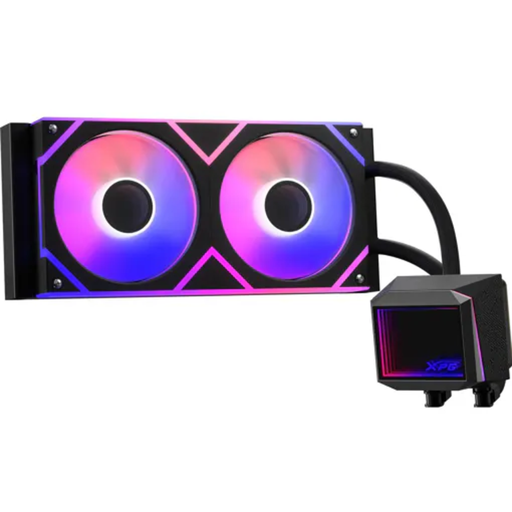
Why it suits this profile : its 240 mm radiator is suitable for cases where space is limited, while compatibility with Intel LGA and AMD AM4/AM5 platforms makes a first installation easier.
Its compact format reduces the risk of buying a radiator that cannot be installed in your case. However, it is still essential to check the available mounting positions before buying.
240 mm radiator, powered via the motherboard, with support for the Intel and AMD platforms specified by the manufacturer.
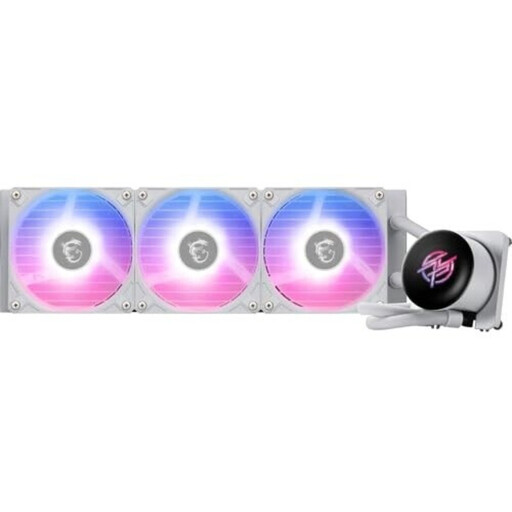
Why it suits this profile : it combines a 360 mm radiator, a 2.1-inch LCD screen and cable management integrated into the sleeve, for a neat and customisable build.
The radiator’s full dimensions, 394 × 120 × 52 mm, make it possible to check the actual space required instead of relying solely on the 360 mm designation.
480 × 480 LCD screen, pump speed of up to 3,400 rpm and fans pre-installed on the radiator.
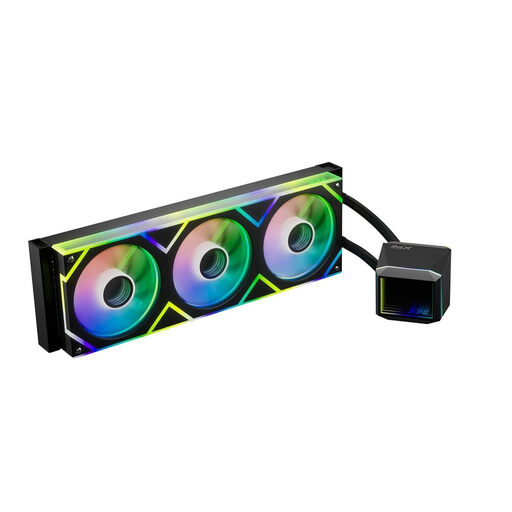
Why it suits this profile : its 360 mm radiator and advertised thermal capacity of up to 340 W make it suitable for builds with a heavily loaded processor.
The product page details the format, fan type and socket compatibility. This information helps you look beyond general gaming-cooling claims.
Infinity-mirror pump with RGB lighting, hydraulic-bearing fans and compatibility with Intel, AMD AM4 and AM5.
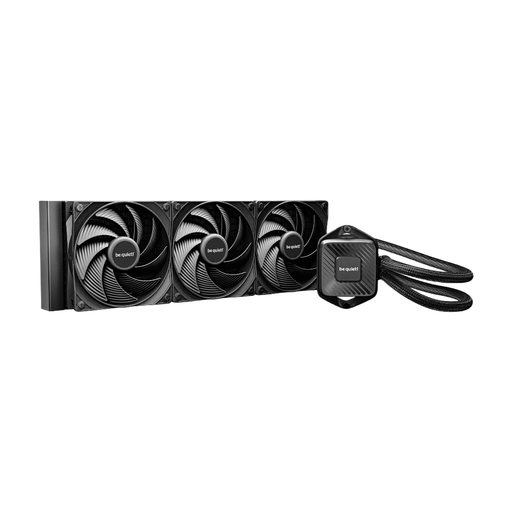
Why it suits this profile : its three 120 mm Pure Wings 3 fans feature PWM control and have an advertised noise range of 17.6 to 37.2 dB.
The noise range is documented with measured figures, and the fans can be daisy-chained. This reduces the number of cables and simplifies control.
360 mm radiator, PWM pump and compatibility with Intel LGA 1851/1700 and AMD AM4/AM5.
We have brought together a complete, real-time updated selection of products that meet these demanding selection criteria and European safety standards.
Before installation, switch off the computer completely, unplug the mains cable and discharge any static electricity. Clean the processor surface if necessary, then secure the block by applying even pressure. The radiator must be firmly screwed in, and the fans should be oriented according to the desired airflow direction.
To keep your CPU cooler quiet, regularly remove dust from the fins and blades using dry air. Watch out for unusual vibrations, temperature changes and any signs of moisture around the tubes. Sealed models must not be opened. If the product has a filling port, follow the manufacturer’s instructions carefully.
It can be suitable for many builds, particularly those using an Intel or AMD processor that is not subjected to a high load continuously. For a powerful processor used for rendering or prolonged computing, a 280 or 360 mm model may provide a larger radiator surface, provided that the case is compatible.
A closed AIO kit mainly requires you to regularly remove dust from the fans and radiator, as well as visually checking the tubes and fittings. Never disassemble the sealed loop. Its operating lifespan depends on the model, pump, environment and intensity of use.
ARGB and LCD screens are primarily aesthetic or monitoring features. They can display information such as the processor temperature or usage, but they cannot replace a suitable radiator, good airflow or correctly configured PWM control.